Skip to content
View in the app

A better way to browse. Learn more.

LCPDFR.com

A full-screen app on your home screen with push notifications, badges and more.

To install this app on iOS and iPadOS
  1. Tap the Share icon in Safari
  2. Scroll the menu and tap Add to Home Screen.
  3. Tap Add in the top-right corner.
To install this app on Android
  1. Tap the 3-dot menu (⋮) in the top-right corner of the browser.
  2. Tap Add to Home screen or Install app.
  3. Confirm by tapping Install.

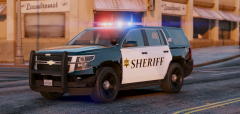
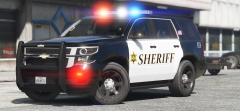
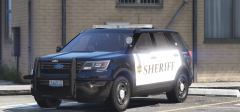
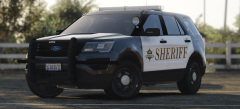
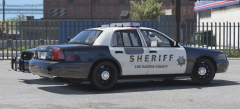
Snohomish Based Pack WIP

Yes. I am working on a pack of vehicles accurate to Snohomish County Sheriff WA. Will include their current fleet setup (will still be somewhat lore based however). 


My plan is to make a 2015 Tahoe, 2015 Explorer, and a 2016 Explorer model.


The Tahoe and '16 Explorer are almost entirely finished so you can expect the release to be very soon.


271590_20161228135144_1.png

271590_20161228135109_1.png

271590_20161228135100_1.png

From the album:

HAH's WIP Pics

· 75 images

Account

Navigation

Search

Search

Configure browser push notifications

Chrome (Android)
  1. Tap the lock icon next to the address bar.
  2. Tap Permissions → Notifications.
  3. Adjust your preference.
Chrome (Desktop)
  1. Click the padlock icon in the address bar.
  2. Select Site settings.
  3. Find Notifications and adjust your preference.