thegreathah
Friends of LSPDFR
-
Joined
Everything posted by thegreathah
-
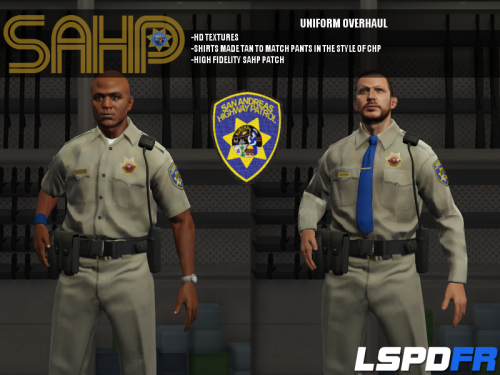 How do you make the back of the cruiser black (on the back doors) I want to do that for my texture.
- 95 comments
- 17 reviews
-
maybe pursuit ready?
-
yep end of july for imort function which should allow us to convert some stuff from GTA IV to GTA V
-
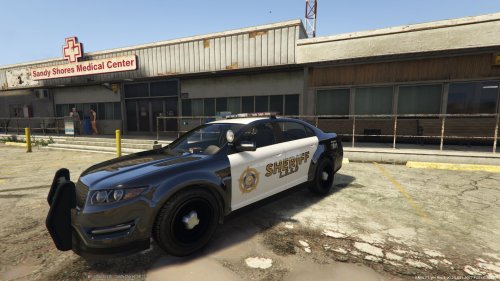 Looks wonderful as usual!
 -
-
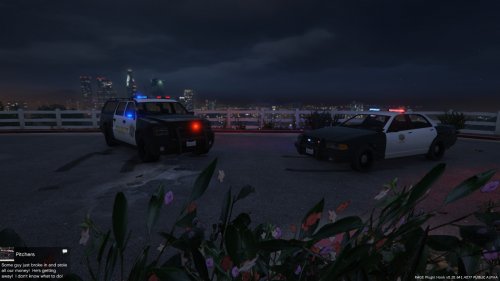 Thanks! it's OK, some people prefer the Ford logo so it looks more like a Crown Victoria
- 36 comments
- 3 reviews
-
Thanks for the location, I can upload a new version in a little while if you want. :)
- 36 comments
- 3 reviews
-
-
The Zmodeler3 forums say late July
-
Oh, so we will be able to put GTA IV models and Custom models in using the import function? Thanks. No one else seems to want to answer this question for me.
-
What is the difference between import and export functions?
-
-
So I tested it, and for some reason the interior is very odd and messed up. I will continue working on it but I cant make any promises regarding a quick release.
- 36 comments
- 3 reviews
-
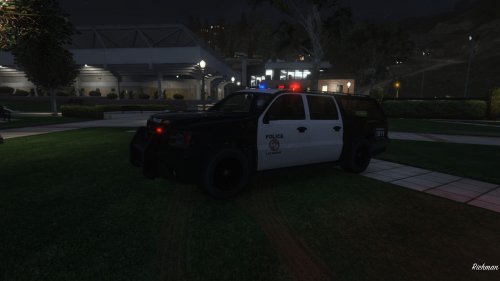 This File Replaces the Sheriff Granger with a Lake Charles inspired design. Requested by: Sharp8850 Disclaimer: This is not perfect, and it won't be until custom modeling. ================================================================== Future Plans: Add Stainer and Buffalo Textures More Unit Numbers.
- 2 comments
- 1 review
-
Alright in Open IV it is looking good. Hope for the best when I test it in game.
- 36 comments
- 3 reviews
-
-

- 1
-
-
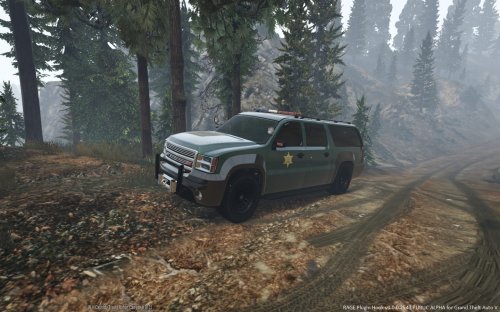 Very nice! When Vehicle modeling comes out I would love to see a pickup truck with this design! :)
- 4 comments
- 1 review
-
I'm not sure. I am not at the pc right now. I will test it later. I know the Buffalo cant replace the granger, I wouldn't get your hopes up.
- 36 comments
- 3 reviews
-
-
- 1
-
-
-
It's an optional replacement. IF you want the Buffalo over the Stanier then you can install that. Don't worry the stanier texture isn't going anywhere!
- 36 comments
- 3 reviews
-
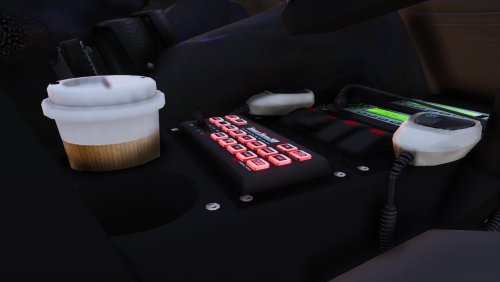 Awesome. I love that you used my Texture pack :). I LOVE IT!. btw what sheriff uniforms are you using?
- 83 comments
- 19 reviews
-
Hey, so I finished a Buffalo Retexture. Would you like it as part of this mod or as a seperate mod? It completely replaces the Stainer.
- 36 comments
- 3 reviews
-
There you go! It's definitely not amazing right now, but I will be updating regularly!
- 36 comments
- 3 reviews
-
-
- 1
-
-
I could Try :). I'll update in a minute with an improved Granger. Maybe with the taurus as a optional replacement of the stanier. :)
- 36 comments
- 3 reviews
-
No. I am using the police 1 file, not the sheriff. The sheriff doesn't allow for black and white. Because the image is mirrored on the police 1 file the badge would come out backwards on one side. and be too small. Until texture mapping can be truly customized this will have to do... Thanks, glad you like it!
- 36 comments
- 3 reviews
-
Glad you like it. Unfortunately the texture mapping of this vehicle only allows a small insignia on the front door, and because it reflects the Sheriff symbol will be on the wrong side and look weird. Believe me I tried, that was my original idea, it just doesn't work. ;( Sure. Thanks!
- 36 comments
- 3 reviews