




Kilyin
Members
-
Joined
-
Last visited
Everything posted by Kilyin
-
 You need to extract the entire archive into the same folder... you're missing files.
- 1,510 comments
- 85 reviews
-
-

- 1
-
-
 Try using this gameconfig https://www.gta5-mods.com/misc/gameconfig-for-addons-600
- 501 comments
- 104 reviews
-
-
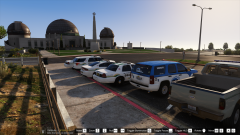 Alt-Ctrl-L turns off PLD display too.
 -
 Easy to miss, the .ytd has a shitload of emissive textures and I don't think it's using but a few of them.
- 147 comments
- 65 reviews
-
-
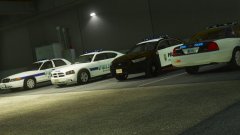 Cool, I'm in the area. See a lot of exploders cruising around these days, but the models look pretty accurate here.
 -
yeah, mods folder in GTA5 folder. I think OpenIV offers to do it for you nowadays.
-
Use a mods folder, if you blow it up you can just delete it and start over.
-
 You'll have to update the <audioNameHash> in vehicles.meta to a police vehicle.
- 158 comments
- 54 reviews
-
You from Richmond?
-
Goes in \plugins\LSPDFR not \Plugins
-
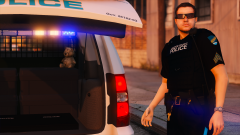 Actually, isn't it originally from:
 -
-
-
 It would probably be easier to just download and use this, or take a look at it and see how to do it yourself.
- 955 comments
- 158 reviews
-
-
-
If you name a model police34, or police99, etc, the game isn't going to know the model exists... so you need to make entries for it in a vehicles.meta and carvariations.meta (if it was originally named police3, just copy the entries for that and edit accordingly).
- 955 comments
- 158 reviews
-
-
-
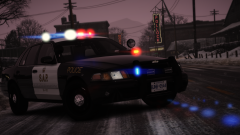 Interesting. I just know the car rocks like a boat when driving it in the game and it feels really awkward in general. I didn't feel like fiddling with the handling so I just uninstalled it.
 -
Forza Vic, you can tell by how high the rear end sits... which basically ruins the car.
-
 Wilderness Callouts still works even though it hasn't been updated for quite some time.
- 311 comments
- 39 reviews
-
-
- 1
-
-


.thumb.png.9d0943161b37f863c291d6d6664edefb.png)

.thumb.png.43fe043530d7dd789f2c112961b50ba1.png)