Kilyin
Members
-
Joined
-
Last visited
Everything posted by Kilyin
-
I kind of stumbled upon\figured out why this is happening with mpluxe and mpluxe2 now. Rockstar is patching the vehicles.meta in update.rpf\dlc_patch\mpluxe\common\data\levels\gta5 so the vehicles.meta in update\x64\dlcpacks\mpluxe\common\data\levels\gta5 is no longer 'valid'. This is why mpchristmas2 continues to work, it only has one vehicles.meta. So the solution is to make your edits for mpluxe and mpluxe2 vehicles.meta within update.rpf\dlc_patch instead of the other location.
-
 I never had a problem with the lightbar. I fixed the window tint by editing diffuseTint in vehicles.meta.
- 117 comments
- 28 reviews
-
-
-
-
-
 Do you plan to ever make a menu for the plugin vs. having all these keybindings? Could make both an option, kinda like Traffic Control.
- 781 comments
- 85 reviews
-
Has to be a real audio file available to the game. So if you go in OpenIV, and ctrl-F3 and search for VEHICLE_SUV, or VEHICLE_FIRETRUCK they both exist. VEHICLE_FIRECAR does not.
- 781 comments
- 85 reviews
-
I believe so. I use this below to spawn thehurk's f350 with an LSFD skin and red sirens the majority of the time, instead of a firetruck. <VehicleSet chance="40"> <Vehicles> <Vehicle prep="a" name="firetruck" audio="VEHICLE_FIRETRUCK">firetruk</Vehicle> </Vehicles> <Peds> <Ped>s_m_y_fireman_01</Ped> </Peds> <NumPeds min="4" max="4" /> </VehicleSet> <VehicleSet chance="60"> <Vehicles> <Vehicle color="red" livery="2" prep="a" name="paramedic" audio="VEHICLE_SUV">f350</Vehicle> </Vehicles> <Peds> <Ped chance="70">s_m_y_fireman_01</Ped> <Ped chance="30">s_m_m_paramedic_01</Ped> </Peds> <NumPeds min="2" max="2" /> </VehicleSet> I'm pretty sure you can have multiple lines per VehicleSet as you mentioned, and only one of them will spawn - as long as you have all your tags and closing tags correct.
- 781 comments
- 85 reviews
-
-
 I dunno, for me Police Radio and the observation window has always flickered. I don't think it's a matter of too many plugins. I can strip everything down to just LSPDFR and Police Radio and it'll still flicker. I've always assumed it's just a problem with the way the radio and windows are rendered.
- 3,646 comments
- 306 reviews
-
-
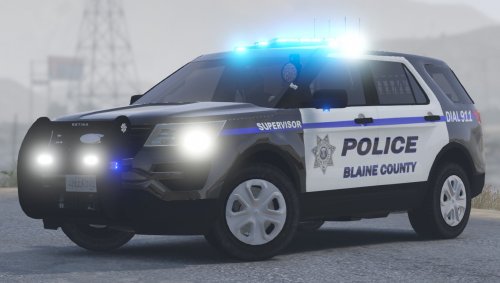 should just be a matter of editing vehicles.meta and telling police3 to use sheriff2 handling. You might need to edit carvariations too for the sirens, don't recall offhand what number police3 uses.
- 35 comments
- 14 reviews
-
 I think it would be more practical if the speed limit and speed indicator only displayed while in a vehicle.
- 200 comments
- 22 reviews
-
-

- 2
-
-
 From the included documentation: The PLD toggle key combo is: Alt + Ctrl + L. - Press it to toggle the PLD on-screen text; this is especially useful when taking screenshots or filming videos
- 220 comments
- 55 reviews
-
As far as I know the AI arresting/transporting crash has been an issue since 0.3 came out. It seems to be somewhat random. I don't imagine it'll get fixed until the next LSPDFR update. I try to always make the arrest to prevent it from happening. Anyway, little bit off topic.
- 781 comments
- 85 reviews
-
Looks like LSPDFR crashed, probably from the AI police arresting and and attempting to transport if I had to take a guess. When you were stuck, are you sure you weren't stuck in an animation you needed to backspace out of?
- 781 comments
- 85 reviews
-
-
-
 Try adding these to the .ini. For some reason they aren't in there but this is output from the RPH log. Change them to keys you have/want, obviously. menuNavUp=NumPad8 menuNavDown=NumPad2 menuSelect=NumPad5
- 211 comments
- 28 reviews
-
It's this livery pack - However it hasn't been updated in awhile, so I had to photoshop it for this model.
- 117 comments
- 28 reviews
-
Default controls: ================= Open Bait Car menu: F7 Toggle kill switch: K Force a cleanup(Only use if the plugin glitches out, it may crash LSPDFR): End Navigate menu up: NumPad8 Navigate menu down: NumPad2 Select currently highlighted menu item: NumPad5
- 211 comments
- 28 reviews
-
-
Thanks for the update. Any chance you might implement a modifier key for activating the mod at some point?
- 211 comments
- 28 reviews
-