hellasvp
Members
-
Joined
-
Last visited
Everything posted by hellasvp
-
-
 Had a crash on the drug dealer callout. Is traffic policer required? According to info, it is only recommended. [13-Apr-20 11:24:41.772] LSPD First Response: [TRACE] User accepted callout [13-Apr-20 11:24:41.836] LSPD First Response: [13-Apr-20 11:24:41.836] LSPD First Response: ============================== [13-Apr-20 11:24:41.836] LSPD First Response: UNHANDLED EXCEPTION DURING GAME FIBER TICK [13-Apr-20 11:24:41.836] LSPD First Response: ------------------------------ [13-Apr-20 11:24:41.836] LSPD First Response: Origin: Game fiber "DrugDealer [UnitedCallouts]". [13-Apr-20 11:24:41.836] LSPD First Response: ------------------------------ [13-Apr-20 11:24:41.836] LSPD First Response: Exception type: System.IO.FileNotFoundException [13-Apr-20 11:24:41.836] LSPD First Response: Exception message: Could not load file or assembly 'Traffic Policer, Version=6.14.3.0, Culture=neutral, PublicKeyToken=null' or one of its dependencies. The system cannot find the file specified. [13-Apr-20 11:24:41.836] LSPD First Response: ------------------------------ [13-Apr-20 11:24:41.836] LSPD First Response: Inner exceptions: [13-Apr-20 11:24:41.836] LSPD First Response: ------------------------------ [13-Apr-20 11:24:41.836] LSPD First Response: Stack trace: [13-Apr-20 11:24:41.836] LSPD First Response: at UnitedCallouts.Callouts.DrugDealer.<Process>b__25_0()
- 643 comments
- 55 reviews
-
 This download includes edited data files of LSPDFR and Ultimate Backup to be used in conjunction with Dispatchworks. Not all vehicles are present as backup. Hopefully this will save you time if you pan on using Dispatchworks in your game. REQUIRED MODS: 1)Dispatchworks 2)LSPDFR EUP CONFIGS 3)Ultimate Backup INSTALLATION: 1)Move "agency_eup.xml" to LSPDFR/Data/Custom 2)Move "UltimateBackup" folder to Plugins/LSPDFR Major credit to TreadRed for all his work on LSPDFR Backup+ which is the basis for these configurations. He did all the heavy lifting on the EUP peds for backup.
 -
 I removed copholster but still have the issue of most backup only using a taser during a shootout. I have the lspdfr eup configs and your backup files for ultimate backup. Do you have any ideas?
- 170 comments
- 11 reviews
-
-
Im sure they have a pistol in their inventory, they are just using tasers for some reason and can't figure out as to why. Just a little strange
- 170 comments
- 11 reviews
-
-
FIB Police seem to only want to use a taser against an enemy even when getting shot at. Do you have any ideas or issues with this also?
- 170 comments
- 11 reviews
-
Awesome. I was doing some more playing and the same issue exists for the FIB swat. I see that you fixed SAHP thanks.
- 170 comments
- 11 reviews
-
-
 Passengers exit the vehicle after I end the traffic stop while the driver leaves via car. Is this a known bug from this plugin or something else?
- 1,005 comments
- 68 reviews
-
-
-
-
-
-
These look great! Any progress update?
-
-
-
Καλη Σαρακοστη φιλε!
-
-
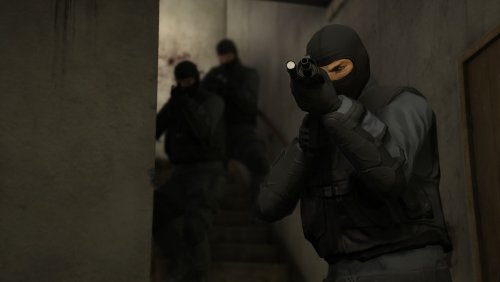 This callout is causing texture loss for me when i activate it. Once I force end it, the textures reappear. Im on latest Rage as well.
- 53 comments
- 14 reviews
-
 Got it now, thanks!
 -
Thanks for the update. Is it me or does the modifier key only work for the engine on/off?
-
Can you add a modifier key in the ini please?