




TheF3nt0n
Members
-
Joined
Everything posted by TheF3nt0n
-
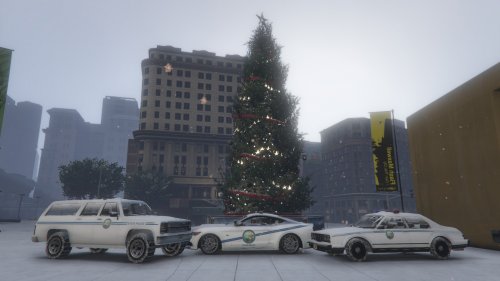 Good luck on your exams, About Granger you can open this link, This Granger has fixed windows that would crash the game, Also If you're interested, You can retexture the Police Gresley by Yard1, It's not on LCPDFR thought but the link is available on mediafire. Granger. Gresley.
- 6 comments
- 2 reviews
-
Well, Open your police3+hi.ytd with your OpenIV and check every textures on those .ytd, If there's something not right, replace the textures with yours.
-
Haven't you checked your police3+hi.ytd? It is used when High Definition setting is used, It may solve your problem.
-
Put your police3 files into "mods/x64/dlcpacks/patchday4ng/dlc.rpf/x64/levels/gta/vehicles.rpf. Cheers!
-
Stanier:http:// http://www.lcpdfr.com/files/file/8341-dev-templated-stanier/ Buffalo: http:// http://www.lcpdfr.com/files/file/8631-bravado-buffalo-1st-gen-mapped-default-style/
- 6 comments
- 2 reviews
-
-

- 1
-
-
Great skins, but i am not interested in real-life vehicles, Would you create vanilla vehicles version of your textures like Stanier, Buffalo, and Granger, please? I prefer lore-friendly vehicles than real-life vehicles.
- 6 comments
- 2 reviews
-
Did you edit the carvariations.meta?
-
Alright so, I've edited the vanilla aerial roof marking numbers and Call 911 sign from AlexVonShep's BCSO Addition project to Yard's version of aerial roof marking numbers and Call 911 sign, This is my personal taste. Credit: BCSO Addition Project by AlexVonShep LSPD and LSSD Skin Pack by Yard1
-
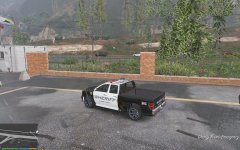
From the album: BCSO Addition Vehicles
A small enhancement to BCSO Bison, I've slightly modified the aerial roof marking numbers and Call 911 sign and giving them better one, Thanks to Yard1. -
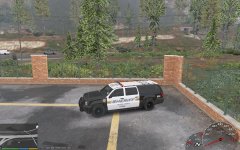
From the album: BCSO Addition Vehicles
A small enhancement to BCSO Granger, I've slightly modified the aerial roof marking numbers and Call 911 sign and giving them better one, Thanks to Yard1. -
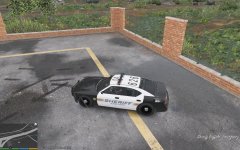
From the album: BCSO Addition Vehicles
A small enhancement to BCSO Buffalo, I've slightly modified the aerial roof marking numbers and Call 911 sign and giving them better one, Thanks to Yard1. -
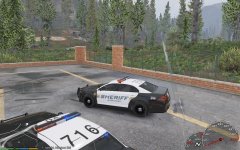
From the album: BCSO Addition Vehicles
A small enhancement to BCSO Interceptor, I've slightly modified the aerial roof marking numbers and Call 911 sign and giving them better one, Thanks to Yard1. -
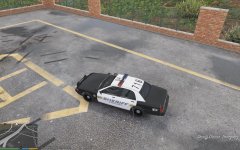
From the album: BCSO Addition Vehicles
A great enhancement to BCSO Stanier, I've slightly modified the aerial roof marking numbers and Call 911 sign and giving them better one, Thanks to Yard1. -
-
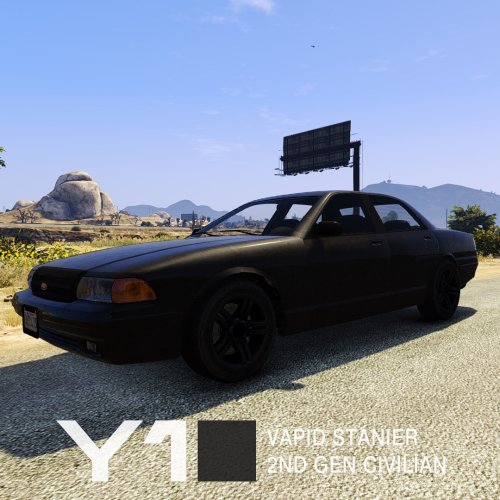 Could you make a version which uses the grille from Taxi? It does looks like the Crown vic with chrome grille.
 -
Yard will not converting this vehicle to GTA V, Yard only prefers lore friendly world, So no real life vehicles in GTA world. Oh and hey Yard, I am waiting for your civilian 2nd generation Stanier and Interceptor to be released.
-
This might be useful for you.
-
You should try the one on update folder, There is another update.rpf on said folder, This might resolve the problem what you had.
-
Happy Birthday, Yard!
-
Absolutely, This will fixed the matte white color problem on said added vehicle, 132 is matte white, 134 is classic white.
-
Nope, Carcols.meta is replaced by carvariations.meta, which is controls vehicle colors, liveries, lights, and siren settings, and new carcols.meta which is controls mod kit like car bumper, Neon lights, Engine, Brake, Selection of car colors, and wheels, This .meta file is used by Los Santos Custom, So this is serve same as carmods.dat from GTA San Andreas.
-
carcols.meta? Nope, I was trying to add modifications on my new added vehicle but ended crashing my game, So ask someone professional about carcols.meta.
-
Nope, It's still belongs to carvariations.meta, carcols.meta is a .meta file which is controls modifications from Los Santos Custom. Try this lines, This should fixed your problem about matte white. <Item> <modelName></modelName> <colors> <Item> <indices content="char_array"> 134 134 0 156 </indices> <liveries> <Item value="true" /> <Item value="false" /> <Item value="false" /> <Item value="false" /> <Item value="false" /> <Item value="false" /> <Item value="false" /> <Item value="false" /> </liveries> </Item> </colors> <kits /> <windowsWithExposedEdges /> <plateProbabilities> <Probabilities /> </plateProbabilities> <lightSettings value="0" /> <sirenSettings value="2" /> </Item>
-
Make sure set one of them to true otherwise the textures will clips on the vehicle. <liveries> <Item value="true" /> <Item value="false" /> <Item value="false" /> <Item value="false" /> <Item value="false" /> <Item value="false" /> <Item value="false" /> <Item value="false" /> </liveries>
-
It is not possible yet, It requires model editing to edit the pants, You should wait for a while until 3D Max plugin for GTA V is released.


