




Albo1125
Insiders
-
Joined
Everything posted by Albo1125
-
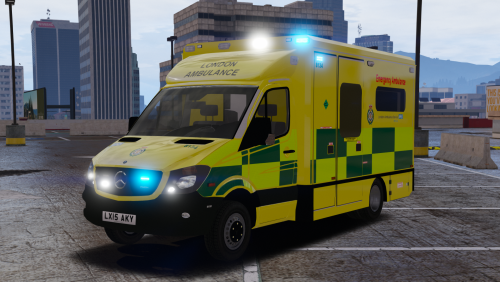 Complete pleasure to drive! Very nicely done, the attention to detail and extraordinarily hard work really show! Glad to have been able to give you a hand in testing the model out Here's the screenshots I took - http://imgur.com/a/oqLPv And a video I did of it: Grab while hot! 5/5!
- 17 comments
- 8 reviews
-
-

- 3
-
-
Absolutely! The betas have been available for a while now.
-
Nearly everything ticket off the list now. Just waiting for a new update of Better EMS to be released (this'll be worth the wait, by the way!) which will allow SmartRadio integration, and after that it's packing time
-
-
-
-
-
Check this out
-
-
-
-
-
You're welcome
-
-
 Check out my Youtube channel which is where you can find links to download the latest beta for the new gta.
- 203 comments
- 29 reviews
 The animation bug is because you have sat the suspect down and LSPDFR itself aggressively overrides anything you try to do to the suspect. Not sure about the court cases as they work fine for me. Another video showing the whole traffic stop incl. arrest for alcohol/drugs so I can also see that menu bug you're talking about, in addition to your RAGEPLuginhook.log, will be required. Thanks! This is not yet implemented. Should be added in future. Regs.
- 1,178 comments
- 137 reviews
-
-
- 2
-
 Thanks for the reply! Other note, your callouts seem to crash if I do not accept them - apparently you attempt to delete a blip in your cleanup, but it doesn't seem to exist. To fix this, simply add a if (myBlip.Exists()) check before the delete statement. Cheers
- 166 comments
- 75 reviews
-
-
- 1
-
Very impressed by the callouts! You've put a great amount of detail into them, props to you! I finally updated to RPH 51 and used them in my stream today. I was just wondering if the music for the noise complaint disturbance is copyright free or not. Talking specifically about this stream, example timestamp 10:16: Thanks a lot mate, I'll leave a review after I try all the callouts- 166 comments
- 75 reviews
-
-
- 1
-




Account
Navigation
Search
Configure browser push notifications
Chrome (Android)
- Tap the lock icon next to the address bar.
- Tap Permissions → Notifications.
- Adjust your preference.
Chrome (Desktop)
- Click the padlock icon in the address bar.
- Select Site settings.
- Find Notifications and adjust your preference.
Safari (iOS 16.4+)
- Ensure the site is installed via Add to Home Screen.
- Open Settings App → Notifications.
- Find your app name and adjust your preference.
Safari (macOS)
- Go to Safari → Preferences.
- Click the Websites tab.
- Select Notifications in the sidebar.
- Find this website and adjust your preference.
Edge (Android)
- Tap the lock icon next to the address bar.
- Tap Permissions.
- Find Notifications and adjust your preference.
Edge (Desktop)
- Click the padlock icon in the address bar.
- Click Permissions for this site.
- Find Notifications and adjust your preference.
Firefox (Android)
- Go to Settings → Site permissions.
- Tap Notifications.
- Find this site in the list and adjust your preference.
Firefox (Desktop)
- Open Firefox Settings.
- Search for Notifications.
- Find this site in the list and adjust your preference.