




Albo1125
Insiders
-
Joined
Everything posted by Albo1125
-
Thanks for the positive feedback
-
Will add functionality for this in the next version of Arrest Manager.
-
Just saw this section and figured I'd throw my latest video in! You may have already seen it but I hope you enjoy it
-
-
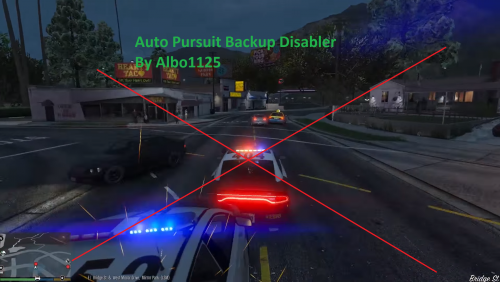 Certain calls 'add' police units to the pursuit themselves - they're not ambient units joining the pursuit. Unfortunately I can't do much about that. Maybe you can contact the specific call's author to request INI toggle?
- 57 comments
- 15 reviews
-
Solicitation & FinKone's Repeat Offenders PREVIEW #2 - #LSPDFR 0.3.1 #undercover Please let me know your thoughts! Check it out here.
-
 No, unfortunately not. This is about as user friendly as it's going to get.
- 270 comments
- 19 reviews
-
-

- 1
-
-
-
 Please include your RAGEPluginHook.log file. (Main Grand Theft Auto V folder).
- 3,646 comments
- 306 reviews
-
-
-
Hi @Cyan, It was recently brought to my attention that the 'Donate to author' button doesn't work any more. I have tried it out and it appears that whenever I log in on my LSPDFR account, it works as intended. However, when I try clicking the donation button when not logged into my LSPDFR account, I get the following error: The same error appears for other authors' donation buttons. I hope this can be resolved as quickly as possible. Thanks for your time, cheers
-
 Please post your RAGEPLuginHook.log file in the support forums. In the near future, perhaps :)
- 379 comments
- 113 reviews
-
Sure, will add it next update!
-
-
-
That's also a good possibility Although, judging by his silence, I think @joe25 finally followed the instructions and got it working
- 3,646 comments
- 306 reviews
-
-
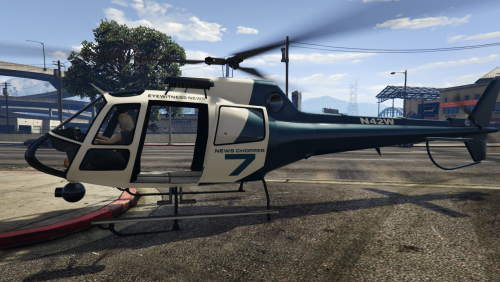 If you didn't install the new model you'll have to install it. If you did, but have other models installed, you may have to change the livery number in the INI file (subtract 1 for the code starts counting at 0).
- 59 comments
- 18 reviews
-
-
-
-
That's because you haven't copied in the new INI file........ Can you please just follow the instructions?
- 3,646 comments
- 306 reviews
-
I've told you how to solve your problem. Please follow the steps and only post back if you've tried them thorougly and it still doesn't work.
- 3,646 comments
- 306 reviews
-
@joe25 I can see from the INI file you uploaded that you haven't replaced it (or didn't do it properly). Please try it again by completely deleting the INI file in your Plugins/LSPDFR folder and putting the one in from the original download (make sure it's the one from the latest version, 6.6.0.2). Then it will all work again.
- 3,646 comments
- 306 reviews



