


AngeloCosma
Members
-
Joined
-
Last visited
Everything posted by AngeloCosma
-
So is this kind of like the Cry ENBs for GTAIV? I thought people were saying V didn't need any Enbs anymore? If you guys swear by these I may give it a shot.
-
Hey guys, my Wireless XBOX 360 controller has been working fine so far. But strangely my "Y" key (Enter / Exit vehicle) is no longer working. All the other functions work, and in Windows calibration the Y key press is working. So far I have mapped it using Xpadder, but I would like to resume normal functionality as it is one more program to start up now to play, and this never happened before. Any help guys? Using Rockstar retail version.
-
Is there any way to tone down the steering sensitivity, and maybe make the brakes even weaker? I still feel the car turns on a zero turning radius and brakes like crazy. I am aware of handling mods and am using one widely recommended by the community but I am wondering if there is anything further that can be done.
-
How do you accept a callout? For now Y is the only way and i have yet to map that.
-
Would anyone mind sharing a setup that they feel works well / are comfortable with. I am using a wireless 360 controller and have Xpadder, just reply below with your configuration and or setups you guys use. Looking to add more controller compatibility and trying to use the keyboard as little as possible (a difficult task I know.) Thanks guys
-
Get callouts + from LukeD, it will add some more and integrates into LSPDFRs dispatch system. The callouts are also slow to come out by design. Boost the multiplier to 400 or so.
-
Someone suggested it may be a corrupted save game? But my quicksave loads fine. Maybe I should re save at a characters house?
-
My ragehook (F4) always opened I never had a problem there. Make sure you have the latest trainer and mods you are trying to load. I know all were recently updated to support GTA's update and rage was also just updated a day ago also. You may also need to verify what key is mapped to open trainer, mine is F3.
-
 FinKone saw your video showcasing this! Stealth22, super excited and glad its out in time for the weekend! Thanks so much for your hard work both of you. Cant wait to get home, haven't played it yet but I'm sure its 5 stars!
- 422 comments
- 73 reviews
-
-

- 2
-
-
I am running the above linked trainer no problem, using policeradio and spotlight as well. OpenIV asi loader worked fien and I set it before launching the game.
-
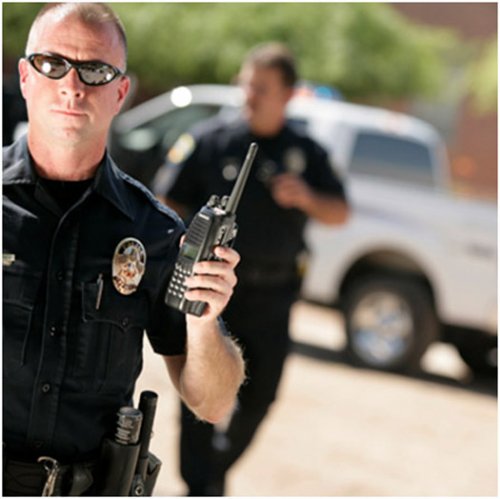 This may be my imagination but I am not quite sure. Did my officer, the one I'm playing use to respond to calls on the radio? For example I get dispatched a call and press (Y) to accept, I thought audio plays saying he's taking the call? Right now I press Y it is silent, the red blips appear on the map and the call is mine, but I don't hear the officer acknowledging the callout any longer. Was it always like this, or am I imaging things.
- 2 comments
- 5 reviews
-
Hey guys, I am just curious to see if anyone is experiencing what I am about to describe and knows how to help mitigate it. I don't think this is normal behavior and here's why. Rockstar retail version, latest update, using rage that shipped with LSPDFR 0.2a Beta. My game used to be up and running in my estimation of about 60 seconds. Now It can be several minutes until I am in the map walking around. I don't think the PC is waiting because it is still loading the game, I think that game has fully loaded but just didn't get rid of the loading screen properly. After say 2.5 minutes, I press F4 I can see the console and I see messages that calls are already being dispatched, secondly If I start mashing keys on the keyboard it affects things in game. Third after pressing enough keys I am finally in game looking around, usually with a wanted level know because my previous mashing made the character drive into someone or fire his weapon or something. So obviously the game is responding even though I can't see whats happening due to the loading screen still there. I hope this makes sense somewhat, is anyone experiencing this and or knows what to do?
-
Guys it is with great pleasure that I can mark this as resolved. I ended up finding the answer on my own after nearly 8 days of struggling to get the game to run, and if any poor soul has to go through what I did the answer will be here. The whole time the D3D error was coming up, my min was thinking graphics drivers, display configuration / settings. It had be something there... Boy was that sure wrong. Take a quick read here for full details https://steamcommunity.com/app/271590/discussions/0/611703999979135398/ I had a program called EVGA Precision X used for overclocking and showing the status of you graphics card on your Logitech LCD display on keyboard. (Let me be clear, I did NOT overclock my gfx card). However because it had to display the stats of the card on the keyboard it was simulating another D3D input / device that was conflicting with the start of GTA5 (Even when the program is NOT running!) So as soon as I removed the program we were back in business, man how far out this was I wasn't even close to thinking that the two could be related. Anyways I hope this helps the next person.
-
Still running into the issue.
-
You realize you are old enough to buy the game on your own right?
-
Try removing the launcher.exe and letting it redownload. After make sure all 3 .exe's are ticked "Run as Admin" get the latest nvidia drivers. Try running the game in Border-less window mode.
-
That was it! Thanks so much Sgt. Kanyo, and of course this great addition is made by you as well . Thanks again for your contribution, I'm sure my jaw is going ot hit the floor when we finally get vehicle mods into this and those CHP's start rolling out.
-
I remember earlier on with a light texture mod, the crown vic and most all other cars in game had there position lights on, and most notably the crown vic lights were amber as they should. Now they are white just like the headlights and I can't for the life of me remember what or how to fix that. I really enjoyed the parking / pos lights on all the vehicles. Does anyone remember or can help me out?
-
As the topic suggests, with the problems I'm having a fear a reinstall may be down the line. Is there a way to do this and keep my story progression?
-
I got it, reboot or delete launcher.exe and it worked
-
Did you ever manage to get it running?
-
Any help out there team? I am stuck in the mud. :-(
-
If the mods folder has to be removed, how (if one wants to add mods) would one be able to? Are mods no longer supported since the update? (I know LSPDFR do not provide support to a modded game but in general)
-
Aww man that's too bad! I was troubleshooting further last night, and with the random times I was able to load in and the error referencing D3D, I ran the game in windowed mode. I did this by launching rage, then when the launcher disappeared and I could tell GTA was about to launch full screen I quickly pressed ALT+ENTER and bam windowed mode. The intro started playing, I selected story mode got in Michael's house ALT+ENTER again to full screen and I was off patrolling with the mods installed. I realize there is still something wrong and I should not have to do this, I am posting this as it may trigger a memory or thought from someone else who may help cure this once and for all. Edit: I should also mention that prior to the Ill Gains update, I had plenty of mods installed and NO PROBLEMS running the game whatsoever. It was only after the update that I have been getting the BEX64 error on GTA5.exe.
-
Also, I seem to be able to load into the game randomly once per boot it seems. Mods folder is back in, siren, lights, police radio are in. Game runs and plays fine, except once I close out I can no longer run the game successfully and get the error. I do not know if rebooting, removing the launcher.exe and letting it reacquire or something else random is whats allowing me to play. Is this a clue to anyone that can help?
