OfficerFive0
Members
-
Joined
-
Last visited
Everything posted by OfficerFive0
-
or this, its supposed to be easier on your system than stopshittingbricks. i cant say so myself since i havent used this plugin yet. ( i do plan on using it though)
-
modeled whelen P46SLC and P46S2 spotlights
-
-
 no,not really. IRl the tahoe is 74.4″, charger is 58.2″ and cvpi is 56.8″ so if anything, the charger is a bit smaller than it should be. (by comparing it to the cvpi and tahoe)
 -
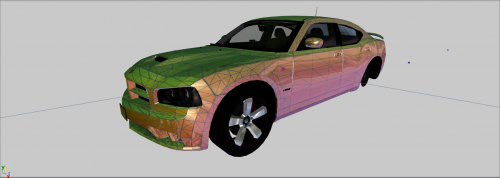 tldr taillights and dash are different
 -
yes i am
-
this is actually a 06, not 09
-
i believe this is your problem "zmodeler 3.1.2 crack"
-
modeled a go industries window guard for a taurus
-
yup, thats what they are
-
.thumb.png.04a1687a445e54a18a959b7926b87d7b.png) If you dont install the vehicles.meta line then the lightbar glass on the Tahoe will be dark.
If you dont install the vehicles.meta line then the lightbar glass on the Tahoe will be dark.- 217 comments
- 38 reviews
-
-

- 1
-
-
 putting "OVER 200K POLY :)" with a smiley at the end makes it seem like you think its a good thing its that high poly
 -
"OVER 200K POLY :)" thats not a good thing.
-
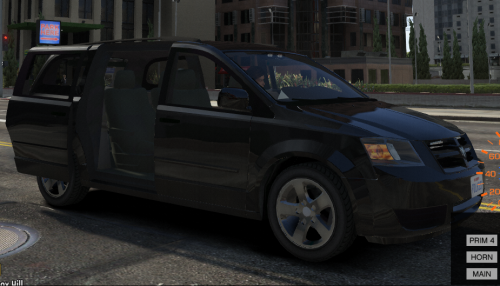 The lods are horrendous. the L1 is the same as the L0, the L2 is a bit high, but not that bad. the L3 and L4 are WAY too high though. id suggest getting rid of the L4, and just using an L4 from the gta5 minivan model, at such a distance u cant tell the difference and its already optimized. There also seems to be a material issue with the rims,as they are pitch black. The dominator is scaled too high on the y axis, also there are no grill lights, yet there's an emis in the grill. Id also suggest finding better emis textures for your lights, currently they are horrendous. You also have alot of unused textures in the ytd. Perhaps you copied another cars ytd, added the caravan textures and just forgot to delete those textures. All in all, it seems you did a decent job converting the caravan, but put minimal effort into the lights.
- 26 comments
- 10 reviews
-
-
- 5
-
-
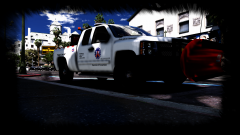 oh god, what happened to the plow?
 -
-
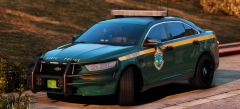 whelen makes red lr11's?
 -
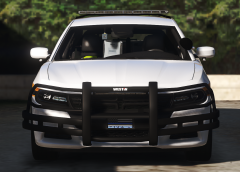 looks much better
 -
opticom at exactly 2k polys also started work on the new adjustable mounts (dont worry im still doing the other feet)
-
well my point of the pic was just for reference to scale the impaxx's
-
still, impaxx's are way to small. and you can easily make the 10 head lattittude into a 4. just select it in poly mode, and delete 6 heads. then in vertex mode, move the shell to fit the 4 heads. the lights in the pushbar are impaxx 6. so thats an easy way to scale the impaxx. just make sure its half the size width wise
-
ur using a 10 head lattitude, they are using a 4 head. so then idk what light it is on the pushbar, but either way its way too small
-
finally textured the inside, and improved the circuit boards
-
^ same with the linz6
-
started working on texturing

.thumb.png.ff545023a0865d5667af1d6318eaec32.png)
.thumb.png.04a1687a445e54a18a959b7926b87d7b.png)