


FireSheriff343
Members
-
Joined
-
Last visited
Everything posted by FireSheriff343
-
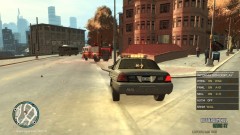 firefighters...... smh
 -
no i turned it off due to the time of the call at 1245 in the morning. Along with the fact that it helps me record at a higher FPS. Im kinda still testing what works best in what areas for recording and such. and thank you
-
u can replace it with something like the yankee or biff..... thats what i did... the AI vehicles wont pull over for you but as long as you put it into your ELS file it will work. im not to sure about adding vehicles... i didnt think you could do it either
-
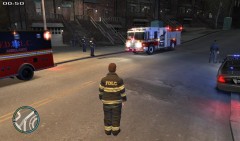 its a great tool. makes it more realistic as well
 -
looks awesome man. u got my download as well
-
Martin County Sheriffs Office Crown Victoria
-
nice man. i heard a few tire squelches :P but its not like i dont do it either.
-
o i didnt know it was being looked into. Thanks
-
no mine lets me do everything fine.... it just stops giving me calls after i do a couple traffic stops...... and when i dont do any traffic stops it dispatches me out to the same exact calls like a domestic in steinway and then a mugging and then right back to a domestic
-
I was playing earlier and I started responding to a few calls and then did a traffic stop. After the traffic stop I was not given anymore calls..... I waited around for about 20 minutes or so and still did not get dispatched to any calls. Also in the past ive had a few times where it will dispatch me out to a call and then once that call is resolved it will dispatch for another one and say its Code 4 and then dispatch me out to the call that was just resolved and does this over and over again.... I feel like its something im doing possibly but im hoping I can get a second opinion. Thanks
-
Thank You! Thank you, i kinda squealed my tires going around that first turn but what can you expect with a keyboard? lol
-
Hey guys I got kinda bored so I went and did a false call for an apartment fire. This ones a little bit less laggy than usual but as usual lemme know what you think and any suggestions. Thanks http://www.youtube.com/watch?v=1Aee4EHtzy8
-
Safe meaning safe for those around and for you.... The suspect lost his right to safety when thwy grabbed a gun
-
hahaha dunkin donuts closing in 5 minutes is a very valid reason
-
thanks man. I agree with ya there. Ive always been taught througj my sheriffs office that when any type of situation involves a gun u need to quickly disarm the suspect whether it be by taser or lethal force. It just needs to be done in a quick but safe manner
-
yea bugs did a great job woth hos LCSO cars.... Right now i have 3 different CVPIs, an impala, and a chevy suburban all by him with all the same logo. And its great because they already came with all blue lights so i didnt have to change anything.
-
I usually use the main ones when responding to calls or the initial approach of a traffic stop.... the hazard or yellow lights I use when i come on scene of a "non emergency" or not a major call. i also use them if im off on the side of the road for a certain period of time
-
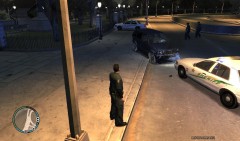
From the album: Life of the S.O.
totaled? -
yea i feel yea there. i use the mouse wheel to switch through weapons which is either faster or slower... i really dont know. Ive only had a couple instances where someone pulls out their gun from inside the car and I just start running to the back of my vehicle and start shooting with whatever gun i pulled out on the way LOL
-
 SHOOT HIM IN THE HEAD!! SHOOT HIM IN THE HEAD! thats cool man with the angles and such
 -
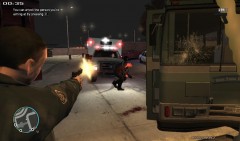
From the album: Life of the S.O.
Suspect got out of the bus and pulled out a mini uzi -
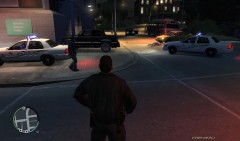
From the album: Life of the S.O.
Driver DRT (Dead Right There) near the suspect vehicle and the passenger fled on foot but was arrested -
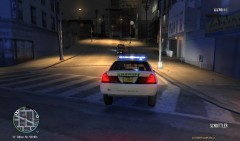
From the album: Life of the S.O.
passenger (prostitute) pulled out an uzi and started firing it out of the window at officers -
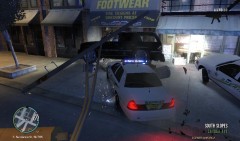
From the album: Life of the S.O.
Theres a definition for what this is..... its called a tactical ram.... pretty much you take your car and slam it into suspects car as hard as possible and see what happens -
From the album: Life of the S.O.
......... like really?


