


FireSheriff343
Members
-
Joined
-
Last visited
Everything posted by FireSheriff343
-
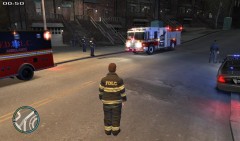 no someone on gtapolicemods converted the in game dispatch to multiple different clips to where you can create your own type of scenario or dispatch or whatever you pretty much want.... its a neat little download.
 -
From the album: Messing around with fraps
Little preview of a video i just did.... response to an apartment fire using the in game dispatch system recorded audio. -
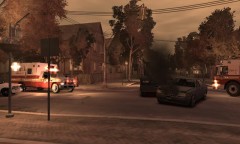 for?? the ambulance? the firetruck? the slicktop? or the PBSO car?
 -
sorry about that..... i usually make different types of videos and put them up on new threads so i dont get questions like "wait what were you doing for that one" but ill figure it out. again sorry for that
-
Thanks man. I use the trainer and just spawn the models and vehicles and such
-
 no problem. if you have trouble finding it let me know and i can send you the file
 -
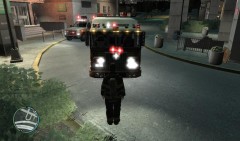
I like it alot.... especially because its got that actual detectives look to it with the visor light and two rear window lights. Great job
- 6 comments
- 3 reviews
-
this is the Spartan Gladiator... yea its on gtapolicemods but it comes with a hillandale skin which i switched to a FDLC skin
-
Thank you so much! I didnt even see that you posted that on there.....
-
yea. im about to turn 18 here in a couple months and start the academy in august. and yea i was into SWAT for awhile but im thinking im gonna go into Traffic and maybe Warrants
-
lol no man its just here the sheriffs office uses all blue and im gonna be a deputy here in a year or so soooooo i better get used to all blue :P
-
naw i like it..... i just wish that it had all blue lights :P but naw i deff like it
-
 if you have a trainer it should allow you to spawn models and vehicles and such stuff like that.
 -
hmmmmm..... the only thing id say is to reinstall lcpdfr because i feel like thats what does the map thing but if not i would just reinstall your ELS..... im not a big computer tech guy so i really dont know but ill help ya as much as i can
-
From the album: Messing around with fraps
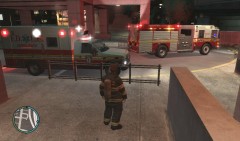
side view of Engine 22 and Medic 10 on scene of a commercial fire alarm -
From the album: Messing around with fraps
commercial fire alarm 3 -
sooooo heres the lights setup as u asked :P http://www.youtube.com/watch?v=RZwn2gahx1k
-
mine just show up for me automatically..... what version of ELS do u have? and do u have lcpdfr installed cuz that might put it in there too
-
yea i gotcha... idk its a toss up, some people love backups some people hate them.... i just find them in the way unless its real life. but yea ill send that to you
-
thanks man. i know its laggy like a said before but my other vids on the channel arent nearly as bad....
-
that car is actually available for download on this site..... i think Cj24 is the one that posted it. but i will make a vid showing off the lights if you would like. its all good. i dont blame ya. the other videos are a little bit better when it comes to the lag but like i said in the description of the vid...... my game doesnt like Algonquin to much
-
should be numbered...... looks something like SGA4XX with the XX being whatever numbers the thing decided to save as
-
i dont have the original cuz i have a bad habit of not backing up my stuff...... but i do have the current one. that i could send to you. you shouldnt need the original to be able to replace whatever you have..... i had a colt 1911 and i just replaced it with this and it came out fine
-
check it out if u want. it should b in this media section..... probably a few topics down
-
lol did you see the LCSO tribute video i posted up?? that has me shooting like 2 or 3 suspects with that glock <3 its my favorite

