


FireSheriff343
Members
-
Joined
-
Last visited
Everything posted by FireSheriff343
-
Sorry for the lag.... my game doesnt seem to like Algonquin to much. but this is a detectives response to a homicide around 1 a.m. http://www.youtube.com/watch?v=ldhd4bwWucE
-
Just a couple a videos..... Response to a drowning victim in steinway http://www.youtube.com/watch?v=qf3e0Dp3FwI http://www.youtube.com/watch?v=RjNLlEVK5iY
-
thanks! and no i dont use partners because here where i live its 1 person to a car. plus partners take to long to get in the car :P
-
haha no i was just walking up to get her info and then o hi maam with a an uzi
-
i know... surprised the hell outta me too..... i was like oooo shes just gonna run and do a pursuit..... wait GUN!!!
-
just something I threw together will calls and responses and such http://www.youtube.com/watch?v=H3mdkFBN7j8
-
mines a 2005 black crown victoria police interceptor.......... o wait i already have one :D
-
i have a file that i could transfer to you which makes the ELS brighter
-
i know i asked this before but how would i make the lights all blue? if there is a way
- 6 comments
- 7 reviews
-
yea if you send me ur email ill send it to ya. i gotta go find it but when i do ill send it to you... unless you want me to just email the car to you
-
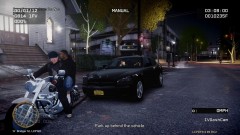 mine does the same thing.... i usually just cancel the traffic stop and do it again and itll work for me
 -
i play on regular as well. i used to be a sheriffs explorer for awhile so even though its a video game i know where to position the character and such stuff like that... unless the buttons want to screw up and make me go some other direction lmao
-
yea i usually use my car as cover but i ended up going through that alleyway so it didnt help too much. and that sucks! ive only died myself twice while playing LCPDFR and both times were from being on a traffic stop and someone comes outta no where and creams me. thanks!
-
just a quick little video of me responding to a shots fired call in east island city... please read the description in the video and as always if you have any questions or comments feel free to leave them! http://www.youtube.com/watch?v=31Yc24jDrzs
-
yea. all of them were downloaded from here, gtapolicemods, and gta4-mods
-
suprisingly enough when i went back on after i put that traffic flow mod all i had were shots fired and pursuits and it was crazy.
-
well i figured as much lol. ill have to try those out with my game and see how it works.... i put in that traffic flow mod like you said and all i had to do was edit how many times it spawns stuff and edit the chance of an emergency vehicle response and it works perfectly fine. so thank you for that.
-
thats true... as much as i love pulling over taxis.... i would like to pull over regular civilian vehicles lol
-
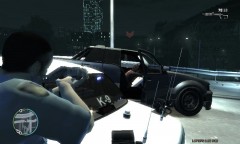 it was a very very long pursuit.... PITed her truck about 9 times.... she almost got shot just for that :P
 -
i was actually looking for that traffic flow mod but i didnt know if it would crash if i used my ELS and LCPDFR with it. but i appreciate the advise and i will look into that traffic flow mod
-
This is my first patrol video so dont hate to much! im just trying to get fraps worked out with recording and i figured id show you guys. feel free to ask questions and leave comments on how to better the videos and what i can do to improve performance of fraps or even my comp. Thank you http://www.youtube.com/watch?v=sGehRywJJJg
-
yea id be glad to. if u message me your email ill send them to ya. thank you! i figured id switch over from all of the sheriffs office mods and stick with NYPD and NYSP for a little bit
-
-
bunch of new mods that i put in for NY..... idk whats up with my M4 http://www.youtube.com/watch?v=jHiH86r2uyk
-
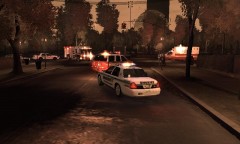 im not using ENB..... my comp can barely run GTA as it is lol


