




CouthInk4
Members
-
Joined
-
Last visited
Everything posted by CouthInk4
-
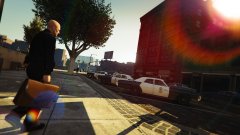 Oooh i do like this =)
 -
Yeah the new update was coming out this week... didn't think it was going to be now. This means i need to re-do my mods folder =/
-
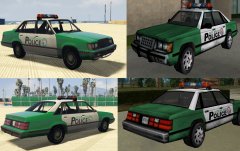 I was saying to Lundy when he first showed me the vehicle that if he wanted to, he could've edited the vehicle to pass it off as the VCPD squad car. Glad someone actually did it, because it doesn't look that bad :D
 -
This topic has been moved to the appropriate forum. Please post in the correct location in the future.
-
The post is also there to help us, there are screnshots and logs we need (which are listed in the post) so we can determine what your issue is.
-
You can't make your own DLC file (or atleast i don't think you can) however you can add your own cars (like dblocks added vehicles), they need to go in certain directories for the game to recognize them. That being said, it's possible to add your own vehicles and spawn them in traffic, although currently they won't be in pursuits in LSPDFR, that option will arrive in 0.3 with the customizable backup menu.
-
Hello there -- welcome to LCPDFR.com and thanks for trying out LCPDFR! Please do the following: Make sure you aren't using a crack - We don't support cracks or people using pirated softwareUpdate GTA IV to 1.0.7.0 (the latest version of the game, or 1.1.2.0 for EFLC) - These patches are needed. Make sure that you run the game as an administrator.Make sure that your GTA IV root folder (and every subdirectory) is not set to "read-only"Ensure that AdvancedHook.dll, ScriptHook.dll, ScriptHookDotNet.asi and Dsound.dll OR Xlive.dll are in the GTA IV ROOT folderEnsure that there is a folder titled 'LCPDFR' in the ROOT GTA IV folder.Check that all the above files exist, if they do not, reinstall LCPDFR with the MANUAL installation.Ensure that you are using up to date versions of every LCPDFR dependency and LCPDFR itself.Install these: https://www.microsoft.com/en-us/download/details.aspx?id=30653 , https://www.microsoft.com/en-us/download/details.aspx?id=30679 In some cases, your issue is resolved after following the above steps. If it did help, please let everyone know in the topic that your issue is resolved. If you do have to post a topic, do the following; Give a clear, detailed description of the problem.Explain any circumstances surrounding the problem.State what solutions you have tried.Post ALL relevant logs (LCPDFR.log, Scripthook.log, ScriptHookDotNet.log, AdvancedHook.log).Include as much information as possible.Post your system specifications.Post what other mods you are using. This includes car and script mods.Post a screenshot of your GTA IV or EFLC game directory. Please note that failure to follow these instructions may cause this thread to be closed.
-
Your thread has been moved to LCPDFR Support Requests as it isn't a LSPDFR Support Request. Hello there -- welcome to LCPDFR.com and thanks for trying out LCPDFR! Please do the following: Make sure you aren't using a crack - We don't support cracks or people using pirated software Update GTA IV to 1.0.7.0 (the latest version of the game, or 1.1.2.0 for EFLC) - These patches are needed. Make sure that you run the game as an administrator. Make sure that your GTA IV root folder (and every subdirectory) is not set to "read-only" Ensure that AdvancedHook.dll, ScriptHook.dll, ScriptHookDotNet.asi and Dsound.dll OR Xlive.dll are in the GTA IV ROOT folder Ensure that there is a folder titled 'LCPDFR' in the ROOT GTA IV folder. Check that all the above files exist, if they do not, reinstall LCPDFR with the MANUAL installation. Ensure that you are using up to date versions of every LCPDFR dependency and LCPDFR itself. Install these: https://www.microsoft.com/en-us/download/details.aspx?id=30653 , https://www.microsoft.com/en-us/download/details.aspx?id=30679 In some cases, your issue is resolved after following the above steps. If it did help, please let everyone know in the topic that your issue is resolved. If you do have to post a topic, do the following; Give a clear, detailed description of the problem. Explain any circumstances surrounding the problem. State what solutions you have tried. Post ALL relevant logs (LCPDFR.log, Scripthook.log, ScriptHookDotNet.log, AdvancedHook.log). Include as much information as possible. Post your system specifications. Post what other mods you are using. This includes car and script mods. Post a screenshot of your GTA IV or EFLC game directory. Please note that failure to follow these instructions may cause this thread to be closed.
-
This topic has been moved to the appropriate forum. Please post in the correct location in the future.
-
This topic has been closed by G17 Media Community Team Staff as it is a topic regarding support for the RAGE Plugin Hook. We are unable to provide support for the RAGE Plugin Hook (RPH), and require all support topics pertaining to this be posted over on the official RAGE Plugin Hook forums: http://forums.ragepluginhook.net/ If you feel this topic has been closed in error, please report this post.
-
Read the documentation that comes with the LCPDFR download, it tells you the controls to LCPDFR.
-
You already have a topic open regarding this, please stick to that one - http://www.lcpdfr.com/forums/topic/57748-modded-weaphons-are-not-animating-cop-holster/#comment-385226 If you feel this topic has been closed in error, please report this post.
-
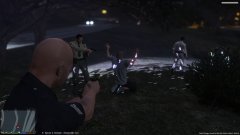
From the album: CouthInk4's LSPDFR Gallery
Suspect taken into Custody by LSPD officers. -
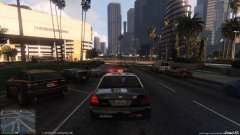
From the album: CouthInk4's LSPDFR Gallery
1-LINCOLN-12 responding Code-3 to a call -
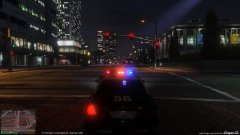
From the album: CouthInk4's LSPDFR Gallery
Crown Vic catching up to the very crappy Esperanto in a Pursuit through Los Santos -
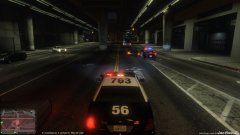
From the album: CouthInk4's LSPDFR Gallery
1-LINCOLN-12 as the Secondary Unit while the Primary Unit (sexy Dodge Charger) goes in for a PIT -
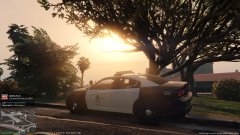
From the album: CouthInk4's LSPDFR Gallery
Pulled over waiting for a call (was acutally about to look at controls for a plugin) and this happened.. so preeeetty -
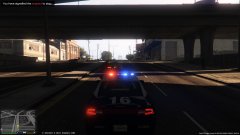
From the album: CouthInk4's LSPDFR Gallery
Driving a very sexy Dodge Charger and pulling over a police impersonator -
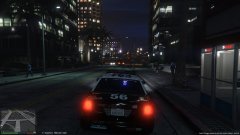
From the album: CouthInk4's LSPDFR Gallery
Patrolling during the night in an LSPD Crown Vic. -
Then your issue would be with Grand Theft Auto V. I'd reinstall GTA (or put it back to vanilla), and see if you can play it without any mods if you still get the error then it's an issue with your game. Your topic has been moved to GTA V Support, this is not LSPDFR related. Please post in the correct location in the future.
-
Hello there - Welcome, and thanks for trying out LSPDFR. We require all members to read the provided ReadMe and User Documentation before getting support. Please keep in mind that this is a beta version of LSPDFR - we cannot guarantee that all issues have been resolved. You can find the user manual in your LSPDFR Download folder. If you still have questions after reading the User Documentation, review the LSPDFR FAQ; http://www.lcpdfr.com/forums/topic/51162-lspdfr-frequently-asked-questions/. Ensure you have a folder titled "LSPDFR" and "plugins" in your root directory. The plugins folder should contain the following; LSPD First Response.dllA folder titled "LSPDFR"Make sure you have the latest RagePluginHook: http://ragepluginhook.net/ Please do so now and return to this topic when this is done and do the following; Give a clear, detailed description of the problem.Explain any circumstances surrounding the problem.State what solutions you have tried.State which version of the game you're using (Steam or Retail)Post the RagePluginHook.log in a spoiler tag (Please be courteous and only include the relevant information).Include as much information as possible.Post your system specifications. You need to meet the required system specifications for the mod to work properly. Post what other mods you are using. Post a screenshot of your GTA V Game directory. Failure to follow these instructions may result in topic closure.
-
This topic has been closed because you are asking for support regarding pirated software. We are unable to provide support to pirates, or people using cracks. If you feel this topic has been closed in error, please report this post.
-
Your topic has been moved to LCPDFR Support Requests. Please post in the correct location in the future. Hello there -- welcome to LCPDFR.com and thanks for trying out LCPDFR! Please do the following: Make sure you aren't using a crack - We don't support cracks or people using pirated software Update GTA IV to 1.0.7.0 (the latest version of the game, or 1.1.2.0 for EFLC) - These patches are needed. Make sure that you run the game as an administrator. Make sure that your GTA IV root folder (and every subdirectory) is not set to "read-only" Ensure that AdvancedHook.dll, ScriptHook.dll, ScriptHookDotNet.asi and Dsound.dll OR Xlive.dll are in the GTA IV ROOT folder Ensure that there is a folder titled 'LCPDFR' in the ROOT GTA IV folder. Check that all the above files exist, if they do not, reinstall LCPDFR with the MANUAL installation. Ensure that you are using up to date versions of every LCPDFR dependency and LCPDFR itself. Install these: https://www.microsoft.com/en-us/download/details.aspx?id=30653 , https://www.microsoft.com/en-us/download/details.aspx?id=30679 In some cases, your issue is resolved after following the above steps. If it did help, please let everyone know in the topic that your issue is resolved. If you do have to post a topic, do the following; Give a clear, detailed description of the problem. Explain any circumstances surrounding the problem. State what solutions you have tried. Post ALL relevant logs (LCPDFR.log, Scripthook.log, ScriptHookDotNet.log, AdvancedHook.log). Include as much information as possible. Post your system specifications. Post what other mods you are using. This includes car and script mods. Post a screenshot of your GTA IV or EFLC game directory. Please note that failure to follow these instructions may cause this thread to be closed.
-
This topic has been moved to the appropriate forum. Please post in the correct location in the future.
-
ELS V is in the works, so what you've described is most likely in that. There is no release date for ELS V yet, although it's being worked on. in the mean time you can check out EVL, not entirely sure if it does what you want as i've never used it.


