



GravelRoadCop
Members
-
Joined
Everything posted by GravelRoadCop
-
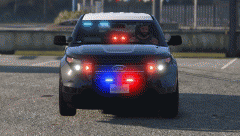 add soundoff signal mirror pucks and it's a sweet deal !
 -
You should add some exterior emergency lights on it. Looks great otherwise.
-
-
Could you make the spotlight face forward for those who wants to activate it with the spotlight mod, to make it realistic ? Is it going to have a Toughbook in the center console ?
-
Perhaps, if you have pioneers, you could adopt this form of set-up for the front ( ignore that it's a police utility )
-
Real cars ? Well, you live in Netherlands so I'm not sure if you have seen all kinds of different unmarked packages for a Tahoe in North American, and I don't mean by looking at a handful of pictures. It's more popular than you would believe but after all this is your project and not mine. I'm just suggesting something that is a fact to be seen in throughout north America, although it's not a widely accepted set-up in different agencies. If you are suggesting that it would create a large white bloom in the game, then yeah, let's not go with this path.
-
Let the small linz in the fog light position flash red/blue and map the bigger linz on the grille to flash white, it'll balance it out.
-
There's too much lights in the front, it needs more side lighting. Like I said earlier, you should add a pair of Whelen vertex on the side benders, or add a side LED on the push bar for intersection clearance. If not, add a LED in the rear passenger window. My 2 cents.
-
Would be cool if it has a pair of Whelen vertex mounted on the side bender that illuminates white or red/blue for intersection clearance. Check out the photo below for example, you can see a Whelen vertex mounted next to the headlight.
-
 I acknowledge recently that some of the siren tones are quiet than others. I will be working on balancing the volume. Check out the review section, i posted about this. The game for some reason likes to muffle or decrease the raw volume of some siren tones. I never delete my sirens from the mod, it's always still in the pack. The Dual Wail/Q siren combo is found under the motorola siren folder. Yes, you should be fine, as long you keep the main sound dictionary under 15.7mb Did you mod the sound dictionary at all beside my sirens ? Did you add any more sound mods to it ?
- 316 comments
- 31 reviews
-
http://www.fedsig.com/products/115/80kAmerican, Canadian, whichever nationality goes in the title, all the products in my mod are still used around the world. The word "American" is just a word to draw people from around the world to download my mod ;)*cough* American Siren Pack V7.0.5Red/White in case when people creates textures for this model, it'll be a versatile option.Hi, nice job. Here's my suggestion that I feel is required to keep in accordance with NFPA standards that the LAFD and many other fire department agencies follow : Add forward white lights mounted next to the red lights.My reaction if i ever see Lt.Caine interviewed :Great job ! Would you consider adding a mobile data computer inside for bonus realism ? In real life they use Toughbooks mounted on the center console :)At the moment, no. But it's definitely something on the list to make it happen before release. Once Lt.Caine has the dev tools he needs from LMS, things should start to pick up with more in-depth features. LMS is a very busy individual, so we're just waiting on him until he's ready to hand it over and then Lt.Caine can finally check off the important features off his to-do list.I'll let Lt.Caine know, I don't think he'll mind incorporating a feature that allows the user to mute the beep or not. It's his decision.Correct.Yes. The user will be able to control the sirens individually, along with the air horn. The control scheme is based on real life siren controllers.Here is a video of how the ELS is currently is right now. IMPORTANT! Please be advised that the ELS depicted in the video is far from the finished product and people should not expect final quality of the program and treat it only as a minor sneak peak + a chance to help us make the ELS better by providing feedback. The video is not meant to be a teaser, or to evoke high hopes from the members on the forum, and the audience, but rather to help you understand where the program currently stands right now, and how far we have left to go in order to deem it as a finished product. The testers have opened access to the alpha version of the program for testing purposes only and want supporters to be able to see what they are supporting. Playing the alpha might be frustrating and tedious due to the bugs and work-in-progress content. There will be BUGS ! This is important because we do not want viewers to think they are seeing the final product when we are still just in alpha development. Currently, be advised that the ELS program currently does not evoke AI drivers to pull over to lights and sirens. Also, you will notice that ELS does not auto-repair damage inflicted upon the vehicle the operator is driving. CVPI - Bxbugs123 CVPI LSPD Texture - Gravelroadcop Sirens - American Siren Pack V7 - Gravelroadcop Emergency Lighting System - Lt.Caine
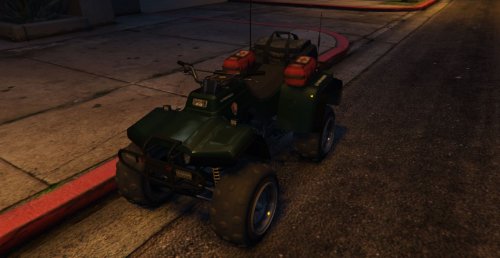 Will it work if I use it to swap out the lifeguard ATV and the lights will activate ?
- 58 comments
- 5 reviews
 Dang. I remember seeing the promotion video but never would I guess that someone like you would introduce it into GTA V. Nice job. How'd you get it to glow ?



