
GravelRoadCop
Members
-
Joined
Everything posted by GravelRoadCop
-
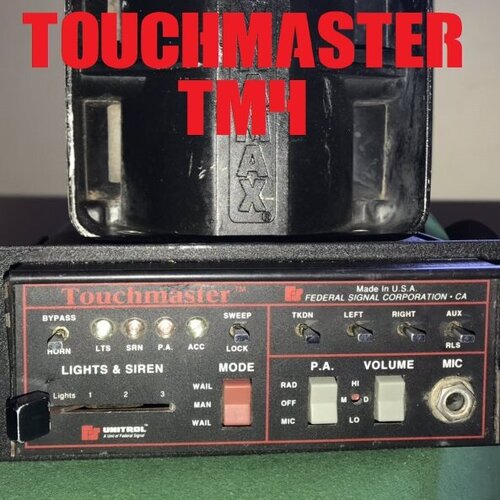
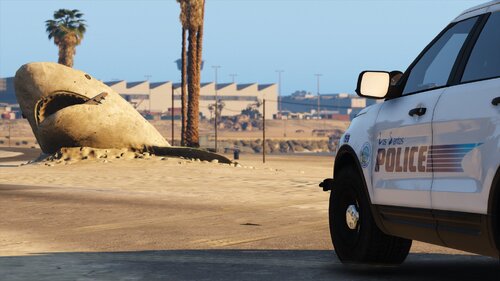 -- Federal Signal Touchmaster Siren by Gravelroadcop -- 1.0.0 12/5/2023 ABOUT : Immerse yourself in the authentic sounds of California law enforcement with the Legendary Federal Signal Touchmaster Siren for GTA 5. This modification introduces the iconic siren, renowned for its distinctive Wail, Yelp, Ultra, and Futura tones and the famous sweep tone. Transform the streets of Los Santos into a true reflection of California law enforcement with this immersive and realistic siren experience, providing an authentic atmosphere to your virtual adventures. With these siren tones, your police vehicles in Los Santos will not only look the part but sound the part as well. The high-quality, seamless audio ensures an immersive and authentic experience as you patrol the streets, enforce the law, and respond to emergencies. Note: Please ensure you have the appropriate vehicle models and modifications to use these siren tones effectively. Safety first – obey traffic laws and regulations while using these sirens in the game. Enjoy the realism and take your role as a Los Santos police officer to the next level with the Federal Signal Touchmaster Tones mod. Download it today and respond Code 3. -----INSTALLATION INSTRUCTIONS ----- - Open 'OpenIV' and go to your GTA V Directory. - In 'OpenIV', go to the 'x64' folder, then audio > sfx > resident.rpf - Inside Resident.rpf should be 16 .awc files. Locate 'VEHICLES.AWC' - Right click on it, and select 'EXTRACT TO WAVE (.WAV)' AND 'EXPORT TO OPENFORMATS (.OAC)' to an empty folder on your desktop. - Using your desired siren trait names, rename any of the siren wav. files, and drag them to the vehicle.awc folder to replace the stock siren tones. - Using 'OpenIV', click EDIT and then select ' Import OpenFormats', select your vehicles.oac to import the new sirne tones. - Respond Code 3 ! IF YOU WISH TO USE OTHER SIRENS TONES OTHER THAN STOCK TONES, YOU WILL NEED TO REFER TO YOUR SIREN HASHTAG DICTIONARY AND USE THE NAMES FOR YOUR DESIRED TONES. MAKE SURE THE VEHICLE FOLDER DOES NOT EXCEED 16.132kb OR IT WILL MUTE THE SOUND DICTIONARY. IF YOU USE THE RATING/REVIEW SYSTEM TO REPORT ISSUES/BUGS, I WILL IGNORE IT AND YOU WILL BE REPORTED. CREDITS: - Federal Signal Corps. for the original siren tones - Gravelroadcop for editing them. You may use this mod as long as you follow these terms: • Don't redistribute without my permission, across all gaming platform. • Don't edit any file and redistribute it without my permission, and cannot be used for other games other than GTA V. • I am not responsible for any damage that may be caused to your PC or game directory during a) the installation b) usage or c) removal of this mod. You are responsible for backing up your files! • If you want to include this mod in a pack, please contact me. Clan and private packs are an exception, as long as they stay 'private'. Correct credits must be given at ALL times.
 -
 This script is a game-changer for roleplaying as a police officer. The addition of a fully (almost) functional police computer, complete with a database lookup, charges entries, and an interactive map, transforms the gameplay into an immersive and realistic experience for policing Los Santos. I am able to use it on a separate laptop while playing the game on my main computer, and it is somewhat like using a CAD in a police car. While there's room for additional features, the current script is a solid foundation that significantly enhances the overall experience. Five stars and excited for what's to come!
- 217 comments
- 22 reviews
-
-

- 1
-
-
Love this addon, however It is conflicting with EUP menu, so whenever I press F11 to open menu, it crashes LSPDFR. Please look into this. There was a line in the RPH crash log that indicated it was your script, but I didn't save that log otherwise I would have pasted it here. Other than this, a game changer addon for sure.
- 217 comments
- 22 reviews
-
 Still having the same issue with several above; all plugins loads just fine, including the EUP menu, however when I load LSPDFR, and then press f11, it crashes LSPDFR but the menu still opens. Any idea? I got the current version of the game, RAGENativeUI and RPH. I'm stumped.
- 631 comments
- 71 reviews
-
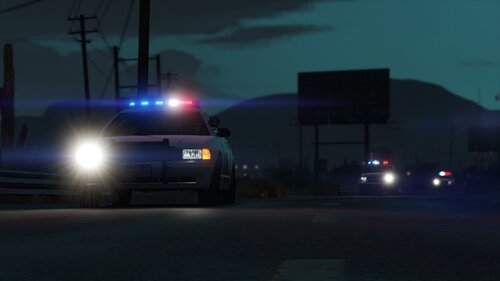 🌟 RDE 4.0 Ultimate Emergency Lighting Visual Overhaul 11/20/2023 🌟 Immerse yourself in a visually enhanced experience as I introduce a comprehensive overhaul of the emergency lighting system, featuring realistic flash patterns, brighter lights, headlight wig-wags, and authentic Whelen & Federal Signal Corps flash patterns to Rebalanced Dispatch Enhanced for Grand Theft Auto V While the lighting isn't 100% true to every detail, it comes remarkably close, offering you an experience that mirrors the dynamic and diverse emergency services present in Los Santos City, based on inspiration from it's real-life counterpart, Los Angeles. 🌟 What's New: Real-world Light Patterns and Packages 🌟 🔵 Authentic Light Patterns: Say goodbye to generic and unrealistic emergency lighting. I've meticulously recreated the light patterns used by emergency vehicles in the real world. Watch as your favorite units now exhibit accurate and visually stunning lighting sequences that reflect the quality of the Rebalanced Dispatch Enhanced mod. 🔴 Say goodbye to dim and lackluster lighting. This overhaul introduces brighter and more impactful emergency lights, ensuring that every vehicle stands out in the virtual cityscape. Whether it's the brilliance of a police cruiser or the intensity of a ambulance, you'll be captivated by the heightened visibility. 🔵 Lore-Friendly: Witness the transformation of your favorite emergency vehicles as they now showcase a lighting setup that aligns with the distinct characteristics of Los Angeles emergency services. Although I strive for accuracy, achieving 100% precision can be challenging. This mod is a strikingly close representation that significantly enhances your gameplay. 🔴 Headlight Wig-Wags: Take your emergency lighting experience to the next level with the addition of headlight wig-wags. Watch as vehicles dynamically flash their headlights, adding an extra layer of realism to your encounters with emergency services in Los Santos. 🔵 Watch your virtual Los Santos come alive with emergency vehicles that mirror the vibrant and bustling streets of Los Angeles. The improved lighting not only adds a layer of realism to your gameplay but also contributes to the overall immersion of your virtual metropolis. Upgrade your emergency services with the Realistic Emergency Lighting Overhaul for Rebalanced Dispatch Enhanced. Dive into the action with a heightened sense of realism, where every siren, strobe, and flash contributes to an immersive and believable game world. Download now and elevate your emergency response experience to new heights! Please note that this update is a work in progress. While there are still several vehicles left on our to-do list, the majority have already undergone the transformation. I encourage you to share your thoughts, suggestions, and feedback. 🌟 Installation Instructions: 🌟 Prerequisites: Ensure you have a clean, up-to-date installation of Grand Theft Auto V. Step 1: Install Rebalanced Dispatch Enhanced 4.0 Download Rebalanced Dispatch Enhanced 4.0 from https://www.gta5-mods.com/misc/realism-dispatch-enhanced. Follow the installation instructions provided by the mod author. Confirm that Rebalanced Dispatch Enhanced 4.0 is working correctly in your GTA V game. Step 2: Download Ultimate Emergency Lighting Visual Overhaul Extract the downloaded file to a location of your choice. Step 3: Install Ultimate Emergency Lighting Visual Overhaul Open OpenIV and navigate to mods\update\x64\dlcpacks\rde\dlc.rpf\ Drag & Drop carcols.meta from the "UltimateEmergencyLights" folder to the path above. Step 4: Activate the game and respond code 3.
 -
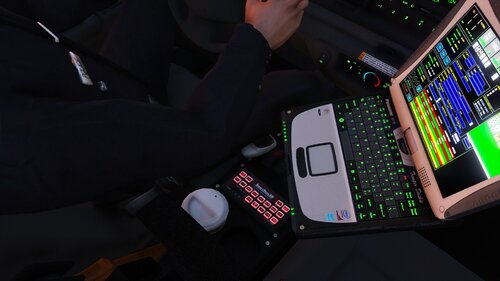 It sounds like that your vehicles folder has gone over the file limit. I recommend installing this first:
- 7 comments
- 2 reviews
-
I agreed. It's a game changer. Please leave a review if you think it's worth it!
- 7 comments
- 2 reviews
-
-- Federal Signal Smart Siren SSP3000B (also included with FS Pathfinder controller) Siren by Gravelroadcop -- 1.0.0 10/30/2023 ABOUT: Bring the iconic sounds of the Los Angeles Police Department to the streets of Los Santos with the Federal Signal Platinum (or Pathfinder) Smart Siren Tones mod. This comprehensive mod adds the renowned siren tones to your GTA 5 experience, ensuring that your police vehicles roar with authenticity and authority. Wail: The classic and unmistakable wail tone used by the LAPD. Whether you're chasing down a suspect or responding to an emergency, the Wail tone will strike fear into the hearts of Los Santos criminals. Yelp: Switch to the Yelp tone for quick and agile maneuvering through traffic. Perfect for weaving in and out of the city's bustling streets as you race to the scene. Priority: When it's time to take charge and clear the way, the Priority tone ensures that all traffic on the road knows to make way for law enforcement. Make your presence known and establish dominance with this commanding tone. Powercall: When things get intense, the Powercall tone demands attention. Activate this tone and let everyone know that you mean business. It's time to get the job done, no matter the circumstances. Regular and Rumbler Versions: This mod offers both regular and rumbler versions of each siren tone. The regular version provides high-quality, pure sound with loud volume for a classic experience. The rumbler version adds an extra dimension to your siren, using vibrations to enhance the auditory impact. Feel the power of your siren as it rumbles through your vehicle. With these siren tones, your police vehicles in Los Santos will not only look the part but sound the part as well. The high-quality, seamless audio ensures an immersive and authentic experience as you patrol the streets, enforce the law, and respond to emergencies. Note: Please ensure you have the appropriate vehicle models and modifications to use these siren tones effectively. Safety first – obey traffic laws and regulations while using these sirens in the game. Enjoy the realism and take your role as a Los Santos police officer to the next level with the Federal Signal Pathfinder Smart Siren Tones mod. Also, the best part of it all? It's F.R.E.E. Unlike others who charge money for the same siren tones in this pack. No siren mod should be behind a paywall. Download it today and respond Code 3. -----INSTALLATION INSTRUCTIONS ----- - Open 'OpenIV' and go to your GTA V Directory. - In 'OpenIV', go to the 'x64' folder, then audio > sfx > resident.rpf - Inside Resident.rpf should be 16 .awc files. Locate 'VEHICLES.AWC' - Right click on it, and select 'EXTRACT TO WAVE (.WAV)' AND 'EXPORT TO OPENFORMATS (.OAC)' to an empty folder on your desktop. - Using your desired siren trait names, rename any of the siren wav. files, and drag them to the vehicle.awc folder to replace the stock siren tones. - Using 'OpenIV', click EDIT and then select ' Import OpenFormats', select your vehicles.oac to import the new sirne tones. - Respond Code 3 ! IF YOU WISH TO USE OTHER SIRENS TONES OTHER THAN STOCK TONES, YOU WILL NEED TO REFER TO YOUR SIREN HASHTAG DICTIONARY AND USE THE NAMES FOR YOUR DESIRED TONES. MAKE SURE THE VEHICLE FOLDER DOES NOT EXCEED 16.132kb OR IT WILL MUTE THE SOUND DICTIONARY. IF YOU USE THE RATING/REVIEW SYSTEM TO REPORT ISSUES/BUGS, I WILL IGNORE IT AND YOU WILL BE REPORTED. CREDITS: - Federal Signal Corps. for the original siren tones - Gravelroadcop for editing them. You may use this mod as long as you follow these terms: • Don't redistribute without my permission, across all gaming platform. • Don't edit any file and redistribute it without my permission, and cannot be used for other games other than GTA V. • I am not responsible for any damage that may be caused to your PC or game directory during a) the installation b) usage or c) removal of this mod. You are responsible for backing up your files! • If you want to include this mod in a pack, please contact me. Clan and private packs are an exception, as long as they stay 'private'. Correct credits must be given at ALL times.
- 7 comments
- 2 reviews
-
-
-

- 5
-
-
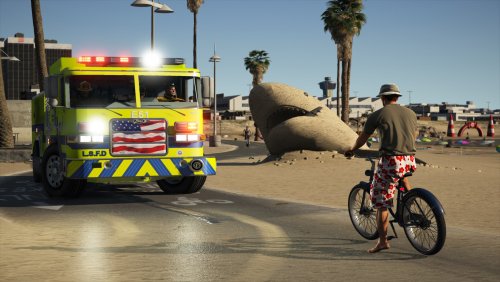 -- Motorola Spectra System 9000 Siren by Gravelroadcop -- 1.0.0 8/09/2022 ABOUT : Motorola Spectra System 9000 Siren, famously used by large agencies throughout the United States, including Los Angeles Fire Department, Seattle Police, Fire and EMS as well as many other organizations. Known for its simple yet commanding tones, it is one of the most unique sirens available on the market today. This modification includes both the manual tone, unlike most other similar modifications. There are five in-game siren tones available in this pack, all of which are high quality, loud, and loop seamlessly. - WAIL - YELP - HI-LO - MANUAL - AIRHORN Download it today and respond Code 3. ** SPECIAL INSTRUCTION TO USE MANUAL TONE ** I recommend you use the manual tone for the AMBULANCE slot. File Name: AMBULANCE_WARNING ELS Config Name: VEHICLES_HORNS_AMBULANCE_WARNING <ManTone1 AllowUse="true" AudioString="VEHICLES_HORNS_AMBULANCE_WARNING" /> -----INSTALLATION INSTRUCTIONS ----- - Open 'OpenIV' and go to your GTA V Directory. - In 'OpenIV', go to the 'x64' folder, then audio > sfx > resident.rpf - Inside Resident.rpf should be 16 .awc files. Locate 'VEHICLES.AWC' - Right click on it, and select 'EXTRACT TO WAVE (.WAV)' AND 'EXPORT TO OPENFORMATS (.OAC)' to an empty folder on your desktop. - Using your desired siren trait names, rename any of the Motorola Spectra System 9000 Siren, and drag them to the vehicle.awc folder to replace the stock siren tones. - Using 'OpenIV', click EDIT and then select ' Import OpenFormats', select your vehicles.oac to import the new sirne tones. - Respond Code 3 ! IF YOU WISH TO USE OTHER SIRENS TONES OTHER THAN STOCK TONES, YOU WILL NEED TO REFER TO YOUR SIREN HASHTAG DICTIONARY, AND USE THE NAMES FOR YOUR DESIRED TONES. MAKE SURE THE VEHICLE FOLDER DOES NOT EXCEED 16.132kb OR IT WILL MUTE THE SOUND DICTIONARY. IF YOU USE THE RATING/REVIEW SYSTEM TO REPORT ISSUES/BUGS, I WILL IGNORE IT AND YOU WILL BE REPORTED. You may use this mod as long as you follow these terms: • Don't redistribute without my permission, across all gaming platform. • Don't edit any file and redistribute it without my permission, and cannot be used for other games other than GTA V. • I am not responsible for any damage that may be caused to your PC or game directory during a) the installation b) usage or c) removal of this mod. You are responsible for backing up your files! • If you want to include this mod in a pack, please contact me. Clan and private packs are an exception, as long as they stay 'private'. Correct credits must be given at ALL times.
 -
-
.thumb.png.9d0943161b37f863c291d6d6664edefb.png) Any chance we can give the spotlight a ground texture ? I know this plugin needs the spotlight plugin in order for it to work, but has it been figured out yet on giving it textures ? Also are you able to give it that shakiness effect ?
Any chance we can give the spotlight a ground texture ? I know this plugin needs the spotlight plugin in order for it to work, but has it been figured out yet on giving it textures ? Also are you able to give it that shakiness effect ?- 366 comments
- 33 reviews
-
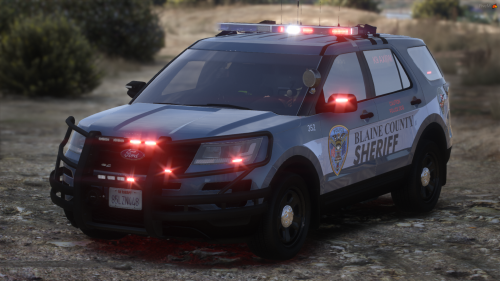 How'd you get your corona flare to look like that ? Do you have link to the texture mod ?
 -
Please elaborate on this. EDIT : Figured it out.
-
-
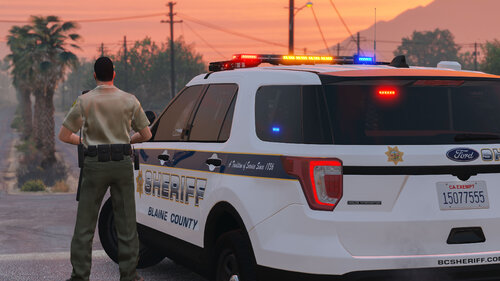 As someone who is coming out of the GTA V Hiatus, I've decided to try out this model. I am totally blown away by the superior quality of the model. Realistic DUO flash patterns ( I absolutely enjoy seeing the duo whelen pattern on the push bumper, something that I've been wanting to see in the game for a while now. ) As a professional emergency vehicle upfitter in real life, I give this model for 5/5 simply because It emulates how we would build it in the real world. Perfect work and i cannot wait to see your future projects.
- 75 comments
- 9 reviews
-
-
 1st vehicle - Code 3 V-Con ( or mastercom A ) 2nd vehicle - Code 3 Mastercom RLS 3rd vehicle - Code 3 Mastercom B Both sirens are in the pack under Code 3 Folder.
- 221 comments
- 40 reviews
-
-
- 1
-
-
 Nice work. Sounds beautiful to my ears. Better than what I have in my Modern Siren Pack.
- 34 comments
- 5 reviews
-
-
- 1
-
-
I think i beat you to the punch, lol. You can see that I've accomplished this in my Modern Siren Pack intro video.
-
Thank you for the patience, guys. I don't know why it's taking a while, I've contacted an admin for resolution. Hang in there. Like I said, this update isn't anything special, I've only replaced 1 siren tone.
- 221 comments
- 40 reviews
-
-
- 1
-
-
The dual sirens is normal, lol. It's part of the Whelen 295HFSC9 Siren model. As for the firetruck siren, I know what you mean, and it's unfortunately an issue on the game's end. Just change the firetruck horn trait to 0x0EA58C7C.
- 221 comments
- 40 reviews
-
-
- 1
-
-
-
Seattle PD/FD uses Motorola Spectra/System 9000 siren. You can find all of the sirens he mentioned above in Modern Siren Pack.
-
The time has come for me to radio in 10-7 and go out of service indefinitely, after spending a decade ( 2008-2018) being involved in the Grand Theft Auto communities. I am not the one to make a long speech, so I will keep this simple : thank you for the greatest show on earth, and keep inspiring others to follow their goals. From 2008, being in junior high school, to present time, becoming an Emergency Vehicle Technician, thank you for giving me a platform that enabled my passion for the emergency services and emergency vehicles in general. Because of this journey, I get to wake up everyday and go to a job that I love doing, a career that GTA emergency services modding communities have helped me discover. It's been an adventure. I hope that my contributions to this community has helped make your gaming experience a bit better. November 24th, 2018, This will be my final 10-7, it's been a great ride. Thank you very much.
-
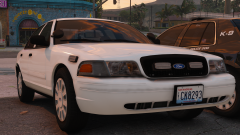 I like it. It reminds me of this RCMP unmarked CVPI ...

.thumb.png.9d0943161b37f863c291d6d6664edefb.png)