


Sgt.Kanyo
Members
-
Joined
-
Last visited
Everything posted by Sgt.Kanyo
-
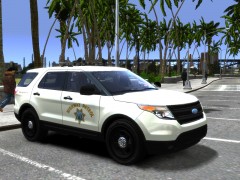
From the album: CHP
-
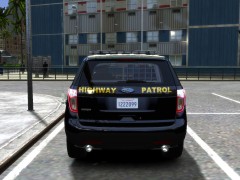
From the album: CHP
-
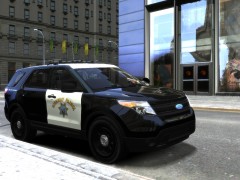
From the album: CHP
CHP testing the new Interceptor utility as a replacement for the crown vic -
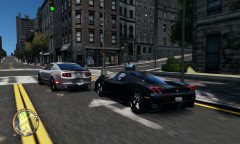 Eww TDU2 model. So inaccurate
 -
No, you disable the noise effect in TLAD, and it'll somehow fix it for GTA IV and TBoGT as well. I know it sounds retarded, but it works.
- 68 comments
- 16 reviews
-
Yeah that fuzzy stuff is the noise effect / grain filter. Try to do the method mentioned above, also please reply back if it worked.
- 68 comments
- 16 reviews
-
I got it. It's really retarded, but it works. All you have to do is open up TLaD go to display settings and disable the noise effect. After you disable the noise effect, it somehow turns it off for GTA IV and TBOGT as well. Don't ask me how, but it worked. I turned on the noise effect in TLAD, and then I had the same bug like you did. Having grainy stuff in GTA IV, then I went back to disable it, and tadaa GTA IV doesn't have the noise effect or grainy filter.
- 68 comments
- 16 reviews
-
I've just checked TLAD and I can turn on the noise effect there by going to display, and I can get the exact result as you, but only in TLAD, and it can be turned off. So it seems I don't have any mods that'd alter the noise effect. Have you tried without the new shaders folder?
- 68 comments
- 16 reviews
-
Nope it's definately not that. I've seen this noise effect bug, but only with patch 1.0.6.0 I think, I could fix it by turning a value to pitch black, but in the meantime it kind of ruined the graphic mod as well. I haven't seen that bug pop up since. What makes it weird though is that some people have it at night, where that value is on pitch black by default, so it shouldn't even be there. But like I said, I can't see this noise effect anywhere. Not in GTA IV, not in TLAD, and not in TBOGT. I have a gtx570 video card btw.
- 68 comments
- 16 reviews
-
The chrome roads is unfortunately part of the mod. You can't increase car's reflection only, you can only increase the so called Global Reflection, and therefor it changes the reflection of everything. I have no idea what imbecil thought at rockstar that roads tend to reflect stuff, but yeah. Anyway my friend tried it on patch 1.0.4.0 and 1.0.7.0 and he has no grain / noise filter. Is it possible that this grain filter is caused on your end? I'm not saying it doesn't exist, just that I can't recreate the grain filter here. Can you try installing only the visualsettings.dat and the timecyc.dat and leave the shaders folder alone? That really shouldn't be the problem, since I'm using those exact shaders folder, but let's give it a try.
- 68 comments
- 16 reviews
-
To those who have this grainy looking thing, what patch are you using? I'm on the latest patch, and I have no grainy textures at all. Also this mod was intended for those people who don't want or cannot use ENB, so I suggest not using it with ENB. Also have you added the shaders folder too?
- 68 comments
- 16 reviews
-
Blurred? I don't know I tried disabling DOF in this mod, and with definition on, it doesn't look blurry here. Can you explain what you mean?
- 68 comments
- 16 reviews
-
Realistic Time Cycle is a timecyc.dat modification that gives you enhanced graphics, featuring brighter daytime, darker nights, increased reflections, realistic headlights etc. This mod works on all patches, however it has not been tested with ENB or iCEnHancer. For those who have the noise effect or grain filter problem, you need to open up The Lost and Damned DLC, when you're in game, go to Display, and turn the Noise Effect off. After that GTA IV or TBoGT won't have the noise effect / grain filter on anymore.
- 68 comments
- 16 reviews
-
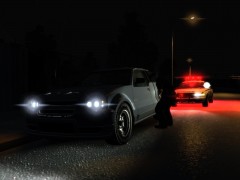 Oh it's my own timecyc, but I'll release it then. I always improve on something that's why I don't really keep releasing it.
 -
From the album: NYPD
Pure timecyc, no ENB used -
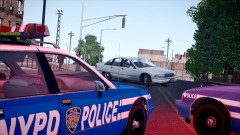 lol noone is in the car
 -
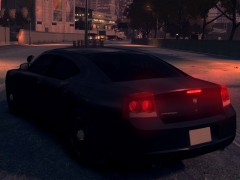 Nice, I prefer the old lights, but you've made it really accurate. If it comes unlocked, I might make a CHP slicktop charger.
 -
ELS never crashed my game tbh, I'm using v5 and the reason I keep crashing is other mods, never ELS. Will we have more patterns for the wig-wag option? (like 2 left headlight flash, 2 right headlight flash and 2 both headlight flash) Also will we be able to set the speed of the traffic advisor / wig-wags / primary lights individually? There's only 1 reason why I wasn't using ELS v6 is because the wig-wag pattern was so fast, it just ruined it for me.
-
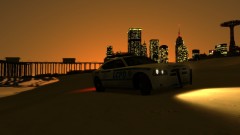 May I ask what timecyc mod are you using, it looks awfully similar to mine, but I'm not sure if it is that.
 -
-
New policehelper is awesome. I love the new events, however could you move down the red light object into the ground so, only red light can be seen, and not the cone which it's on. It's supposed to replicate red flares, and it even works in mp (others can see it) http://www.flickr.com/photos/mikesphotos_us/6362425365/in/photostream/lightbox/
-
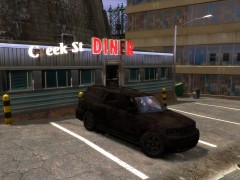
From the album: NYPD
So I was doing RP in IV, and then I saw a ped driving this car. I stol- borrowed his car and here we are. I could even fix it, and the glasses appeared back on it. -
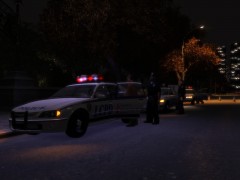
From the album: NYPD
-
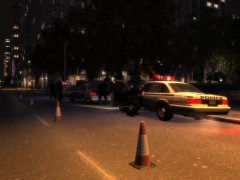
From the album: NYPD
-


