Sgt.Kanyo
Members
-
Joined
-
Last visited
Everything posted by Sgt.Kanyo
-
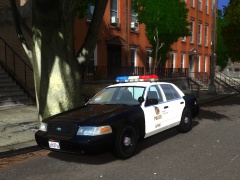 Here's the one with the black trim (like on the picture): and here's the one with the chrome trim:
 -
Well sorry to say but my handlings are supposed to be realistic. So if you give full throttle for a 370 hp, RWD car it's gonna oversteer. Either learn to control it, or I suggest using a different handling maybe.
-
Well not very much as I don't have GTA IV / EFLC installed, however I've made the handling that SkylineGTR included in the Readme. I don't know why it's only 1200 kgs, but everything else seems to be fine. Have you tried that one?
-
-
-
-
-
-
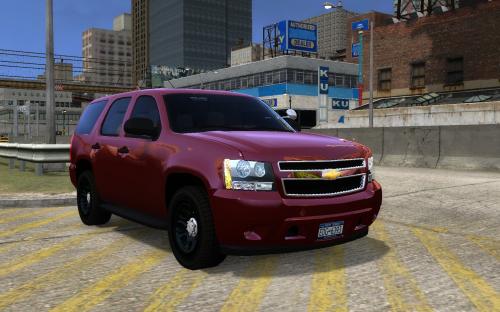 You need to open carcols.dat and edit the numbers there. It's very simple, if you installed the car on the fbi slot, you'll need to find the fbi's line, and replace it with this: fbi, 0,0,0, 1,1,0, 2,2,0, 34,34,0,
 -
Here you go: 7750.0 0.5 85 0.0 0.0 -0.78 0.0 6 0.08 20.0 110.0 0.15 0.55 0.3 40.0 0.9 1.0 10.0 0.15 0.49 1.3 0.8 0.8 0.14 -0.25 0.0 0.5 1.5 1.0 1.2 1.5 0.0 40000 18 300000 2 The author should have released it, but I guess he forgot. I sent him the handling line through PM. Gonna update the first page as well.
-
That's because of the carcols.dat. You'll have to edit it, and add your own colors. This way they'll spawn with the colors you gave. You can also change the color with simple native trainer in-game, however that won't change the colors of the spawned cars. I'm using these colors: 1,1,1,-,black # 0 black 35,35,35,-,black # 1 black poly 117,119,125,-,grey # 2 concord blue poly 40,0,0,dark,red # 34 cabernet red poly polpatriot, 0,0,0, 1,1,0, 2,2,0, 34,34,0,
-
You need to use this mod and then spawn it like an object:
-
That is really unfortunate. Sorry to hear that. Those cops and the prosecutor you talked with were textbook assholes imo. Funny how it's only the crown vic, that is getting shit about "impersonating a police officer". I have never heard any1 being fined for driving a ford explorer, which is basically the ford piu. Anyway I don't think they'd let you put OPP markings on your CVPI, even after they phase out the crown vic completely. I bet you couldn't drive a model T with OPP (or any police) markings on it.
-
Looks freaking amazing. How much did you get it for with how many miles, if I may ask?
-
Is this bug present with the original DEV Escalade? If it's not, it'll be a model issue, if not, then I dunno.
-
That's weird. It works perfectly fine on my end. Anyway I believe this is a rare bug, where some people might experience this bouncy suspension. I've seen this once on smokey's 1993 Ford Mustang SVT Cobra R. While it worked fine for me and smokey too, there was some1 who had this bug. He even made a video about it, but I can't seem to find it. I see your game is lagging a bit, can you try the handling on very low settings, where you might get better fps. No need to upload a video, just check if it works properly. I think it might be because of that. (although not sure)
-
-
-
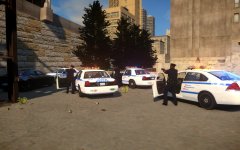
From the album: NYPD
-
Alright I'll contact him about it, also you can find the handling on the first page. EDIT: RAM handling has been released on the first page.
-
I've already made one for that. It should be released with the car. (at least the author told me, he'll be releasing it with the car) Anyway in case he didn't I'll upload it in the first page. @Bradyg Also sorry it takes so long to make the RAM handling, it'll be up in a few.
-
Yeah sure. I'll post it when I'm finished.
-
They wear short sleeves and long sleeves on patrol. They only use hats on ceremonies like you said. I'm pretty sure the officer is allowed to use his baton when someone attacks him (like with a punch). If someone tries to attack him with a knife, they can shoot them. Here you can find which type of firearms they can be issued: https://en.wikipedia.org/wiki/Los_Angeles_Police_Department#Firearms Like every PD, they patrol in their district, but if a chase erupts, they can stay in chases even when the area is mainly patrolled by some other department (like LASD or CHP), however if the suspect stays in that area for a longer period, they usually "give" the chase to the local PD, or at least, they'll be the lead officers in the pursuit. I have seen several chases, not in one the officers rammed the suspect's car on purpose, so I'm pretty sure ramming is not what they do, however they do use the PIT manouver to disable the suspect's car. The PIT manouver has to be approved by the sergeant (I believe), and they use it only when the suspect is going at least around 15 mph, and no more then highway speeds. These numbers change, it all depends on the scenario. Also they won't do the PIT if civilians are in the way. According to CA agencies, their main priority is public safety, officer's safety and the suspect's safety. So they won't pit a guy out at 200 km/h because it'd most likely kill the suspect, and might even hurt the officers. You can find quite a lot of CA chases on this YT channel: https://www.youtube.com/channel/UCjrclzIWSswy4CSs3l0AmRQ
-
Sorry wrong handling, I've just realized that truck was dunkboi's base, so try this: 3107 0.38 80 0.0 0.08 -0.35 0.0 6 0.19 5.0 150 0.2 0.55 0.5 33 1.5 1.1 10 0.18 0.49 3.0 0.8 0.8 0.15 -0.1 0.0 0.5 2.0 1.0 1.5 2.5 0.0 49655 440010 0 0 If it turns slowly, that's because it's no supercar. It's a 3 tonne truck.
-
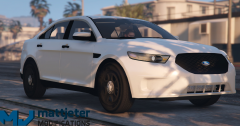 It won't be released until zmod3 will support locking files. If it will support that.