


Sgt.Kanyo
Members
-
Joined
-
Last visited
Everything posted by Sgt.Kanyo
-
Thank you guys, I think I'll use Albo's siren mastery mod.
-
Hey, so I managed to finally import some modded sirens into V, however all of the cars lost their horns / siren sounds. I believe I read it back then, that it was connected with the new siren audio being longer than the original sound it replaced, however there's absolutely no way for me to make these sirens shorter. Is there a work around to fix the muted sirens?
-
Just a little update. I managed to solve my problem by starting GTA V normally, and when I'm in the main menu, where you can select SP or MP, you start RPH and then start story mode normally.
-
Yeah LSPDFR itself works, but if I install any plugins like Police Radio, the game crashes when I alt tab back. And yes I agree RPH is crappy AF, however since LSPDFR uses it, I have to use it as well.
-
I've been having issues with every single LSPDFR plugin I tried installing. I've tried Assorted Callouts, Traffic Policer and Police Radio and all of these plugins crash the game when I load RPH. I'm using the latest lspdfr and RPH and also have all the requirements RPH suggested and unblocked every single file it asked me, so all of these plugins should work. If I run only lspdfr, everything works fine, but once any of these plugins (and I assume any plugin) are in, the game crashes when I load RPH. Anyone had similar issues?
-
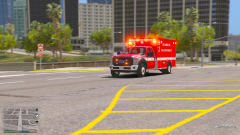 All it needs now is a Code 3 RX2700
 -
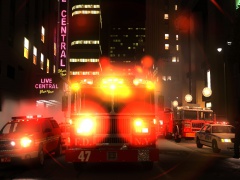 Please do some searching next time...
 -
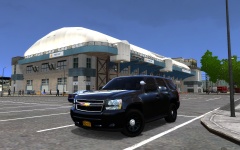 Let's assume you used the vehicles.ide line I gave you in my comment above. You'll need a brand new line in handling.dat file that looks like this: TAHOE 2505 0.363 85 0.0 0.05 -0.68 0.0 4 0.142 5.0 215 0.48 0.65 0.6 33 1.55 0.95 11 0.12 0.48 3.0 1.9 1.9 0.15 -0.09 0.0 0.5 2.0 1.0 1.5 2.4 0.0 50000 440010 0 0 You'll also need to put this where all the other handling lines are in alphabetical order. So you'd have to put that between the lines that start with #SWAT and TAXI.
 -
If it doesn't have wheels, you forgot to include the handling line (that you've just told the game to use in the vehicles.ide file) in your handling.dat.
-
The nstockade uses the Stockade's handling by default. It is possible, that you didn't tell the game to use a different handling line, or you didn't replace the stockade handling line in the handling.dat file with mine. I suggest editing the vehicles.ide file and telling the game to use a different handling (so it doesn't mess up your stockade and pstockade handling). You can do it by replacing the red part with any given name (it can be a brand new name like "TAHOE"), but you'll have to include that line in alphabetical order in handling.dat. nstockade, nstockade, car, TAHOE, PATRIOT, VEH@STD, VEH@STD_RI1, 1, 2, 0.2345, 0.2345, 0, 2, 1.0 ,1, ext_script+ext_gang+livery The green part tells the game what sound the car should have (having the Patriot's sound is probably the most realistic one).
-
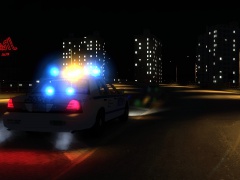 I think this picture was made with using my own timecyc and enb settings RTC v5 (Realistic Time Cycle), but I suggest using CryENB, it looks better. (afaik that's what stevetrackboyz55 uses/used as well) With CryENB I'm using this value: car.defaultlight.emissive.on 400 EDIT: Tbh you need to play with it yourself, and see what looks best for your taste. The higher you go, the more brighter the lights will be.
 -
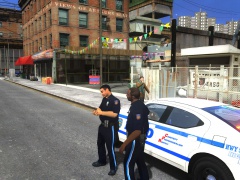 Sure, here you go: https://drive.google.com/open?id=0B7JgHYLu454UVDJIc0pRT1pEU2M Unfortunately it's not accurate, since they don't have boots, but I couldn't find a proper leg with the proper boots. They do have the hat though.
 -
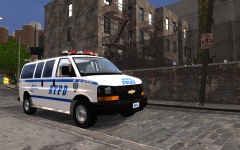 The handling is included in the ReadMe file.
 -
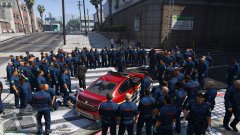 lol cop sitting in his car thinking: This is weird, right?
 -
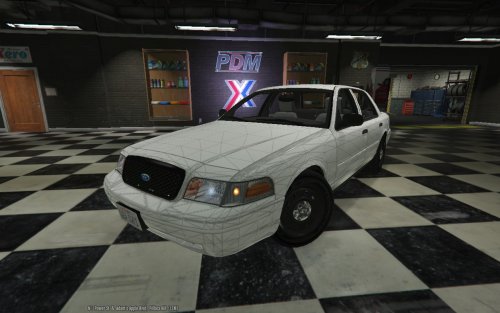 Looks freaking wonderful! Loving the interior too.
 -
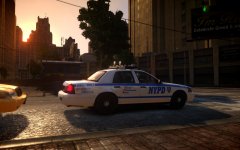
From the album: NYPD
Damn IV, you sexy -
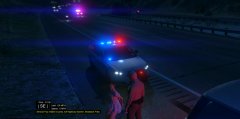 How did you get such a strong light from the lightbar in the background? Is this a mod, or did you photoshop it?
 -
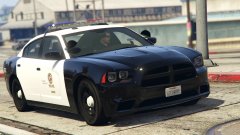 Nice, but it needs the ALPR.
 -
Hey, could you send me the DL link here. He might have updated the car or something. Are you sure you've changed the right handling line?
-
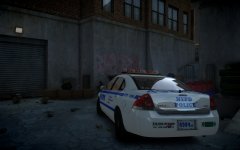
From the album: NYPD
GTA IV still has it -
Oh don't get me wrong, I don't mind that you're doing this. It's just there are several other FDNY engines that you could model. Anyway if you need any help with setting up the lights (how they should flash and that sort of thing) I'd gladly help you, to get the most realistic look for the truck.
-
Hopefully this link works better. If you can't see it search for MrSchecke FDLC Seagrave Marauder 2.
-
Looks really good, but hasn't this already been made?
-
So I've reinstalled GTA IV about 2 weeks ago, and ever since I've been using lcpdfr I keep occasionally getting the infamous 0xc0000005 error code. Apparently the one that's causing the problem is clr.dll in GTA IV.exe so I googled it, and found out that if you have 2 .net frameworks installed you get this error. I did get rid of the older .net framework, however that didn't help, I still keep getting this error. Any idea how to fix it? I believe I don't have this problem with the original scripthook.dll and scripthookdotnet.asi, since I managed to play with those for hours without crashing. The only problem is, they don't support lcpdfr, so I can't play it.
-
It's already been released: 7700 0.45 95 0.0 0.0 0.15 0.0 4 0.118 1.0 150 0.35 0.55 0.2 40 1.0 1.2 13 0.09 0.47 1.5 1.0 1.0 0.2 -0.09 0.0 0.5 1.0 0.3 1.5 2.5 0.15 40000 8 8300000 2


