




ConsKrypt
Members
-
Joined
-
Last visited
Everything posted by ConsKrypt
-
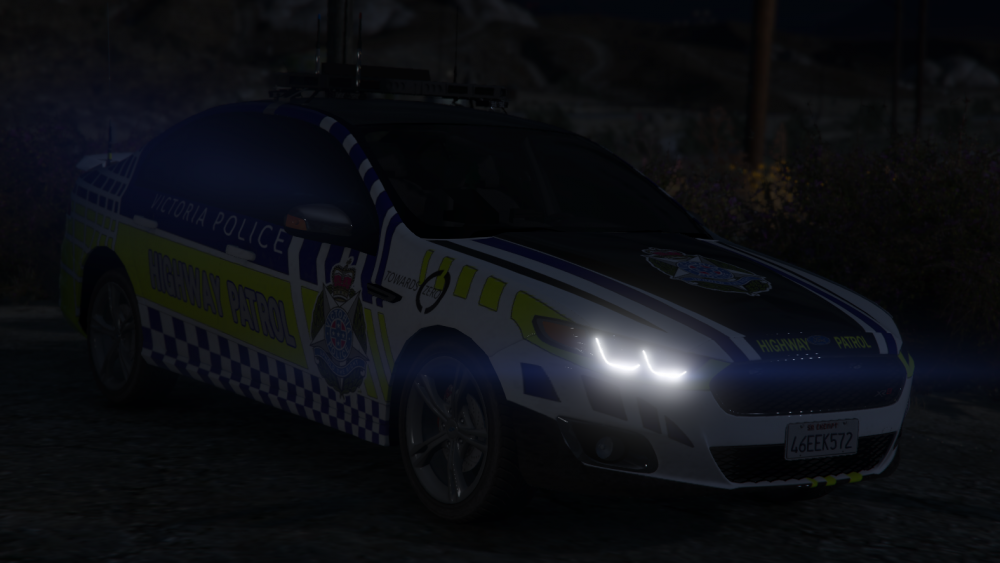
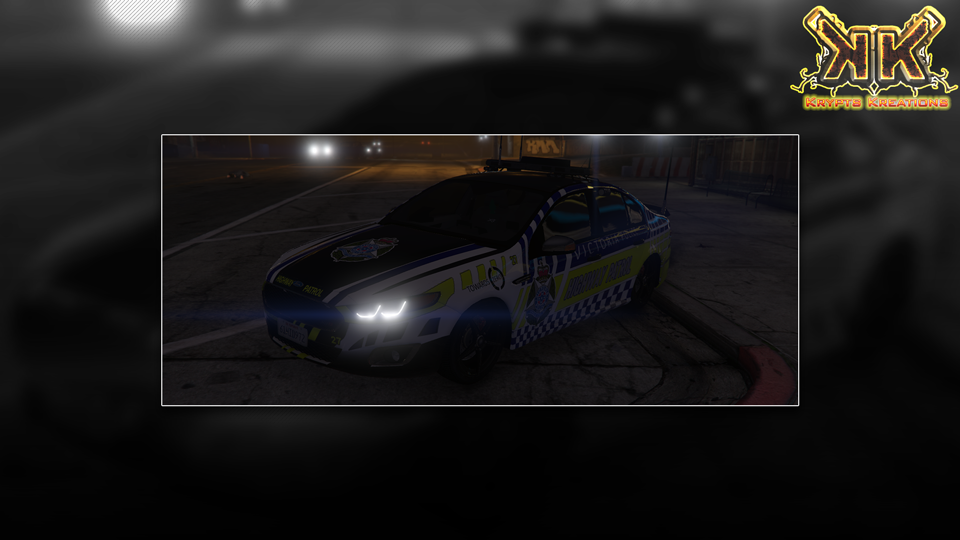
[WIP] VICPOL Highway Patrol for FGX XR8 based upon this There are still plenty of small adjustments to be made, made from scratch only using Fonts and VICPOL crest as third party assets. [ UPDATE ]
-
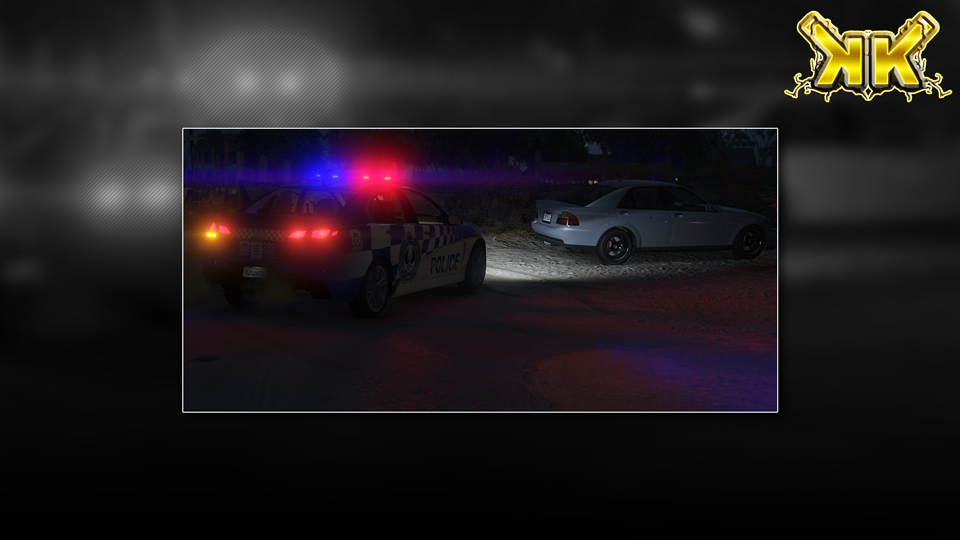
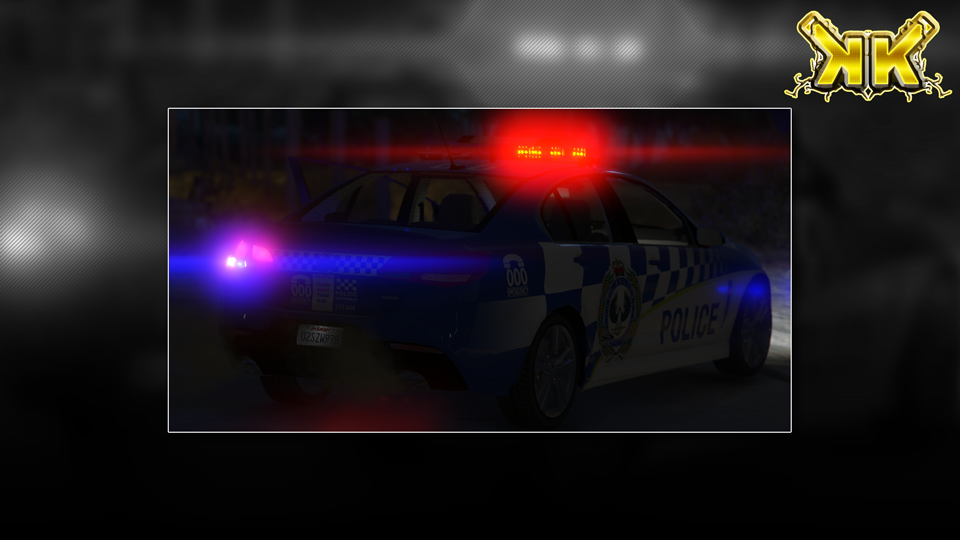
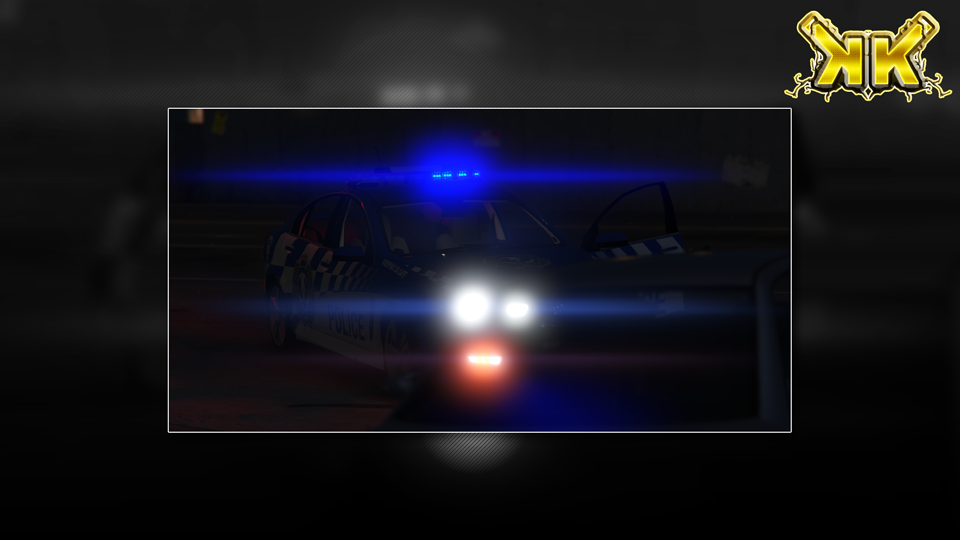
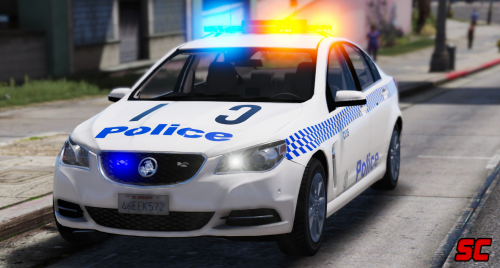
Investigating a possible abandoned vehicle in Paleto Bay. Vehicle: Vehicle by @Donnzy Skin by @xKryptx(myself) Yet to be released updated SAPOL Traffic Services (Highway Patrol) skin. [Thanks to @Sgtnicko and @HawksFan2102 for some reference images]
-
 Ahh ok, a lot of people replace in x64e.rpf, and such they do not see it in game as its been overwritten upon game load from game updates. Sorry I could not help you on the matter.
- 14 comments
- 3 reviews
-
@Luke387 after copying the correct rpf's to the mods folder, this is the location you should place the files. mods / update / x64 / dlcpacks / patchday3ng / dlc.rpf / x64 / levels / gta5 / vehicles.rpf as this is loaded after x64e.rpf so its pointless as the vehicles will be replaced with the ones from the above file.
- 14 comments
- 3 reviews
-
Update on progress. Not much more other then I completely redone the left side from scratch due to some issues I was having with adding the window. I will more than likely end up doing the same for the right hand side as it was near identical to the left in terms of how it was 'modeled' using tris instead of quads (so it looked rough even when smoothed) Before: After:
-
not much, and still very shizen... will change a heap before ill be satisfied with its general shape.
-
Got it in one, I dunno, having ELS available and now working for me (damn you windows for blocking DLLS) I find it hard to use anything but ELS enabled vehicles. Same was said for GTA IV.
-
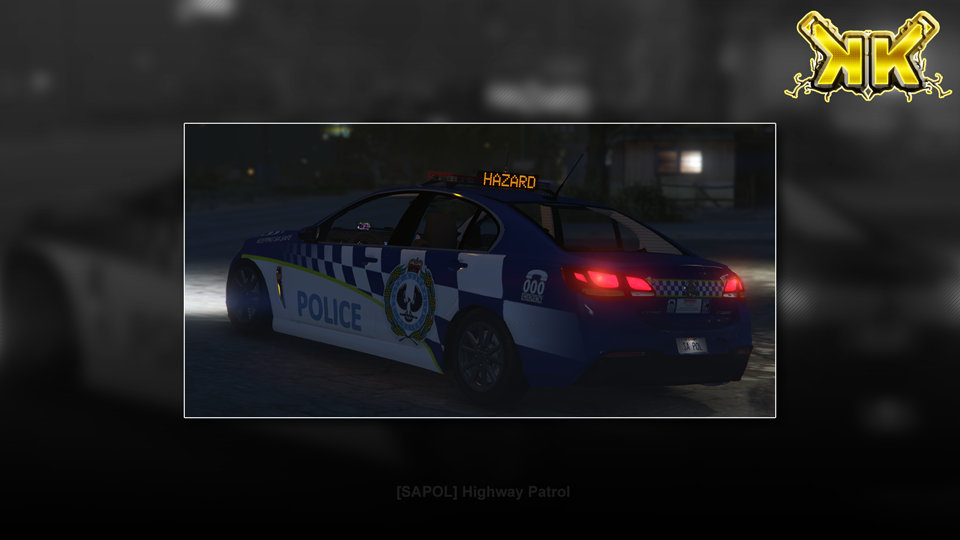
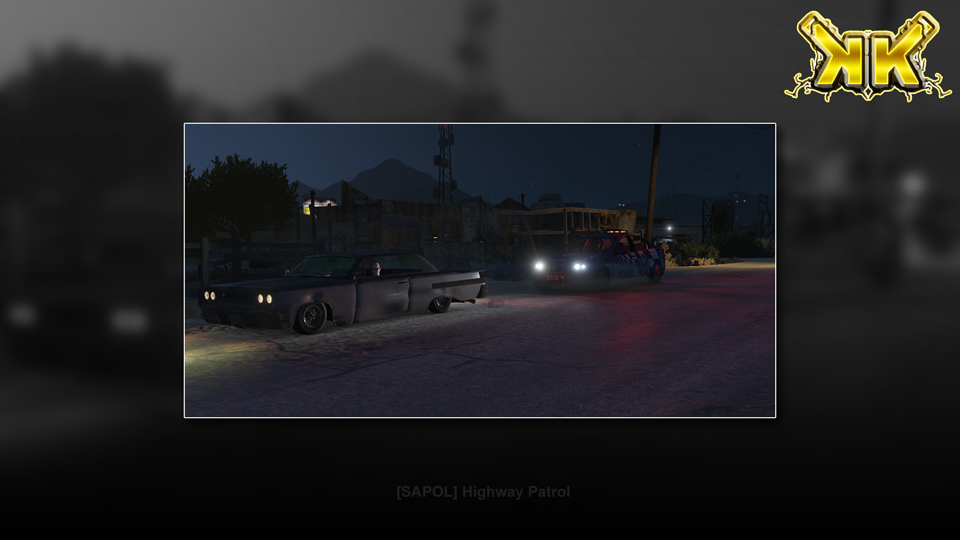
I know, I know... The font is incorrect and trust me, its not doing my 'OCD' any favours at all. SAPOL - Highway Patrol
-
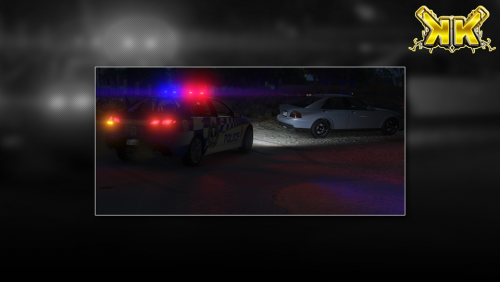 DO NOT REDISTRIBUTE THIS SKIN WITHOUT WRITTEN PERMISSION FROM MYSELF. YOU DO NOT HAVE THE RIGHTS NOR PERMISSION TO USE MY SKINS IN PART OR IN FULL TO CREATE YOUR OWN FOR REDISTRIBUTION. PLEASE RESPECT THE FACT THAT WE WORK HARD ON CREATING THESE FOR EVERYONE TO USE, ALL FOR FREE. CLANS/STREAMERS CLAUSE: Requirements Only ONE of these models are required. KEY: ELS: Emergency Lighting System, AFP: Aussie Flash Patterns [ELS] [NZPOL] Highway Patrol VF SS by Donzzy [RECOMMENDED] [ELS] [NSWPF] General Duties VF Evoke by MooseYTY [AFP] [VICPOL] General Duties VF Evoke by Macgregor Installation Assuming that you already have the one of the above already installed. This version comes with two variants, a solid blue and transparent backgrounds for you to choose which one you would like in game. NOTE: Some vehicles support multi liveries even if it only has one installed by default, take note of what the default livery is called (usually something like 'carname_sign_1'), rename the skin within to 'carname_sign_2' and use a trainer to choose your new livery. Navigate to mods/update/x64/dlcpacks/patchday3ng/dlc.rpf/levels/gta5/vehicles.rpf with OpenIV Locate 'police2.ytd'(or whichever police slot you've replaced) and open it. Find 'evoke_sign_1' and (if VF SS by Donnzy replace 'vfss_sign_1' also) replace it with 'SAPOL_TrafficServices(HWP).png' or the solid variant that is included. Click save, then launch GTA and enjoy.
- 5 comments
- 2 reviews
-
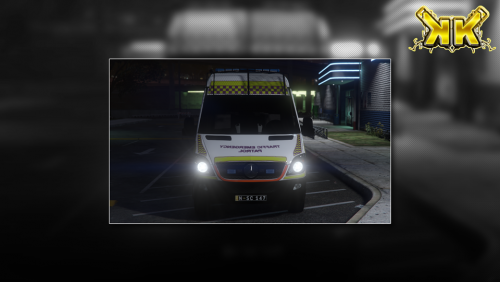 DO NOT REDISTRIBUTE THIS SKIN WITHOUT WRITTEN PERMISSION FROM MYSELF. YOU DO NOT HAVE THE RIGHTS NOR PERMISSION TO USE MY SKINS IN PART OR IN FULL TO CREATE YOUR OWN FOR REDISTRIBUTION. PLEASE RESPECT THE FACT THAT WE WORK HARD ON CREATING THESE FOR EVERYONE TO USE, ALL FOR FREE. CLANS/STREAMERS CLAUSE: New South Wales Government - Traffic Emergency Patrol | Mercedes Sprinter Edition (Realistic) Requirements - Metropolitan Police Mercedes Sprinter [K9 Sector] by BritishGamer88 Installation Assuming that you already have the above already installed correctly. Use OpenIV and navigate to Mods / x64e / levels / gta5 /vehicles.rpf (ensure you have 'EDIT MODE' enabled) Find policet.ytd and open it in the texture viewer by double clicking on it Find 'car_sign_1' and replace it with the skin file 'NSWGov_TEP.png' that is included. Find 'cage_mesh' and replace it whit the skin file 'blank.png' that is included. Find 'cage_metal' and replace it whit the skin file 'facades.png' that is included. Find 'plates' and replace it whit the skin file 'plates.png' that is included. Find 'side-light' and replace it whit the skin file 'side-light.png' that is included. Click save, then repeat steps for 'policet+hi.ytd'. Launch GTA and enjoy.
 -
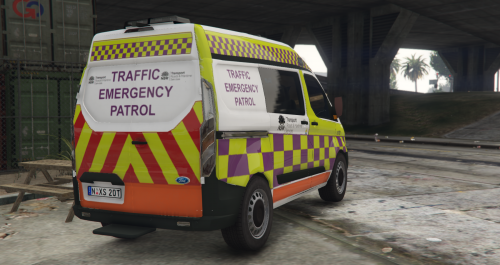 DO NOT REDISTRIBUTE THIS SKIN WITHOUT WRITTEN PERMISSION FROM MYSELF. YOU DO NOT HAVE THE RIGHTS NOR PERMISSION TO USE MY SKINS IN PART OR IN FULL TO CREATE YOUR OWN FOR REDISTRIBUTION. PLEASE RESPECT THE FACT THAT WE WORK HARD ON CREATING THESE FOR EVERYONE TO USE, ALL FOR FREE. CLANS/STREAMERS CLAUSE: New South Wales Government - Traffic Emergency Patrol | Ford Transit Edition (Skin was remade to fit this vehicle shape as its intended vehicle is a Mercedes Sprinter) Requirements - [ELS] 2015/16 Metropolitan Police Ford Transit Custom Station Van by Bleep999 Installation Assuming that you already have the one of the above already installed. - Use OpenIV and navigate to Mods / x64e / levels / gta5 /vehicles.rpf (ensure you have 'EDIT MODE' enabled) - Find policet.ytd and open it in the texture viewer by double clicking on it - Find 15_Plates, highlight it and you should be able to click the Replace button up the top right. (replace with Plates.png) - Find PqtSRTE, highlight it and you should be able to click the Replace button up the top right. (replace with Ford_Transit_custom_RMS_EMERGENCY.png) (this will now open a dialog where you can navigate to this replacement skin after downloading) - Select this replacement skin and press on save. - Launch GTA and enjoy.
 -
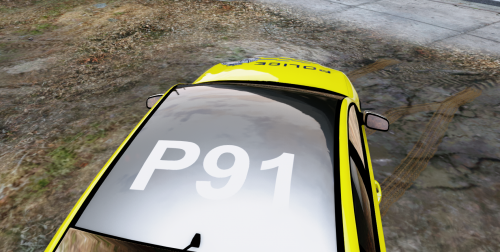 It was meant to be linked, i guess I screwed something up when posting it, cheers for the heads up mate :) Hope you enjoy this Skin as much as I did when making it. -- EDIT Fixed the link in the description, again thank you for notifying me about the issue :)
 -
DO NOT REDISTRIBUTE THIS SKIN WITHOUT WRITTEN PERMISSION FROM MYSELF. YOU DO NOT HAVE THE RIGHTS NOR PERMISSION TO USE MY SKINS IN PART OR IN FULL TO CREATE YOUR OWN FOR REDISTRIBUTION. PLEASE RESPECT THE FACT THAT WE WORK HARD ON CREATING THESE FOR EVERYONE TO USE, ALL FOR FREE. CLANS/STREAMERS CLAUSE: Victorian Police Force - State Highway Patrol Click the Spoiler to see what the real State Highway Patrol vehicles early retirement. Requirements Will be updated to recommend a VICPOL setup once @Macgregor has released his VICPOL version. [NSWPF] Unmarked Ford FG-X XR6Turbo [ELS] by @MooseYTY [RECOMMENDED] It is recommended due to being a 'slick top' as this is how the real vehicle was. [NSWPF] Highway Patrol Ford FG-X XR6 Turbo [ELS] By @MooseYTY [NSWPF] Highway Patrol Ford XR8 by @MooseYTY [VICPOL] FG-X XR6 Turbo by @Macgregor Installation Assuming that you already have the one of the above already installed. - Use OpenIV and navigate to Mods / update / x64 / patchday3ng / dlc.rpf / levels / gta5 /vehicles.rpf (ensure you have 'EDIT MODE' enabled) - Find sheriff.ytd and open it in the texture viewer by double clicking on it - Find xr6_sign_1, highlight it and you should be able to click the Replace button up the top right. (this will now open a dialog where you can navigate to this replacement skin after downloading) - Select this replacement skin and press on save. - Launch GTA and enjoy.
-
All good mate, I may be "new"(as a content poster) here but I have fellow authors backs when it comes to this. I am glad that both cases were resolved without the need to get too deep into any situation that could of turned sour, which no-one has the time for nor needs.
-
@gooface1014... Kinda disappointing to see this happen and kind of the reason I have not released anything before now. Even though its "only a skin", the original authors hard work went into it which may have taken weeks to perfect. I also find it hard to see how you can miss the clauses set in place by the author then write your own terms of use on your release. You also PM'd me with a question regarding if I would mind you releasing a "Brisbane Water Skin Pack", which I replied I didn't mind under the terms that you did not use any part from my skin to create your own.... Did not think that you'd try pull a fast one like this as this only tarnishes your reputation in the end of it all and then, you will end up with no one wanting anything to do with your "work". I suggest you download the model that comes with the template for your own, real skin pack and start fresh.... General Duties Police cars are not even that tricky when you get the hang of skinning, but this also is not the right place to try start your skinning adventures either due to some skills that you will need to make the end result look right...
-
-
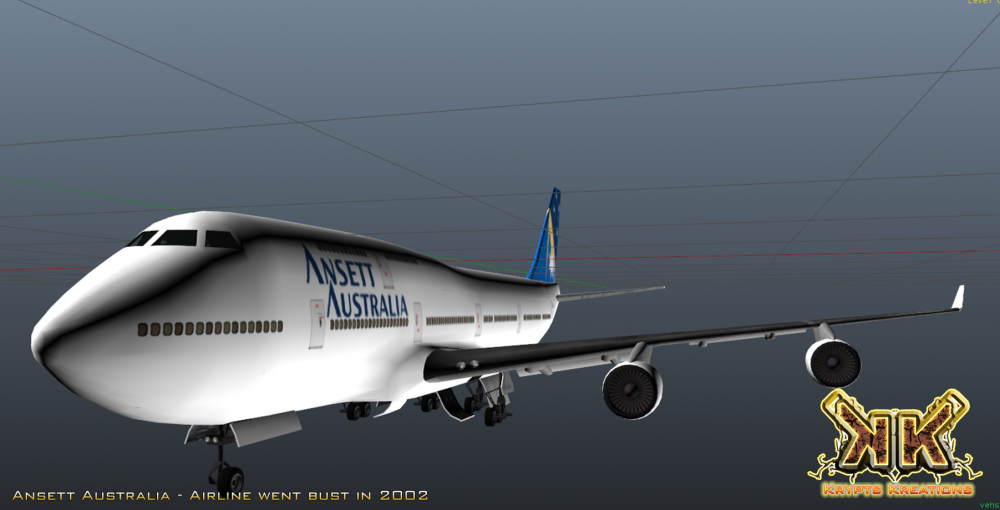
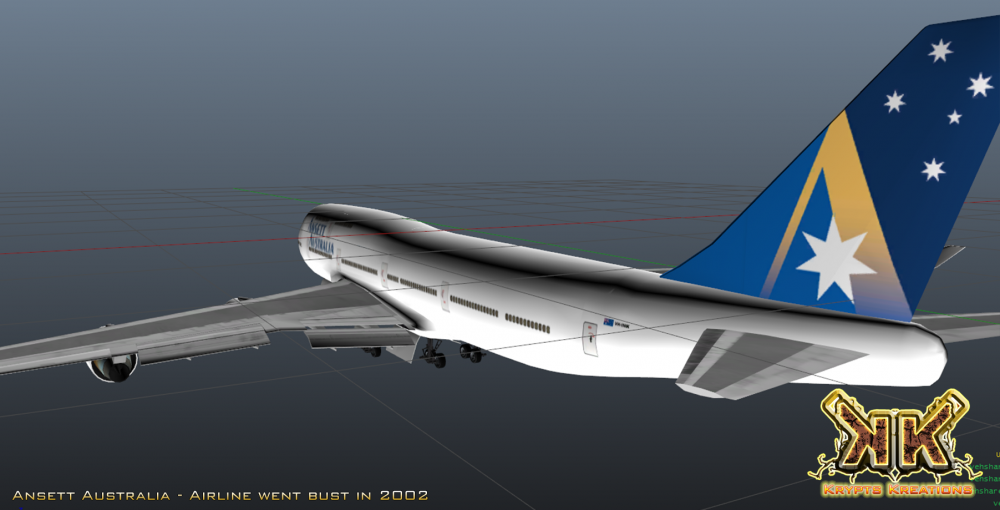
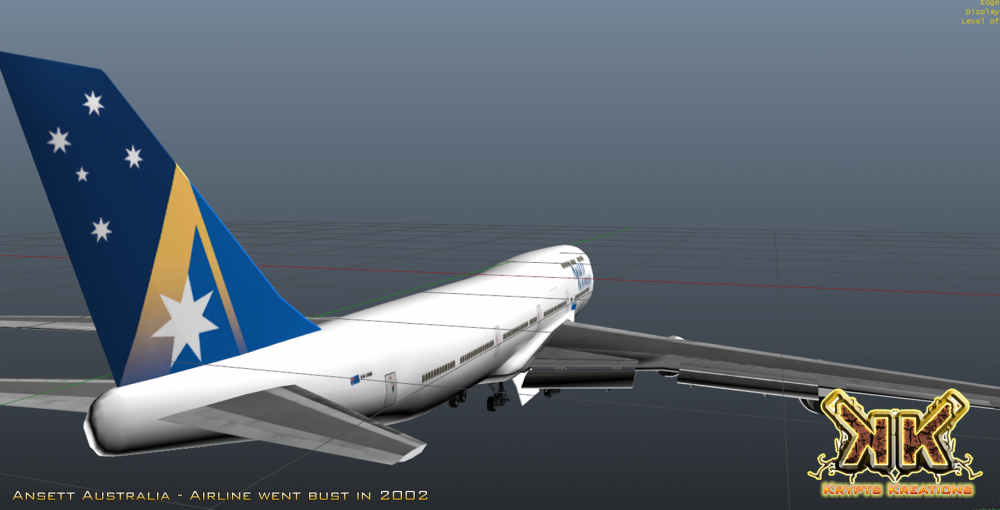
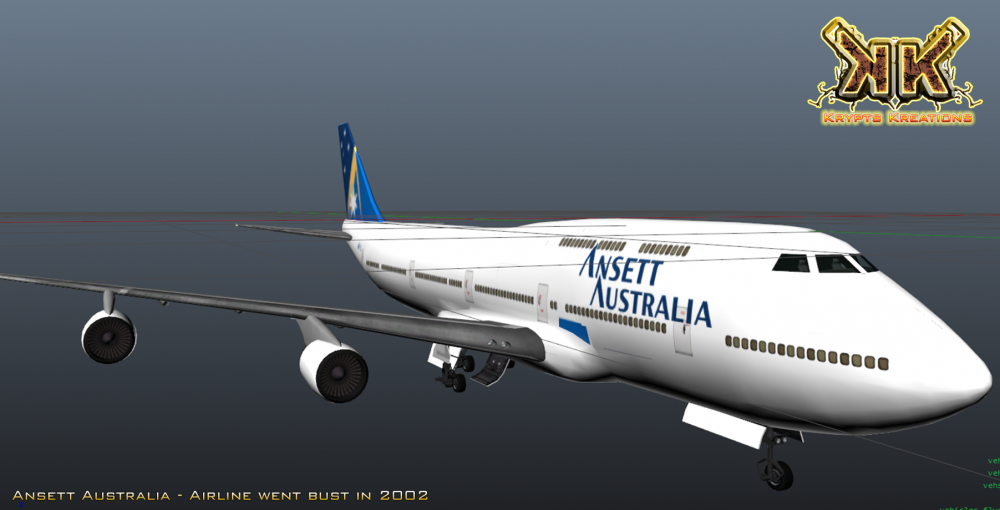
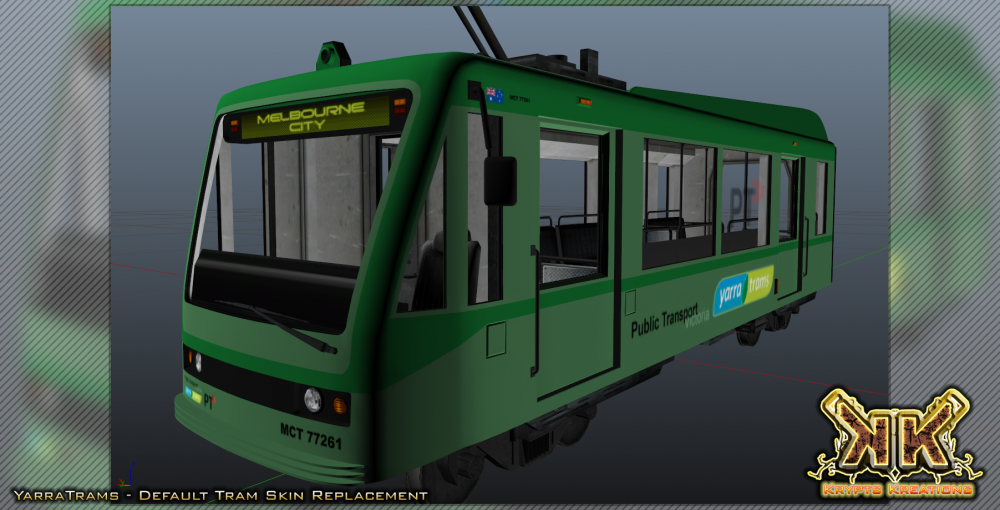
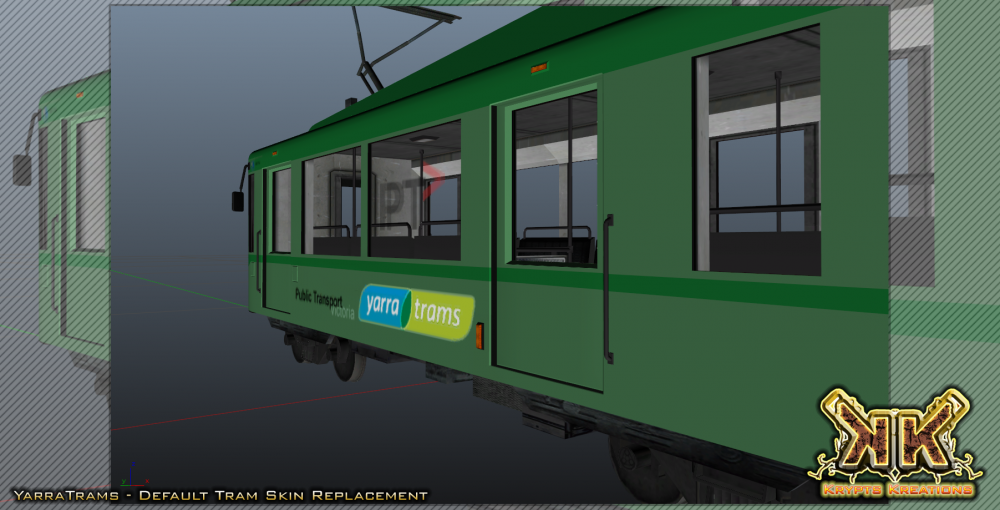
Welcome to my little thread where I will be posting my W.I.P Screenshots and other information about projects that I have taken aboard. Firstly, allow me to say G'Day. Not many people would recognise me to be honest as I have laid dormant in a very stalker like fashion for my entire time here on LCPDFR and I never felt the need to share anything I had made for my personal use before now. Reasons behind this was mainly due to the fact when I first started there did not seem to be that big of an Aussiestrayan presence here within the community, but boy was I incorrect there when I came and had a thorough browse through the actual forums and not simply browse the download section like a troll on bridgewatch. Anyway I had decided to release some skins for now, maybe in the future some DEV components for others to actually get working in game (because that there, is not my forte) but I will always be focused mainly on graphical work as this is one of my utmost passions. Back on topic now I guess... Works In Progress [ Default Model Skin Replacements ] Works In Progress [ Alternate Model Skin Replacements ] Completed Releases Taxi Kreations Misc Kreations
-
It may be a long shot, but of late I have had the dreadded g17 Media is busy (server overwhelmed with requests) so it is possible (although highly unlikely) that this is happening each time you've attempted to obtain LSPDFR from the downloads section. Is there any possible way you can go to a friends place or somewhere alike (public library even) and attempt to download it then to a USB device?
-
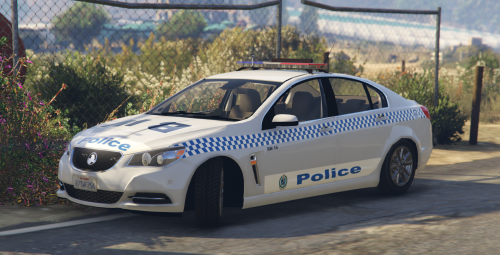 DO NOT REDISTRIBUTE THIS SKIN WITHOUT WRITTEN PERMISSION FROM MYSELF. YOU DO NOT HAVE THE RIGHTS NOR PERMISSION TO USE MY SKINS IN PART OR IN FULL TO CREATE YOUR OWN FOR REDISTRIBUTION. PLEASE RESPECT THE FACT THAT WE WORK HARD ON CREATING THESE FOR EVERYONE TO USE, ALL FOR FREE. CLANS/STREAMERS CLAUSE: New South Wales Police Force - General Duties [ BW 15 ] (Brisbane Water, Central Coast) Requirements Either of the below models will work with this skin. - [ ELS ] NSW Police General Duties Holden Evoke by MooseYTY - NSW Police General Duties Holden Evoke by MooseYTY Installation Assuming that you already have the one of the above already installed. - Use OpenIV and navigate to Mods / update / x64 / patchday3ng / levels / gta5 /vehicles.rpf (ensure you have 'EDIT MODE' enabled) - Find police2.ytd and open it in the texture viewer by double clicking on it - Find evoke_sign_1, highlight it and you should be able to click the Replace button up the top right. (this will now open a dialog where you can navigate to this replacement skin after downloading) - Select this replacement skin and press on save. - Launch GTA and enjoy.
- 2 comments
- 1 review
-
-
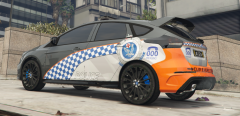 NSW Fictitious Pursuit Vehicle Based Upon NSW Highway Patrol Scheme.
-
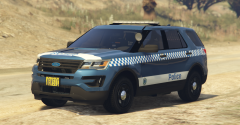 New South Wales Police Force - General Duties - Tuggerah Lakes Unit Number 36
-
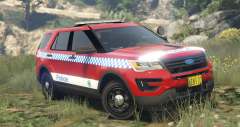 New South Wales Police Force - General Duties - Tuggerah Lakes Unit Number 36
-
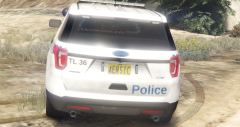 New South Wales Police Force - General Duties - Tuggerah Lakes Unit Number 36
-
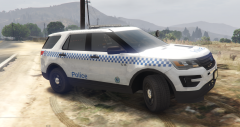 New South Wales Police Force - General Duties - Tuggerah Lakes Unit Number 36
-
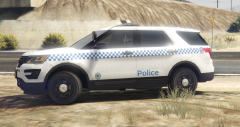 New South Wales Police Force - General Duties - Tuggerah Lakes Unit Number 36
-
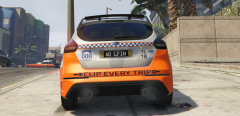 New South Wales Police Force - Tuggerah Lakes Unit Number 36 Skin Replacement.
-
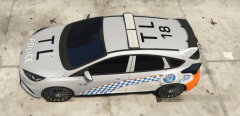 NSW Fictitious Pursuit Vehicle Based Upon NSW Highway Patrol Scheme.
-
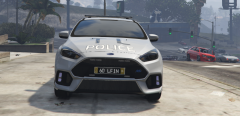 NSW Fictitious Pursuit Vehicle Based Upon NSW Highway Patrol Scheme.
-
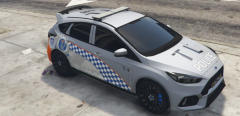 NSW Fictitious Pursuit Vehicle Based Upon NSW Highway Patrol Scheme.
-
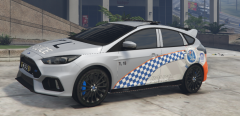 NSW Fictitious Pursuit Vehicle Based Upon NSW Highway Patrol Scheme.
-
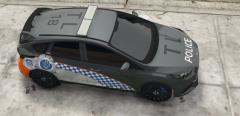 NSW Fictitious Pursuit Vehicle Based Upon NSW Highway Patrol Scheme.
-
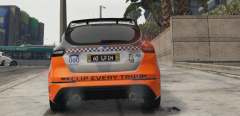 NSW Fictitious Pursuit Vehicle Based Upon NSW Highway Patrol Scheme.
-
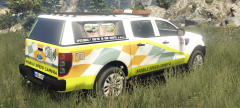 NSW Mobile Speed Camera
-
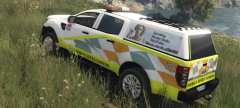 NSW Mobile Speed Camera
-
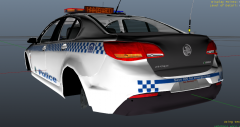 New South Wales Police Force - Brisbane Water General Duties Unit 15 skin for Holden VF Evoke
-
-
From the album: My NSW Police Force Skins
This is a WIP. -
From the album: My NSW Police Force Skins
This skin is available for download here. PLEASE BE AWARE THAT IF YOU RUN A GTA SERVER FOR MULTIPLAYER, THIS SKIN IS NOT FOR USE WITH STREAMING UNLESS YOU HAVE MY CONSENT. ONLY REASON BEING IS THAT IS STILL CLASSIFIED AS REDISTRIBUTION. -
From the album: My NSW Police Force Skins
This skin is available for download here. PLEASE BE AWARE THAT IF YOU RUN A GTA SERVER FOR MULTIPLAYER, THIS SKIN IS NOT FOR USE WITH STREAMING UNLESS YOU HAVE MY CONSENT. ONLY REASON BEING IS THAT IS STILL CLASSIFIED AS REDISTRIBUTION. -
From the album: My NSW Police Force Skins
This skin is available for download here. PLEASE BE AWARE THAT IF YOU RUN A GTA SERVER FOR MULTIPLAYER, THIS SKIN IS NOT FOR USE WITH STREAMING UNLESS YOU HAVE MY CONSENT. ONLY REASON BEING IS THAT IS STILL CLASSIFIED AS REDISTRIBUTION. -
From the album: My NSW Police Force Skins
This skin is available for download here. PLEASE BE AWARE THAT IF YOU RUN A GTA SERVER FOR MULTIPLAYER, THIS SKIN IS NOT FOR USE WITH STREAMING UNLESS YOU HAVE MY CONSENT. ONLY REASON BEING IS THAT IS STILL CLASSIFIED AS REDISTRIBUTION.





