




ConsKrypt
-
Joined
-
Last visited
Everything posted by ConsKrypt
-
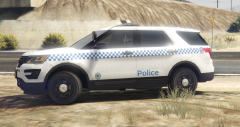
From the album: My NSW Police Force Skins
This skin is available for download here. PLEASE BE AWARE THAT IF YOU RUN A GTA SERVER FOR MULTIPLAYER, THIS SKIN IS NOT FOR USE WITH STREAMING UNLESS YOU HAVE MY CONSENT. ONLY REASON BEING IS THAT IS STILL CLASSIFIED AS REDISTRIBUTION. -
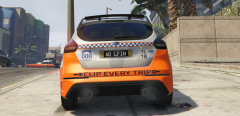
From the album: My NSW Police Force Skins
You can find this -
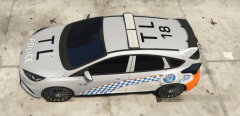
From the album: My NSW Police Force Skins
This is a WIP. -
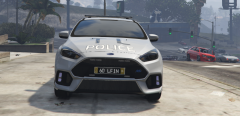
From the album: My NSW Police Force Skins
This is a WIP. -
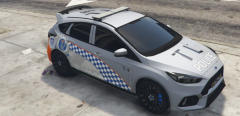
From the album: My NSW Police Force Skins
This is a WIP. -
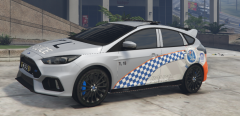
From the album: My NSW Police Force Skins
This is a WIP. -
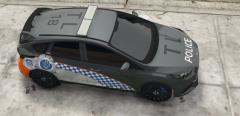
From the album: My NSW Police Force Skins
This is a WIP. -
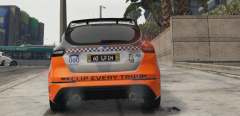
From the album: My NSW Police Force Skins
This is a WIP. -
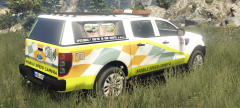
From the album: My NSW Police Force Skins
Just something for the RPers. This skin is available for download here. PLEASE BE AWARE THAT IF YOU RUN A GTA SERVER FOR MULTIPLAYER, THIS SKIN IS NOT FOR USE WITH STREAMING UNLESS YOU HAVE MY CONSENT. ONLY REASON BEING IS THAT IS STILL CLASSIFIED AS REDISTRIBUTION. -
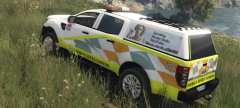
From the album: My NSW Police Force Skins
Just something for the RPers. This skin is available for download here. PLEASE BE AWARE THAT IF YOU RUN A GTA SERVER FOR MULTIPLAYER, THIS SKIN IS NOT FOR USE WITH STREAMING UNLESS YOU HAVE MY CONSENT. ONLY REASON BEING IS THAT IS STILL CLASSIFIED AS REDISTRIBUTION. -
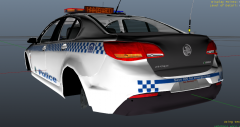
From the album: My NSW Police Force Skins
Yeah, yet another NSWPF General Duties skin replacement I am working on. The point here is that there are others who want these local units and I am willing to provide these skins to those who want to use them for either being a local of the area or to add another different callsign into your force. -
-
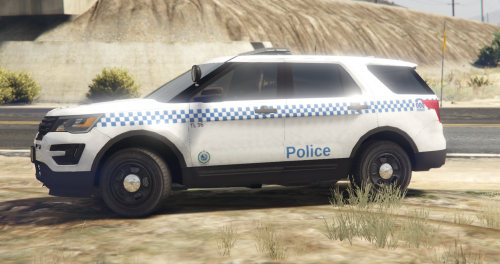 DO NOT REDISTRIBUTE THIS SKIN WITHOUT WRITTEN PERMISSION FROM MYSELF. YOU DO NOT HAVE THE RIGHTS NOR PERMISSION TO USE MY SKINS IN PART OR IN FULL TO CREATE YOUR OWN FOR REDISTRIBUTION. PLEASE RESPECT THE FACT THAT WE WORK HARD ON CREATING THESE FOR EVERYONE TO USE, ALL FOR FREE. CLANS/STREAMERS CLAUSE: New South Wales Police Force - General Duties [ TL 36 ] (Tuggerah Lakes, Central Coast) Requirements - [ ELS ] 2017 Ford Police Interceptor Utility By Him1250 - Realism Dispatch Enhanced By delapitated ( OPTIONAL | NOT REQUIRED - YOU CAN REPLACE A STOCK MODEL BY RENAMING THE MODEL FILES TO SUIT.) Installation Assuming that you already have the vehicle installed as an addon using RDE - Use OpenIV and navigate to Mods / update / x64 / dlcpacks / rde / dlc.rpf / x64 / levels / gta5 / vehicles / rdevehicles.rpf (ensure you have 'EDIT MODE' enabled) - Find police5.ytd and open it in the texture viewer by double clicking on it - Find 2016FPI_sign_1, highlight it and you should be able to click the Replace button up the top right. (this will now open a dialog where you can navigate to this replacement skin after downloading) - Select this replacement skin and press on save. - Launch GTA and enjoy.
- 1 review
-
-

- 1
-
-
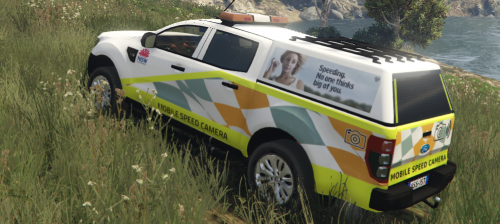 This is just another skin that is an attempt to have more Australian companies roaming throughout the world for those who wish to make it feel a tad closer to home. I recommend that you also download my NRMA skin as it will replace skin slot 1 and this Mobile Speed Camera skin will reside in skin slot 2. There is also an aussie style euro numberplate available with the NRMA skin which you can find here. Requirements You will need either this or this version (recommended) of the Ford Ranger and replace pranger as per instructions included. OpenIV and a basic understanding of file structure. How to install Run OpenIV and navigate to mods / x64e.rpf / levels / gta5 / vehicles.rpf You will need to replace files within both pranger.ytd and pranger+hi.ytd now whilst in 'pranger.ytd', find "car_sign_2" and replace that. feel free to replace all other "car_sign_1-5" with the skin too if you do not wish to have one of the originals show up from time to time. now click on save. The next part is exactly the same as above except the ytd file. Open 'pranger+hi.ytd' and repeat the steps above. Once you're happy with it, run GTA and spawn the vehicle with the name pranger
 -
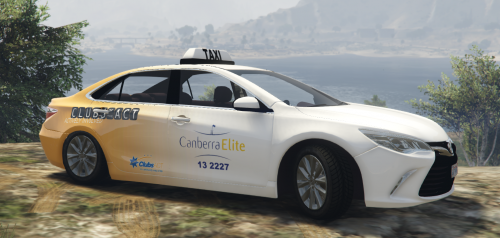 Another reskin for Mrfuis taxi, this time some love for the ACT. Requirements - NSW 2015 Toyota Camry Taxi by Mrfui Installation Assuming that you already have the Taxi installed as a replacement - Use OpenIV and navigate to Mods / x64e.rpf / levels / gta5 / vehicles.rpf - Find taxi.ytd and open it in the texture viewer by double clicking on it - Find Camry_sign_1, highlight it and you should be able to click the Replace button up the top right. (this will now open a dialog where you can navigate to this replacement skin after downloading) - Select this replacement skin and press on save. - Launch GTA and enjoy.
 -
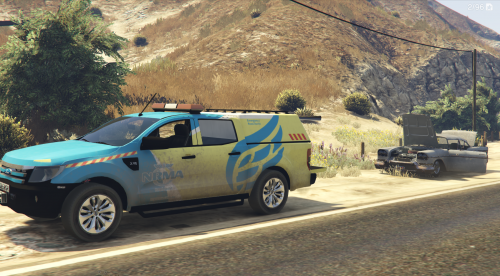 This is just another skin that is an attempt to have more Australian compainies roaming throughout the world for those who wish to make it feel a tad closer to home. Requirements You will need either this or this version (recommended) of the Ford Ranger and replace pranger as per instructions included. OpenIV and a basic understanding of file structure. How to install Run OpenIV and navigate to mods / x64e.rpf / levels / gta5 / vehicles.rpf You will need to replace files within both pranger.ytd and pranger_hi.ytd Open 'pranger.ytd' find "plate's" and click on replace up in the top right, this will now show you a dialog, navigate to these files you have downloaded and select "plate's.png" now whilst still in 'pranger.ytd', find "car_sign_1" and replace that. feel free to replace all other "car_sign_1-5" with the skin too if you do not wish to have one of the originals show up from time to time. now click on save. The next part is exactly the same as above except the ytd file. Open 'pranger_hi.ytd' and repeat the steps above. Once you're happy with it, run GTA and spawn the vehicle with the name pranger
 -
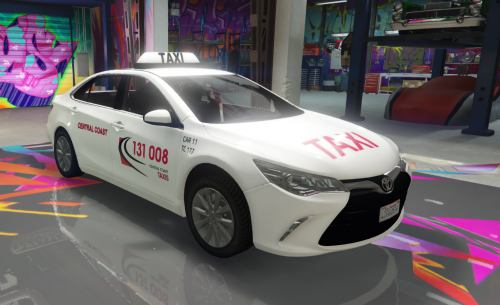 I am working on Tuggerah Lakes units currently, Brisbane Water will be on its way too
- 6 comments
- 3 reviews
-
-
- 1
-
-
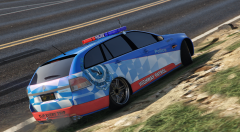 I need to locate where I have stored this skin, it still represents how it is within these screen shots due to having suffered a PSU failure and it took out one HDD upon its adventure to spark town, I am hoping that wasn't where this skin was stored as it would be much more efficient to fix up the issues with the current skin pictured rather then to start again on a new version for this model.
 -
DO NOT REDISTRIBUTE THIS SKIN WITHOUT WRITTEN PERMISSION FROM MYSELF. YOU DO NOT HAVE THE RIGHTS NOR PERMISSION TO USE MY SKINS IN PART OR IN FULL TO CREATE YOUR OWN FOR REDISTRIBUTION. PLEASE RESPECT THE FACT THAT WE WORK HARD ON CREATING THESE FOR EVERYONE TO USE, ALL FOR FREE. CLANS/STREAMERS CLAUSE: Australia Wide Taxis - Skin pack Requirements - NSW 2015 Toyota Camry Taxi by Mrfui Included in this pack: Australia Wide Taxis - Central Coast, NSW Skin Australia Wide Taxis - Bathurst, NSW Skin Australia Wide Taxis - Brisbane, QLD Skin Australia Wide Taxis - Perth, WA Skin Australia Wide Taxis - Melbourne, VIC Skin Australia Wide Taxis - Adelaide, SA Skin Installation Navigate to mods/x64e.rpf/levels/gta5/vehicles.rpf with OpenIV Locate 'taxi.ytd' and open it. Find 'Camry_sign_1' and replace it with the skin of choice from one of the files included. Click save, then launch GTA and enjoy.
- 6 comments
- 3 reviews
-
-
- 2
-
-
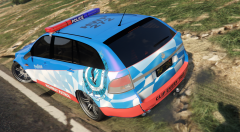
From the album: NSW HWP VE Sportswagon Skin [WIP]
-
-
From the album: NSW HWP VE Sportswagon Skin [WIP]
Work In Progress -
![VE Commodore Sportswagon New South Wales(NSW) Highway Patrol(HWP) Skin [WIP]](//s3-gallery.int-cdn.lcpdfrusercontent.com/monthly_2016_04/small.hwp_272_2.png.1a4832227e9ca2ac528f4410f15bf8de.png)
From the album: NSW HWP VE Sportswagon Skin [WIP]
Work In Progress -
![VE Commodore Sportswagon New South Wales(NSW) Highway Patrol(HWP) Skin [WIP] - Frontshot](//s3-gallery.int-cdn.lcpdfrusercontent.com/monthly_2016_04/small.hwp_272_1.png.ab069bb6017d07b22614f6e0ac85b705.png)
From the album: NSW HWP VE Sportswagon Skin [WIP]
Work In Progress -
No-where has there been an attempt to offend you at all, if I wanted to offend I would of, then I would also be banned from here... To me all I see everywhere is people demanding this and that be done from the authors, its a 'mod'... if you wish to have people hold your hand day in and day out without doing investigations into it yourself.. (like opening the LUA file and seeing EXACTLY how simple it is to change the hot keys... THE SAME time as it would be to edit the ini files.). Forgive me, your 'REP' obviously means you are worth more to the community. ~end of my 2 cents~


