




F5544
Members
-
Joined
-
Last visited
Everything posted by F5544
-
-
-
-
-
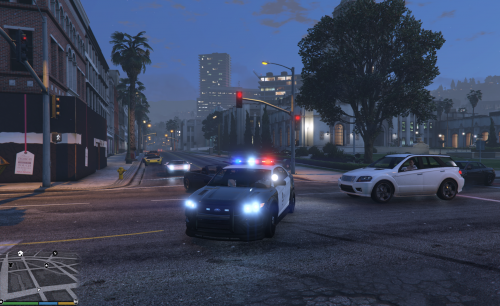 yes making an real life vector you need to copy the vehicle.meta and handling data to. Therr is the siren setting
- 44 comments
- 14 reviews
-
add it in any dlc mods folder. next will be an stanier with an vector lightbar. i am now templating it.
- 44 comments
- 14 reviews
-
-
-
-
Hi, It's finally there. The police interceptor LAPD style with an Fedsig Arjent. Have fun with it. Upload only on LCPDFR.comDo not re-upload elsewhere. Credits go to: LtMattJeter Lt.Caine for his templated car. Light edited for breaking windows. Prophet for his awesome promotion movie.
- 44 comments
- 14 reviews
-
-

- 3
-
-
-
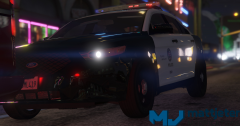 Very very nice. Good work man
 -
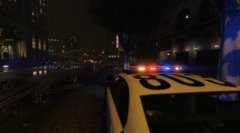 maybe
maybe -
still busy fixing small things like replacing the bullbar lights and adding breaking lights in the lightbar. but max 2 days.
-
_(20).jpg.9ac8f344580bf01258a1928e30ae296a.jpg) nice work man
nice work man -
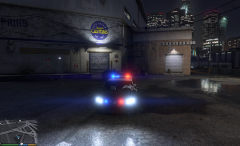 it's a great pattern. Need to do some small changes. tomorrow evening ready i think.
 -
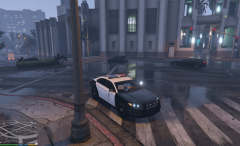 the light setup is soo cool..... :D
 -
Yes and white for extra light
-
you want to put this lightbar over?
-
sorry guys i don''t think today the light setup is a little difficult to have a good pattern.
-
-
-
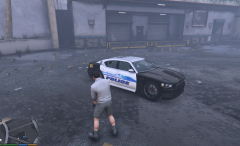 Reskinned the buffalo3 with template from LtMatts, Working glass. This one has all Levels of details skinned(from a distant the same skinned). Also according to default setup of gta V engine. one file buffalo2_hi.yft and one buffalo2.yft. different z3ds. never combine _hi with the normal. That causes crashes on lower machines.
 -
@LtMattJeter i have noticed ltmattjeter about it and we are working for a fix.
-
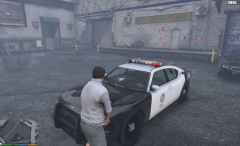 testing the lightbar glass to break. and windows also.

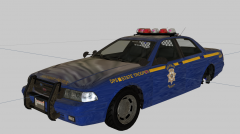
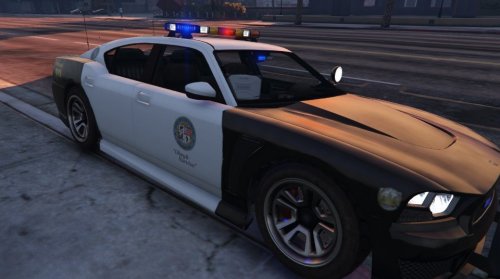
_(20).jpg.9ac8f344580bf01258a1928e30ae296a.jpg)
