




F5544
Members
-
Joined
-
Last visited
Everything posted by F5544
-
Work in progress
-
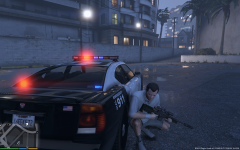 whelen edge almost done.
-
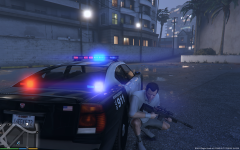 whelen edge almost done
-
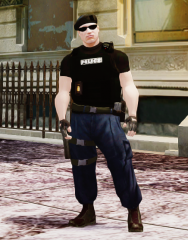 new pedprop for the taskforce ped.
-
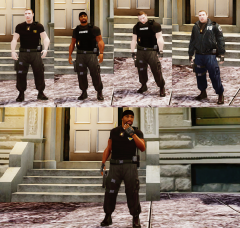 V1
V1
-
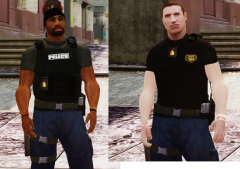 the new ped.
-
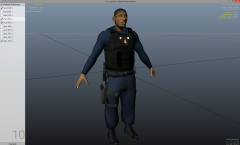 1 of the upperbody's
-
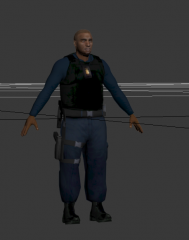 new vest model
-
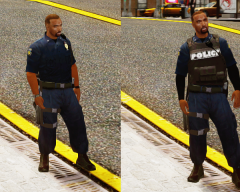 ingame test works, now need to create a new upperbody
-
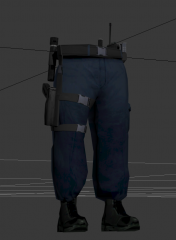 leg holster with boots.
-
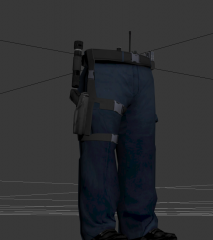 new pants, with boots
-
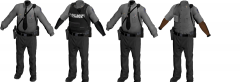 new improved state trooper
-
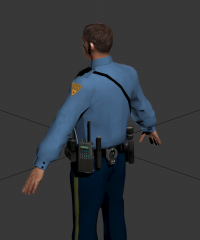 wip4
wip4
-
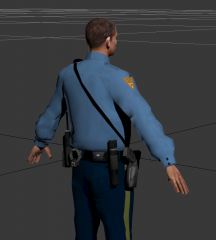 wip3
wip3
-
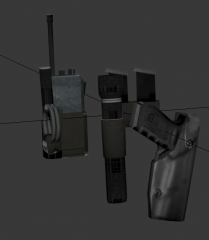 wip2
wip2
-
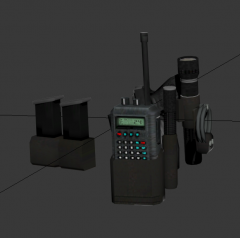 wip1
wip1
-
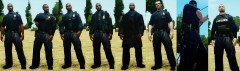 Cop v1.2
-
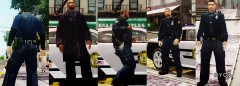 Cop
Cop
-
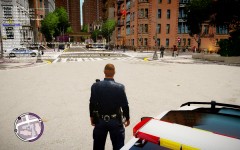 small cop improvement.
-
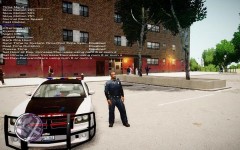 small cop improvement.
-
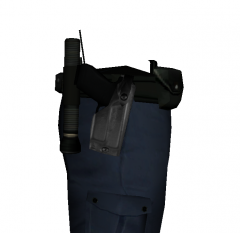 2
2
-
-
From the album: W.I.P
-
From the album: W.I.P
-
Pff not yet. There are siren placement issues
-
Zmodeler3.com
-
You need to map the car first. Only if you can do it yourself. Otherwise ask a developer to do it. Maybe Ltmatt will make this car mapped.
-
updated
-
put them in the ytd file.
-
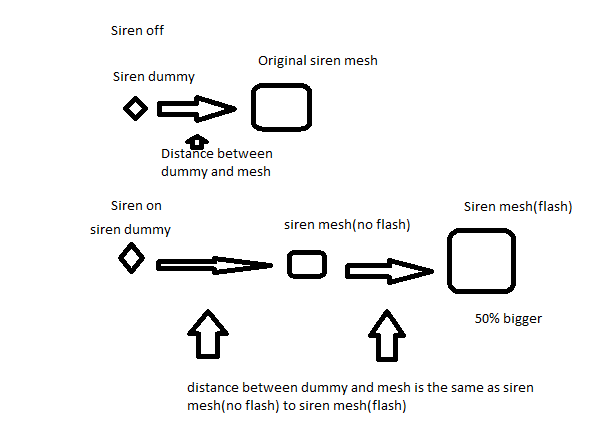
hmm.. the research for now is that the emissive (lights mesh) is 50% smaller in zmod. it expands when the sirens are enabled. i am now looking for the right offsets. but i think that every siren dummy has its own offset.
-
These are the light settings from the lifeguard jeep.
-
with building. and testing. but that is just easy. the difficult part is to map the els.
-
busy with it. see the post in the modding section. to make them compatible for gta v is a challenge.
-
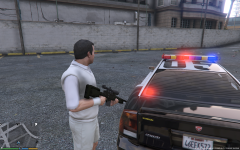 i have made a topic about the research: http://www.lcpdfr.com/forums/topic/53854-understanding-gtav-siren-lightsels/
 -
Update. HI, As many of the modders are making cars for the game, i am focusing on the ELS siren lights of gtaV It is not easy to understand the logic that rockstar has made for the siren lights. As far as i know for now is: -The lights are bounded to the mesh pivot.(and not the dummy) -the lights has a preset direction (no omni/360 degrees) -the ELS mesh is moving from direction when the light is flickering on that moment. -the ELS mesh Scale is bigger when the light is flickering. -the emissive material setting for the lights is not yet known.(and for the first tries i couldn't reproduce this) If you have information please share it on this topic Update: -The mesh scale distance(small off light mesh to rezised bigger on light mesh) is related to the distance between the siren dummy and the mesh. if the siren dummy is at the same distance as the mesh, the mesh only resize to its bigger enabled form. but get no position change. disadvantage of this, the mesh in siren off will be visible. -The mesh scales with 50% bigger when sirens enabled.(so making the emissive siren mesh 50% smaller then the original, it will be resized to it's original form.) Update 2/3: -Siren dummy and pivot points need to be at the same place. siren 1 =left red cannot rotate light(always the left direction) Rotate mesh 90 degrees clockwise siren 2 =front red(light can be rotated. to do this rotate pivot and siren dummy axe) siren 3 =back red(light can be rotated. to do this rotate pivot and siren dummy axe) siren 4 =back blue(light can be rotated. to do this rotate pivot and siren dummy axe) siren 5 =front blue(light can be rotated. to do this rotate pivot and siren dummy axe) siren 6 =right blue cannot rotate light(always the right direction) Rotate mesh 90 degrees against clockwise siren 7 =front red(light can be rotated. to do this rotate pivot and siren dummy axe) siren 8 =front blue(light can be rotated. to do this rotate pivot and siren dummy axe) siren 9 =front red(light can be rotated. to do this rotate pivot and siren dummy axe) siren 10 =front blue(light can be rotated. to do this rotate pivot and siren dummy axe) siren 11 =back red(light can be rotated. to do this rotate pivot and siren dummy axe) siren 12 =back red(light can be rotated. to do this rotate pivot and siren dummy axe) siren 13 =back blue(light can be rotated. to do this rotate pivot and siren dummy axe) siren 14 =back blue(light can be rotated. to do this rotate pivot and siren dummy axe) siren 15=back red rotate mesh180 degrees siren 16=back blue rotate mesh180 degrees siren 17=front red(light can be rotated. to do this rotate pivot and siren dummy axe) siren 18=front blue(light can be rotated. to do this rotate pivot and siren dummy axe) siren 19=front red(light can be rotated. to do this rotate pivot and siren dummy axe) siren 20=front blue(light can be rotated. to do this rotate pivot and siren dummy axe) so the best position to have the lightbar mesh is between sirenmesh(no flash) and siren mesh (flash)
-
unfortunely the els is not working good. i am trying to understand the logic so i can make a tutorial for it.
-
-
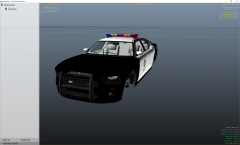 not yet but will be;)
 -
-
Not right now, we have to uvmap them first.
-
it's not explored yet. we have to wait.
-
what do you mean, the flash pattern or the colour?
-
that is a handling issue
-
don;t know yet, these are the first steps.
-
i know how to template them but i am at my work now, so i can't help. use paint1 and select the template. maybe the buffalo2 sprite(green version) is mapped with this template?
-
Hi, Will you make a post or notification to all modders. Maybe it's possible to make the stock cars use one template. Because everybody is skinning the cars but with different layout. http://imgur.com/a/ZSHQO#0 If we(zmodeler modders) all use these templates to uvmap the stock cars. The skin modders have an easier job to make skins for all the stock cars at once. these templates from lt.caine are the best. Regards, Frank



