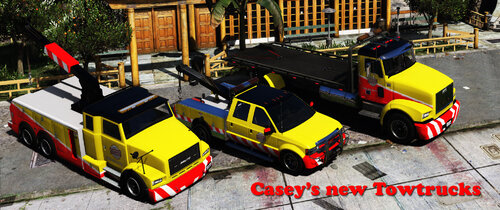
F5544
Members
-
Joined
-
Last visited
Everything posted by F5544
-
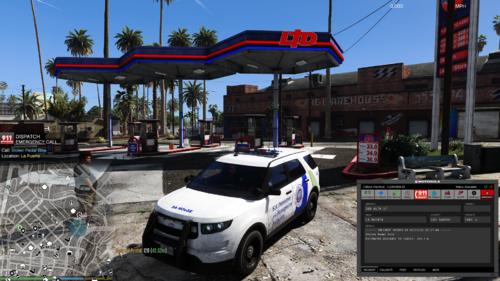 Ahh Ahh the source is in the zip. You can take the project over if you want? I don't have a github for it. But I like to see someone who will make it better
- 16 comments
- 1 review
-
thanks, but i dont use it. so i cant test it. but the source files are in it. use claude ai for this.
- 16 comments
- 1 review
-
hmm ok. yeah. it was only supposed for personal use. but maybe you could do it better ;)
- 16 comments
- 1 review
-
-
ahh good addition i will insert your idea, also busy with an automatic backup on certain callouts. when you are not on the scene you get an extra backup driving with you
- 16 comments
- 1 review
-
 Love your callouts, Bug report when i get the mugging callout it crashes the lspdfr mod. discord accept rules doesnt work: Bug report — TAGsCallouts v1.5.2.0 | Mugging callout crashes LSPDFR on end Pack / version: TAGsCallouts v1.5.2.0 LSPDFR / RPH: LSPDFR 0.4.9695, RagePluginHook latest, GTA V build 3889 What happens: Accepting and then completing a Mugging callout causes LSPDFR to crash with a forced termination. The crash happens when the suspect is freed / pursuit ends. The entire game session is ended. Steps to reproduce: 1. Go on duty in LSPDFR 2. Accept a Mugging callout from TAGsCallouts 3. Locate and confront the suspect — pursuit begins 4. Suspect is freed / chase ends 5. LSPDFR crashes immediately Error from RagePluginHook.log: Error while processing callout: Mugging at Functions.RemovePedFromPursuit(Ped ped) at TAGsCallouts.Callouts.Mugging.End() — Mugging.cs line 138 at TAGsCallouts.Callouts.Mugging.Process() — Mugging.cs line 121 Failed to free callout properly: Mugging — "Getting cache while it's still in use" at Functions.RemovePedFromPursuit(Ped ped) at TAGsCallouts.Callouts.Mugging.End() UNHANDLED EXCEPTION: Processing cache while it's still in use → [FATAL] Forced termination → LSPDFR has shut down Root cause: Mugging.End() calls Functions.RemovePedFromPursuit(ped) on a ped that no longer exists or whose pursuit has already been cleaned up. This leaves LSPDFR's internal ped cache in an inconsistent state. Suggested fix (Mugging.cs line 138): if (suspect != null && suspect.Exists()) Functions.RemovePedFromPursuit(suspect); Workaround: set Mugging = False in TAGsCallouts.ini (RagePluginHook.log attached — see lines around 1:04:48 PM)
- 158 comments
- 8 reviews
-
-
Hi, I made this plugin to manage my callouts. I only wanted callouts in my vicinity. This plugin only let the callouts in your own range( settings in the file.) All other callouts and when you are busy with an callout will be blocked and not loaded in the memory. So this will also keep your lspdfr a bit cleaner in memory. it's a small plugin i made to make my game run smoother. I thought i share it, maybe helpfull. | File | Target folder | |---|---| | SmartCalloutLoader.dll | Grand Theft Auto V\Plugins\LSPDFR\ | | SmartCalloutLoader.ini | Grand Theft Auto V\Plugins\ | | TuneUltimateBackup.bat | run once, from anywhere (optional) | > Note: the DLL belongs in *Plugins\LSPDFR\** (not in Plugins\). The plugin inherits > from the LSPDFR base class LSPD_First_Response.Mod.API.Plugin and is therefore loaded > by LSPDFR itself, together with your callout packs. Start the game through RAGEPluginHook, go on duty, and the loader will begin starting random callouts after the cooldown — but only when no callout is running, you are not in a pursuit or traffic stop, and you are alive. Set DebugLogging = true in the INI to see exactly what the plugin is doing in RagePluginHook.log (search for [SmartCalloutLoader]). Regards, F5544
- 16 comments
- 1 review
-
-

- 2
-
-
Yeah there are more reports on the stp discord. Thank you all for yout help.
-
ahh i understand, thanks i will inform the author. hopefully he will fix it, since he has abandon the project.
-
Thank you for your help and answer. I checked it with ms copilot. Copilot says it is an failed hook. But i will check stop the ped. It never happened before. Do you use stop the ped?
-
Hi, Since the last gta update (april 2026) the called towtruck leaves the car behind on the spawned place. The car stays empty on the road. There is an hook instance problem on it. I use the following plugins. Stoptheped Ultimate backup Regards, f5544 RagePluginHook_28042026_141219.log
-
-
Performance boost? You need to make a new mod folder in the enhanced version. And it uses the enhanced gta exe so the enhanced version will be used. But we need to wait for the scripthook to use the openiv asi
-
@Cyan @LennyyYou can mod the enhanced version with openiv. You just need to create a copy of your gta_enhanced.exe. rename it gta.exe. and change the folder directory to the enhanced folder. open openiv with administrator permissions and use the what can i do button to get user folder rights. Restart openiv install asi plugin. Happy modding. Spread the word! Just found out myself
-
-
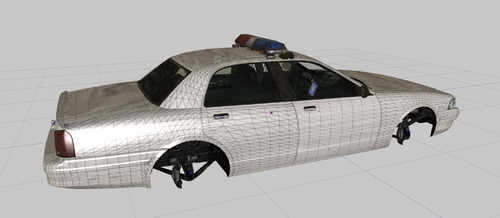 This is the Rockstar stanier LE with a template for an skin or livery. Its opensource with the Z3d file. Template is in the package. Also you can install it and make skins for it. I need to make a military one for fort Zancudo, thats why i skinned this. You don't need permission to use this in your mods. Credits will be appreciated.
 -
thank you for your fast response. hope it will be fixed. You guys are doing a great job. really appreciate your mod.
-
I am not a developer. On stp discord they say its on the rph end. I dont know. But thanks for your fast response. I hope to see it fixed soon.
-
I dont think its shared. You can try it yourself. Use stp and call for a towtruck2. look here There is another topic on here with the problem.
-
No its in the rph plugin. The author of stp did research and there is something changed in the call of a towing vehicle.
-
Hi, Question for the developers, are you aware of the towtruck bug that is with Stop the ped mod? Only the flatbed it working. Regards, Frank
-
Hi, I am using the GTA V NVE Upscaler build 06 with frame generation. when i load the game with only the ragepluginhook without lspdfr it works fine but when i load lspfr it crashes. Tried without all mods or starting it from beginning. it also crashes. I think its in the LSPDFR mod. Maybe for the devs to investigate?
-
Its a bug in the rph plugin hook or stop the ped. They are working on it. Got the same problem
-
 Do you have other mods installed? It looks like a mod forces to use setting 13
- 37 comments
- 2 reviews