




F5544
Members
-
Joined
-
Last visited
Everything posted by F5544
-
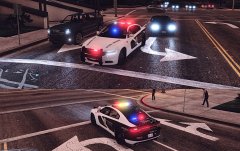 1080gtx is overkill for every game now. so i want to have the best settings
 -
@rekram thanks, yes 4k downscaled. and now busy with enb testing for most realistic view.
-
From the album: WIP
the radiance is to much for me so i made a hybrid between those and can use both different vehicles. What do you think? -
if you dont know how to mod cars, then this will be impossible for you.
-
 Nu, have fun with it :)
 -
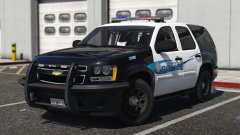 Original lighting or radiance?
 -
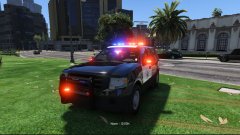 Some vehicles don't use the coronas. Only the emissive mesh.
 -
but the sirens compatible for radiance dont have the original siren coronas
-
I know but it's not compatible with not radiance cars. And I like the coronas around the emissive mesh. So radiance is not for me. But nice car buddy Yes but then I looks like the sirens are broken and no flash.
-
Ahh shame. Then I can't use it. I like the original lights better. Since I adjusted my visualdat file. Bummer but still good car though
-
looking good man ;) are they original lights or radiance mod?
-
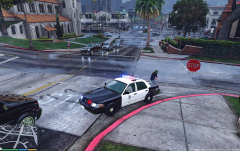 i have these mods: Awesomekills_ENB___SweetFX_v1.3_for_GTA_5 The Pinnacle of V - World Enhancement Project V1.8.1 and my own visualsettings for the police lights.
 -
-
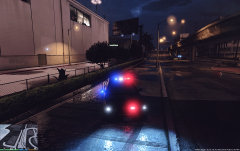 1080gtx way better, playing on scaled down 4k with 87 fps ultra everything maxed out. 1080gtx is for now to much overkill in current games. it can handle everything on ultra easy
 -
From the album: WIP
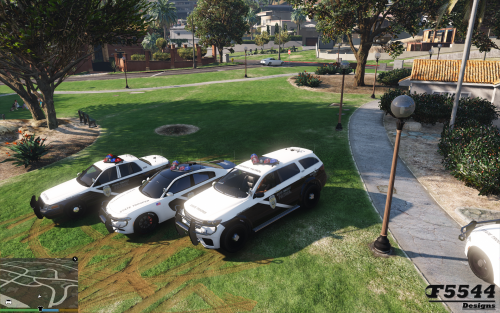
made a new visualsettings with better corona's and led lights. not as bright as the evl or improved led lights mod. together with pinnacle of v and other enb mods. -
-
-
-
-
-
-
-
 i have tried several things to make it work. this is the first time i used the automatic installer but it keeps crashing. What does not work? then i can fix it. place the vehicle files in: Rockstar Games\Grand Theft Auto V\Mods\update\x64\dlcpacks\mpapartment\dlc.rpf\x64\levels\gta5\vehicles\apartmentvehicles.rpf Place the vehicle.meta in: Rockstar Games\Grand Theft Auto V\Mods\update\x64\dlcpacks\mpapartment\dlc.rpf\common\data\levels\gta5 and Rockstar Games\Grand Theft Auto V\Mods\update\update.rpf\dlc_patch\mpapartment\common\data\levels\gta5 Place the Carvariations.meta in: Rockstar Games\Grand Theft Auto V\Mods\update\x64\dlcpacks\mpapartment\dlc.rpf\common\data Then it must work. follow above instructions
- 81 comments
- 9 reviews
-
-

- 1
-
-
-

