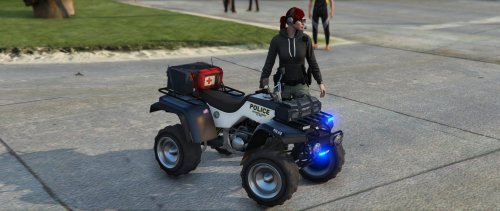
F5544
Members
-
Joined
-
Last visited
Everything posted by F5544
-
 It has to do with your visual settings. You have to turn up the coronas after radiance turned them off.
- 137 comments
- 22 reviews
-
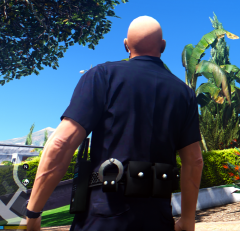 Oh I can remap it to the improved textures. Don't worry I will fix it.
 -
-
@rekramYes the taser and light. But I need it to use the original textures for it. Since I have multiple outfits for this cop. I will use your stuff to make the original cops also :) and you can release them. You made it all. I just fix the bugs.
-
It will be one heavy police belt with al that stuff.
-
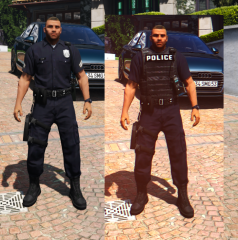 I will make the magazine pouches sideways. And will make a new pet for the common police shift.
 -
yes that is really simple to do. both versions or the vest only? i will make the taser on his belt for both or place the radio on his back?
-
guys need input: what do i need to add more? Taser? Flashlight?
-
From the album: WIP
This is gonna be easy to finish. it is so simple to make peds instead of cars. -
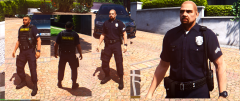 @Lundy taser? Flashlight?
 -
-
what do you mean with belt buckle @Lundy
-
From the album: WIP
Made the external mic line better, added baton, small improvements. Need to add cuffs? and a taser? and flashlight? -
 what? :) no lies.
 -
-
great work buddy, you're getting better then me in modding ;)
-
 haha ik ook nu met een ped bezig.
 -
which cuffs, should i use the gta iv cuffs i made or a pocket like this?
-
you ment is that a bomb vest? :P
-
From the album: WIP
compatible with the holster mod. -
Operating System Windows 10 Pro NL 64-bit CPU Intel Core i7 6700K @ 4.60GHz Haswell E Technology RAM 16.0GB Dual-Channel DDR4 @ 2500mhz Motherboard Gigabyte G1 gaming Z170X Graphics 2X LG 24EB23 AHIPS (1920x1440@60Hz) 8192MB NVIDIA GeForce GTX 1080 GTX (Inno3d) Storage 256GB Samsung SSD (NVMe) 1TB samsung 2 X 256GB Samsung EVO
-
klopt ben niet meer zoveel aan het modden enzo, jij nog wel zo te zien :)
-
mooi werk man ;)
-
 nice work buddy
 -