



CryptEclipse
Members
-
Joined
-
Last visited
Everything posted by CryptEclipse
-
-
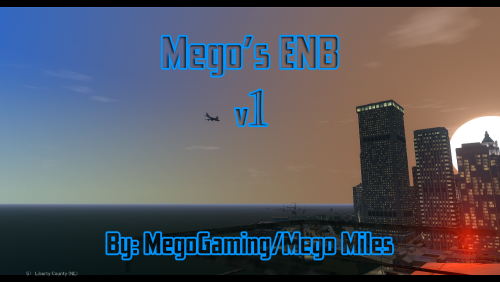 Because it's just something you can't do. You can't copyright something that is edited. If you made the ENB from scratch then it would make sense but the whole copyright stuff with people is honestly unnecessary. You can copyright a skin, script, and maybe even a car but not something like this. You'll never really know who will take your ENB and edit it and make it look way different than what it is now and then release it. It's just common sense in the modding community. Also nothing was made by you and even if something was, you can't really take legal action becuase that would be the dumbest thing I've ever heard
 -
It's fine
-
The better way of actually checking to see if it's LCPDFR is to first start off with only LCPDFR and see if there's a problem. Every other mod you have may be interacting with each other or you've edited something and it crashes your game. The easiest way to fix the problem you're having is to just test mods one by one but of course starting with LCPDFR since you "apparently" think its the only problem. Also, it's not complicated to got through the logs and see what pops up with an error in which may effect your game. I would recommend you follow what I said to get your problem fixed
-
I'm gonna have to tell you that you can't copyright something that isn't fully yours even if it's already copyrighted
-
Yeah... What he said
-
Looks like the problem is in the log for AdvancedHook since it says there is a game crash but not related to LCPDFR so check there. Also you will need to tell me what the latest version of the LCPDFR you have because there will be different problems with older versions that should have been solved already. I have never heard of someone with this problem so hopefully I can help you.
-
Honestly I don't think I can help you if you're using a old LCPDFR version. Try using the latest
-
When you first install LCPDFR you should have it set to dsound.dll as the main source so that it starts up and runs. I would never use Xliveless because it only helps for certain ENBs. What I would do is just reinstall LCPDFR and there should already be a dsound.dll in the installation. You need to give more detail and not write what happened. You need to write a whole book of what you did to your directory which would help
-
Have you tried reinstalling LCPDFR after you put in CryENB v3? If not I would try that and test it out because you shouldn't have a problem with CryENB and LCPDFR
-
A ELS crash is when your lights don't work anymore after you've used the mod for a while. Honestly I'm not sure what the problem is because you didn't give much detail into the problem
-
The only things I'm seeing in the log is the AdvancedHook.asi missing even though it's non critical and there are errors in the LCPDFR log
-
The system dependencies doesn't matter since you deleted the 2 files. It also said in the log the AdvancedHook found a crash but wasn't LCPDFR related. Was the Tahoe the car that didn't work last time(the 2nd car you imported)? If it is then that's the problem. Also the Log check sounds a like a little problem. Did you test out your game? If you didn't, make sure you do and then run the LCPDFR scan again
-
No don't delete those 2 files and it's not because we deleted the others. You most definitely need those for mods. But, did you check to see if that car was stable at all. Your game should run smoothly without have to not load anymore. So what I want you to do is to uninstall LCPDFR and re-install it (make sure you don't have those 2 files in like I told you and turn off the saving in the config), and put the vehicles back in. Or at least which ones you know is stable. The ELS is flashing really fast because if you go into the ELS configuration setting in your directory, you should be able to fix that problem. But after you re-install LCPDFR, run the diagnostics tool, then show me a picture of what it says if there's an error
-
Yeah my bad. it's not a .dll but a .asi which is the one you need to delete (AdvancedHookInit.asi and its text document need to be deleted) Also when you go into the GTA IV properties, go to security and make sure yourself is able to edit everything which I'm thinking may fix the read only problem. But once you delete the files I said, test your game out and you should be able to play for a longer time
-
So reading the whole log book in the spoiler got me to notice that there was a few errors/ invalid files, audio, and the network problem. Honestly I don't think that those things matter enough to crash your game but if you're using ELS v8.0 or 8.5, there's gonna be this file named "AdvancedHookInit.dll" and basically you want to delete that. Also if you put in a ENB and customized it before you played, then that could be the issue. Because I know that if you have a 970 then you're going to want to play with an ENB. And just be sure that you turn of the "Saving" in the LCPDFR config because there was a bunch of spam in the log for that.
-
Looks like I was right. When I turn on or off certain things in the ini, it screws up the game a bit which sucks. Glad I could help
-
How'd you fix it?
-
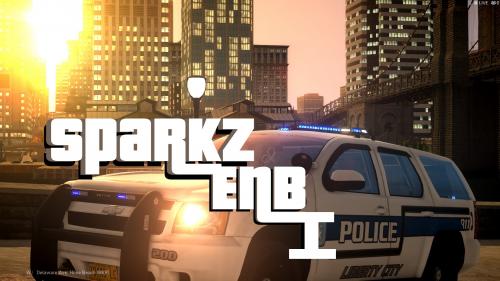 that made no sense at all
 -
Thanks. If you need any ENB help, I got you
-
As a problem in the original ELS 8.0 people would have an issue with their game crashing and the reason was for having a file that wasn't needed in which caused the game to crash. All I could tell you are these things: • You customized something in your directory which screwed up the game. Which would be either ENB configuration or the wrong .dll files that need to be replaced. • You didn't delete the "AdvancedHookInit.asi" These are the only things I know that screwed up my game. If you didn't have any modded cars in your game already when you crashed then my reasons would make sense. If you did, then that's another reason.
-
Technically I don't think you can copyright something that has already been copyrighted by the person who made the base ENB you edited off of. And I'm pretty sure if people want to edit your ENB and release it again but then changes the name (just like every other person who customizes ENBs), wouldn't be a crime. I think you may need to change what you're doing with the unnecessary copyright. P.S. Yes I know you wouldn't want people to steal your work but as you can see its not going to change anything if you base your work off of someone else's. Even I based a ENB of of CryENB but never copyrighted it
-
I'm not sure if I'm right on this but I think pretty simple. I'm thinking that you have the saved part checked in the configuration tool for LCPDFR which is causing the error. Or, the problem is the warning that caused the issue before the saving text spam
-
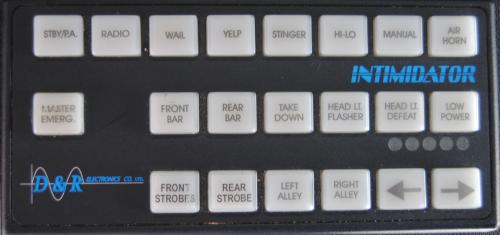 Pretty clean. I Like it
 -
No that's not it. It's the control boxes



