


Roblox720
Members
-
Joined
-
Last visited
Everything posted by Roblox720
-
.thumb.png.f1542f306f546db05ece9683fa4076f8.png) Thanks guys. Also not sure if it'd the truck or my handling line but my trucks steering and stuff sucks lol
Thanks guys. Also not sure if it'd the truck or my handling line but my trucks steering and stuff sucks lol -
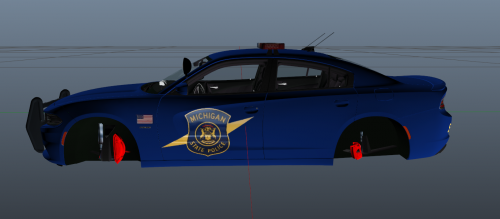 Oh! Nice! I live near Lansing. And speaking of Lansing I might make a Capitol Patrol unit! Its basically a darker matte color and it has no light bubble. Its an Impala.
 -
Alright, check out the new F350 I put out. I know MSP dont carry Trucks but you could reskin and reupload that if you want. :)
-
NOTICE: PLEASE DO NOT RE-UPLOAD THIS ANYWHERE ELSE. This is my 2nd Model. Thanks for Downloading!
-
.thumb.png.fb64f11ff448d8fcd3df25f7b4c70b1f.png) Sorry if I put this in the GTA V section qq. But yes this is for GTA IV. My bad. And uh this is in IV section,
Sorry if I put this in the GTA V section qq. But yes this is for GTA IV. My bad. And uh this is in IV section, -
Rest in Peace Tpr Chad Wolf. You will be missed.
-
NOTE: DO NOT RE-UPLOAD WITHOUT PERMISSION. 1st Model Up-Load
-
I live in Michigan as well. Looks very very nice compared to my first MSP Skin. Just on the back and front make sure you got the Arial Bold font for "STATE POLICE" and also put a MSP Plate on it.
-
-
.thumb.png.3e9ff40fd14079f98cf7e369bad4dc4c.png) Thx guys but I live in Michigan as well. My dad is a sergent. I do understand a few things are wrong with it but like I said its my first skin. And as jg said when I do more I will get better.
Thx guys but I live in Michigan as well. My dad is a sergent. I do understand a few things are wrong with it but like I said its my first skin. And as jg said when I do more I will get better. -
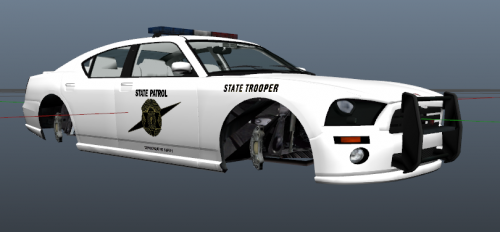 LOL! Sounds like something I would do :/
 -
YOU DO NOT HAVE PERMISSION TO RE-UPLOAD OR MODIFY FOR PUBLIC USE. YOU MAY MODIFY AND USE FOR YOURSELF ONLY. ATTENTION: This skin was made for BxBugs123's 2013 Explorer. This skin will not work on any other car. Get the Explorer here! This is my first skin and I would appreciate if you kept comments nice. :) Credits: Skin - Me Explorer-BxBugs123
-
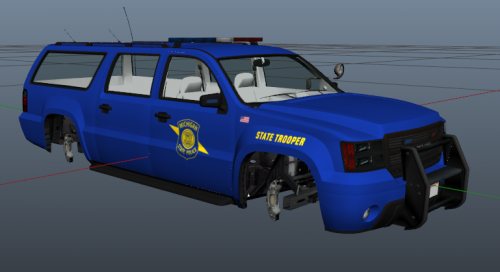 NP, I made a skin for bxbugs Explorer. I am uploading now. You should check it out :)
- 8 comments
- 1 review
-
I am going to work on a Michigan State Police charger skin soon. Anyone know a program that will divide the skin up so I know whats what?
- 8 comments
- 1 review
-
-
Looks good although the car color is is bit brighter and it does not have the Department of Safety under the MSP Logo. But other then that it looks nice.
- 8 comments
- 1 review
-
I'm not sure about your guys game but I almost never run 1.1 online and I have perfect performance. It might be your configuration? Not sure.
-
I had this same issue. It has to do with AI emergency cars using ELS. In the els ini there is a line that says something like "AiSigleplayer = on" change that to off and that should fix your issue. Hope it helps!
-
Try making a .txt file named commandline and inside put; "-safemode -norestrictions" That may or may not help. If it doesn't make sure to pm me and I can help you out more.
-
I suggest going into the .ini or the configuration tool and turn autosave off for lcpdfr. That fixed it for me.
-
Think I got it Im updateing my game on steam
-
Thats all there is its showing hidden files if I Reinstalled LCPDFR would it show up?
-
What ones am I missing??
-
When I start my game the 2nd screen you see will not move on it sits there until I close the game. Let me know if something isent right in my directory please Screen shot of directory attached below
-
Ok Off Topic Sorry But My LCPDFR It is supposed To Give Options To Like Run ID And Things I Dont See That I See All CAP Letters Saying SuspectPullover Instead of options

.thumb.png.f1542f306f546db05ece9683fa4076f8.png)
.thumb.png.fb64f11ff448d8fcd3df25f7b4c70b1f.png)
.thumb.png.3e9ff40fd14079f98cf7e369bad4dc4c.png)
