
fire2903rescue
Members
-
Joined
-
Last visited
Everything posted by fire2903rescue
-
Nope. I believe they have to patch the issue, so we're into day 2 lol.
-
RAGEHOOK Plugin has released an update for the new GTA V Update ScriptHookV has also been released to work with the update Steam is still not working, there's an issue with R* Social Club logging in.
-
RageHook update? CHECK ScriptHookV update? CHECK Steam Down AGAIN? CHECK. Hang in there people....there's an issue communication wise between R* Social Club & Steam..
-
LOL The plugin is UPDATED! Everyone scatter and get it lol.
-
Me either, then again, I haven't tried since last night when Steam was down and Social Club wouldn't log me in. This morning I updated ScriptHookV so all we're waiting on is the plugin update. I've been pretty productive at home today...gee wonder why.... lmao.
-
Via their last Twitter update "Very Soon..." Please continue to check http://ragepluginhook.net/Downloads.aspx for the updated RAGEHOOK Plugin Update!
-
Did you purchase in store or download via Steam?
-
It seems they have made progress in regards to updating RHP, but with Steam being so inconsistent in regards to being online, they can't test it for release....lol. WTG Steam. In all seriousness, we don't pay for the mods, or anything aside from the game. There's quite a handful going crazy over this, lol!
-
Exactly. Until RAGEHOOK Plugin is updated to work with the latest patch, it won't work. Steam users share my frustration as steam is down again this morning (0903 EST). Give it time, they don't charge for these mods....patience is a virtue.
-
I'm sure most have encountered this, scripthook v fatal error...assuming we have to wait for the scripthookv.dll to be updated since R* just sent a game update? Meh...
-
-
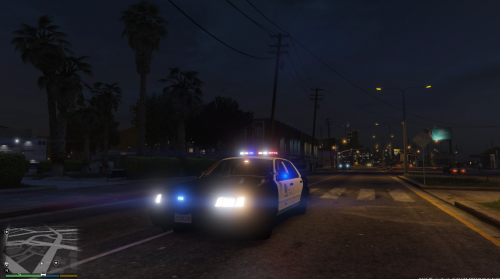 I installed a CVPI with the rotator halogen bar but I WANT this one. I coped this using openIV into x64e but I still see the old one...there isnt a read me either.....
- 99 comments
- 13 reviews
-
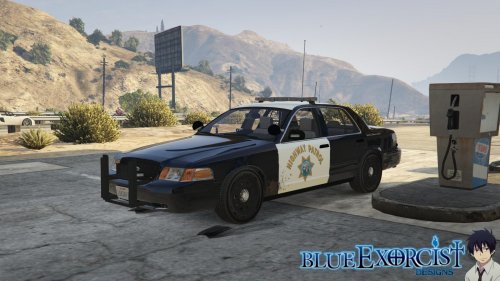 I installed as your instructions stated and the entire car is black, the logos dont appear and the rear brake lights blink white......I am doing this on a CLEAN backup file to make sure its a clean install.
- 77 comments
- 10 reviews
-
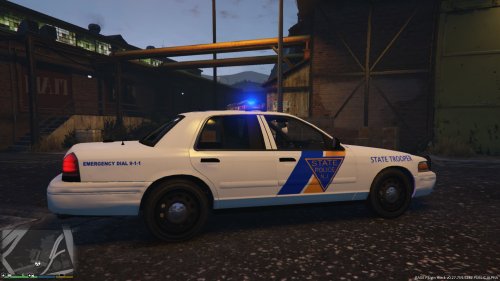 I may be having trouble but the CVPI I have installed only has the rotator halogen light bar. My sheriff vehicles have the slim LED. I haven't found a CVPI for LSPD with a LED bar...I know the texture shouldnt factor at all.....
- 14 comments
- 3 reviews
-
Are you going to add this to be useable with the led whelen lightbar? The skin is awesome, I'm just having a tough time using it with a halogen rotator bar :D
- 14 comments
- 3 reviews
-
AWESOME skin. I live in NJ and have been waiting to see a NJSP Trooper skin. 5 stars!!!!! Edit: The 'State Trooper' label isnt on the driver side...hmm
- 14 comments
- 3 reviews
-
Good point man. I decided to completely uninstall GTA IV and LCPD FR and reinstall clean and go from there. The first issue I had was the menu looping, but that was an easy fix for Windows 8. The diagnostic tool wouldn't work, then I found the Tip Guide which states to click advanced mode and proceed (Stupid me!) Hopefully reading said guide will help me (I'll be installing Xliveless vs the other to see if it works). Everything worked perfectly, even said Load Successful when the game loaded, but if I hit ALT P nothing.
-
Same here. I downloaded GTA IV through Steam. LCPD FR wouldn't start and I did complete the first mission. So I went to the website, uninstalled the 1.0 Hotfix and reinstalled the new 1.0b auto install. I now go into GTA IV and once the game loads, it says Load Successful, but if I hit ALT P or anything only the screen changes from clear to blurry. No clue what I did wrong, I've been at this for literally 2 months now =/. Someone help?