



fire2903rescue
Members
-
Joined
-
Last visited
Everything posted by fire2903rescue
-
-
.thumb.jpg.bfad1c193dd40b9d539eefd7c5187a5a.jpg) You're gonna need bxliberty2 as a dlcpack within MODS>UPDATE>X64>DLCPACKS (I suggest using the installer for the sheriff model as it doesn't affect anything else since it makes its own DLC.rpf folder) Once done. 1) Open OpenIV 2) Navigate to MODS>UPDATE>X64>DLCPACKS >BXLIBERTY2 3) Open carvariations.meta with Notepad++ 4) Copy ALL of the text between <ITEM> and </ITEM> 4b) Paste and edit the model name to reflect 'police" 4c) Save it and drag it back into the folder. That's literally it. As long as you take the 4 files from the .oiv folder and put them INTO the BXLIBERTY2 folder or IT WILL NOT WORK. If I missed something or you need help, message me I'll do what I can.
You're gonna need bxliberty2 as a dlcpack within MODS>UPDATE>X64>DLCPACKS (I suggest using the installer for the sheriff model as it doesn't affect anything else since it makes its own DLC.rpf folder) Once done. 1) Open OpenIV 2) Navigate to MODS>UPDATE>X64>DLCPACKS >BXLIBERTY2 3) Open carvariations.meta with Notepad++ 4) Copy ALL of the text between <ITEM> and </ITEM> 4b) Paste and edit the model name to reflect 'police" 4c) Save it and drag it back into the folder. That's literally it. As long as you take the 4 files from the .oiv folder and put them INTO the BXLIBERTY2 folder or IT WILL NOT WORK. If I missed something or you need help, message me I'll do what I can.- 157 comments
- 46 reviews
-
-

- 1
-
-
this is the same CVPI we have seen on Youtube with the ELS pattern but its beta only so not out yet but hopefully soon (I hope lol)
- 157 comments
- 46 reviews
-
.thumb.jpg.30de2cdd6bdce371d029c527c67ad196.jpg) Add this in the mpchristmas2 carvariations.meta <Item> <modelName>police</modelName> <colors> <Item> <indices content="char_array"> 134 134 156 156 </indices> <liveries> <Item value="true" /> <Item value="false" /> <Item value="false" /> <Item value="false" /> <Item value="false" /> <Item value="false" /> <Item value="false" /> <Item value="false" /> </liveries> </Item> <Item> <indices content="char_array"> 134 134 156 156 </indices> <liveries> <Item value="false" /> <Item value="true" /> <Item value="false" /> <Item value="false" /> <Item value="false" /> <Item value="false" /> <Item value="false" /> <Item value="false" /> </liveries> </Item> <Item> <indices content="char_array"> 134 134 156 156 </indices> <liveries> <Item value="false" /> <Item value="false" /> <Item value="false" /> <Item value="false" /> <Item value="true" /> <Item value="false" /> <Item value="false" /> <Item value="false" /> </liveries> </Item> <Item> <indices content="char_array"> 134 134 156 156 </indices> <liveries> <Item value="false" /> <Item value="false" /> <Item value="true" /> <Item value="false" /> <Item value="false" /> <Item value="false" /> <Item value="false" /> <Item value="false" /> </liveries> </Item> <Item> <indices content="char_array"> 134 134 156 156 </indices> <liveries> <Item value="false" /> <Item value="false" /> <Item value="false" /> <Item value="true" /> <Item value="false" /> <Item value="false" /> <Item value="false" /> <Item value="false" /> </liveries> </Item> </colors> <kits> <Item>157_massacaro2_modkit</Item> </kits> <windowsWithExposedEdges /> <plateProbabilities> <Probabilities /> </plateProbabilities> <lightSettings value="0" /> <sirenSettings value="1" /> </Item> See if that works. Mine was in mpchristmas2 because I had his older CVPI in police1 and that's where it went to make the lights work correctly.
Add this in the mpchristmas2 carvariations.meta <Item> <modelName>police</modelName> <colors> <Item> <indices content="char_array"> 134 134 156 156 </indices> <liveries> <Item value="true" /> <Item value="false" /> <Item value="false" /> <Item value="false" /> <Item value="false" /> <Item value="false" /> <Item value="false" /> <Item value="false" /> </liveries> </Item> <Item> <indices content="char_array"> 134 134 156 156 </indices> <liveries> <Item value="false" /> <Item value="true" /> <Item value="false" /> <Item value="false" /> <Item value="false" /> <Item value="false" /> <Item value="false" /> <Item value="false" /> </liveries> </Item> <Item> <indices content="char_array"> 134 134 156 156 </indices> <liveries> <Item value="false" /> <Item value="false" /> <Item value="false" /> <Item value="false" /> <Item value="true" /> <Item value="false" /> <Item value="false" /> <Item value="false" /> </liveries> </Item> <Item> <indices content="char_array"> 134 134 156 156 </indices> <liveries> <Item value="false" /> <Item value="false" /> <Item value="true" /> <Item value="false" /> <Item value="false" /> <Item value="false" /> <Item value="false" /> <Item value="false" /> </liveries> </Item> <Item> <indices content="char_array"> 134 134 156 156 </indices> <liveries> <Item value="false" /> <Item value="false" /> <Item value="false" /> <Item value="true" /> <Item value="false" /> <Item value="false" /> <Item value="false" /> <Item value="false" /> </liveries> </Item> </colors> <kits> <Item>157_massacaro2_modkit</Item> </kits> <windowsWithExposedEdges /> <plateProbabilities> <Probabilities /> </plateProbabilities> <lightSettings value="0" /> <sirenSettings value="1" /> </Item> See if that works. Mine was in mpchristmas2 because I had his older CVPI in police1 and that's where it went to make the lights work correctly.- 101 comments
- 33 reviews
-
-
- 2
-
-
Go to dlcpacks>mpchristmas2 and edit the carvariations.meta file, look for police and scroll down to light settings and siren settings, change it to what I have posted below. Police 1 Light Settings: 0 Siren Setting: 1
- 101 comments
- 33 reviews
-
-
IF you had BxBuggs123 older CVPI (Used a package installer) and need to edit your carvariations.meta it's dlcpacks>mpchristmas2 To use this new model with correct lighting and sirens, edit it with the following. Mine works perfectly fine. Police 1 Light Settings: 0 Siren Setting: 1 Sheriff 1: Light Settings: 0 Siren Settings: 1
- 101 comments
- 33 reviews
-
This is in my police1 slot works perfect. Just changing my meta file for Sheriff1 to replace his older CVPI he had.
- 101 comments
- 33 reviews
-
Great as always, little disappointed you went with the Arjent again. But none the less, 5/5.
- 101 comments
- 33 reviews
-
 Still having problems where ANY siren is super quiet then spikes loud. Guess I'm uninstalling and going back to holding the left stick down lol. I've put all vanilla audio files back, no idea what the problem is.. I just noticed my vehicles.awc file is 15.75 and thats the stock file...could this be a problem with why my sirens are quiet then get loud???
- 851 comments
- 108 reviews
-
@Albo1125, Your most recent update has solved my audio issue for the sirens. Thank you very much! SirenMastery is now in full use on my end.
- 851 comments
- 108 reviews
-
nVidia GTX 970M 4GB 32GB Ram Windows 10 2.9 gHz Processor RealTekHD Sound (Likely the problem I assume)
- 851 comments
- 108 reviews
-
Hey Albo, Followed your instructions. However I have the volume set your default, can barely hear it. I modified it to 0.09 and when I alternate sirens, they're so quiet, then spike really high. Don't know whats wrong....
- 851 comments
- 108 reviews
-
-
I'm back!!! LOL.Still having garbled police radio issues when I request a plate. Please check the video, offer any help if you can thanks.
-
You continued to out-do yourself brother! Love it. Just getting my keybindings set and this will forever let me STOP holding the left thumbstick down to change sirens. You are as usual, THE MAN!
- 851 comments
- 108 reviews
-
-
- 2
-
-
 Couldn't be any better IMO. YOU ARE THE MAN!!! Love it! edit; bruh, you used my screenshot, xD!
- 149 comments
- 33 reviews
-
-
- 2
-
-
are you asking for a general photo of a real life one, or one thats in a game other than gta?
-
Water Cooler is the way to go for a desktop, I haven't had to put one in on my desktop but I don't use it much for gaming yet. Have to upgrade a lot lol.
-
Temp for sure, mine did the same, I started using my cooling pad for my gaming laptop and it helped tremendously.
-
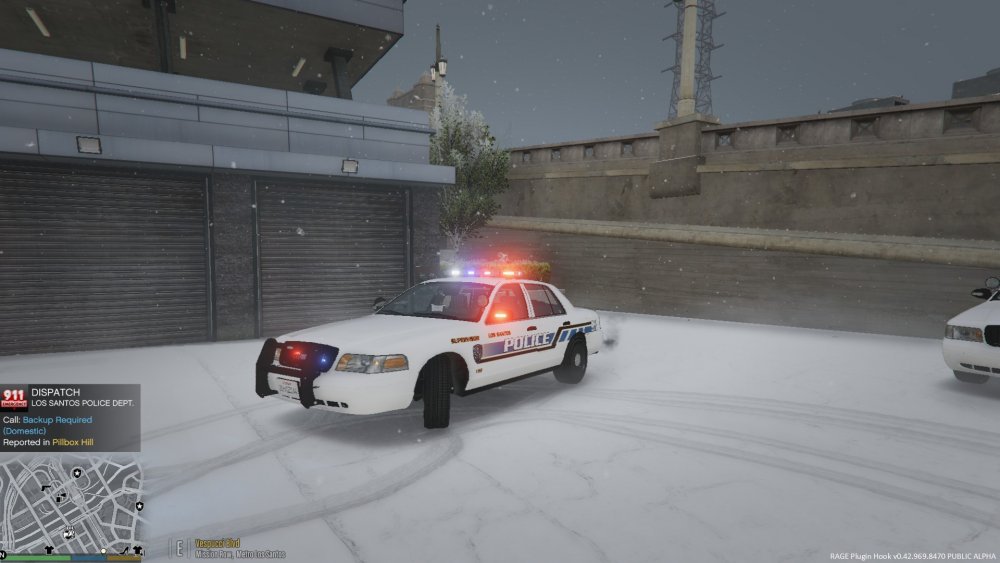
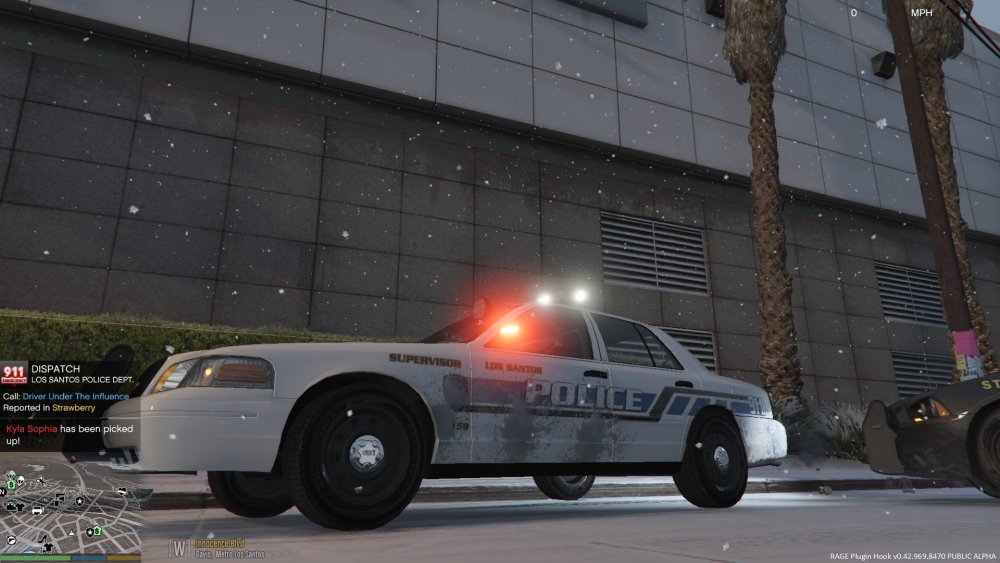
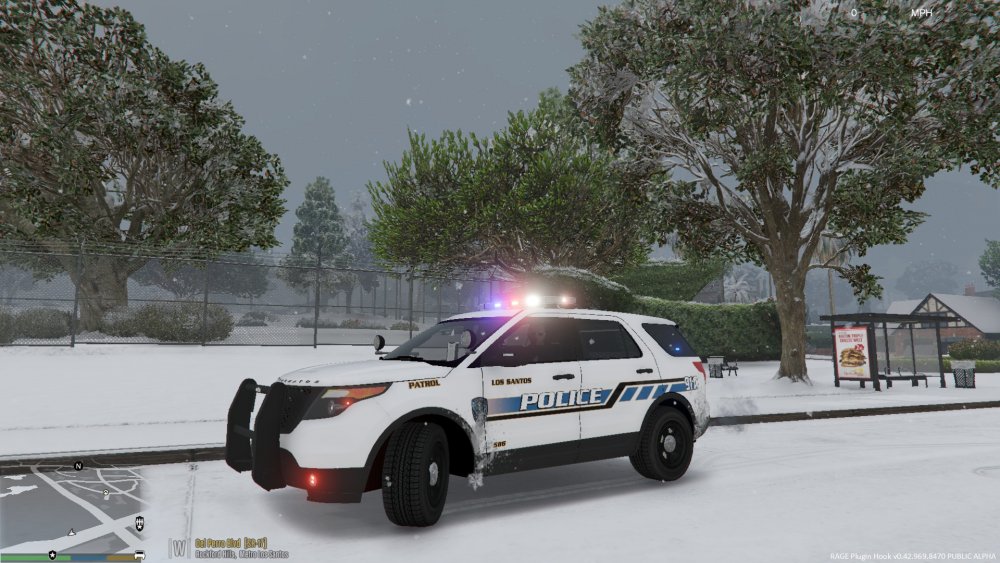
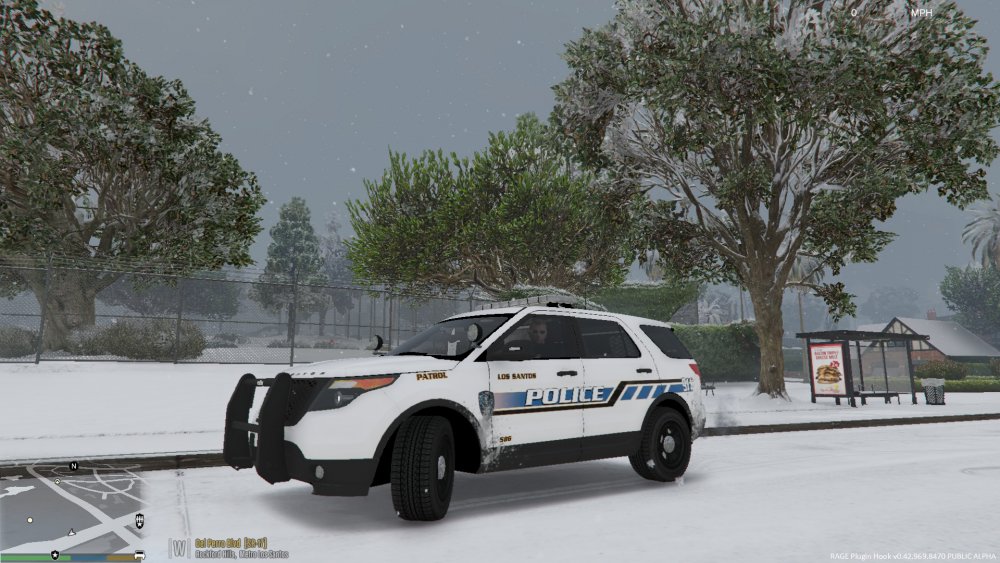
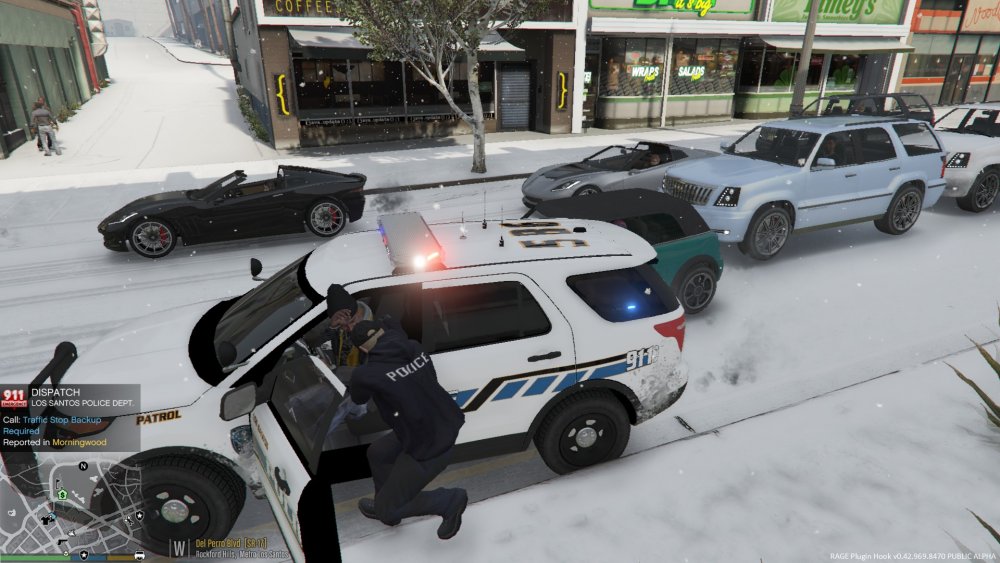
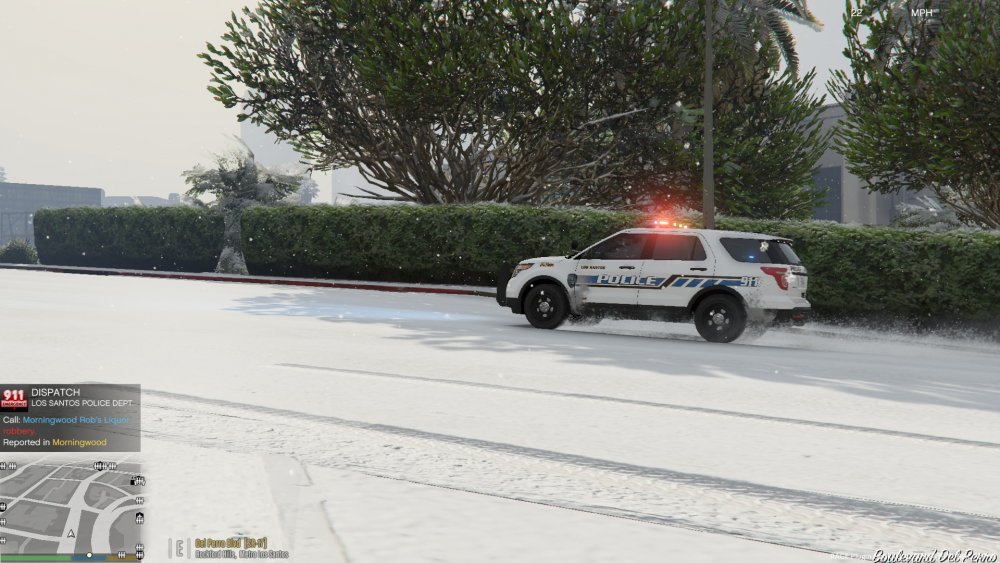
I think I'm finally done fiddling around with changing my vehicles around, Black Jesus has some top quality models, as do a lot of other creators but I love the work he put into the models, and I'm a big whelen liberty fan. My hats off to you sir, thanks for your hard work. BradM has really nice LSPD skins as well, they flow beautifully with Black Jesus' cars, so thanks BradM for making a kick ass skin! Looks bad ass in the snow too! xD Sincerely, A happy LSPDFR user. Note; The dick trying to steal my explorer interceptor was subsequently taken to jail for processing.
-
-
 Followed directions for Police slot.....rear deck and front grille lights don't work. Derp.
- 139 comments
- 22 reviews
-
Personally bought a GTX 970....love it.
-
Love my some traffic stop backup required!
.thumb.jpg.bfad1c193dd40b9d539eefd7c5187a5a.jpg)
.thumb.jpg.30de2cdd6bdce371d029c527c67ad196.jpg)


