
ASTK9
Members
-
Joined
-
Last visited
Everything posted by ASTK9
-
Is there a way to adjust hg2 side runners. If so can you please let me know.
-
Thanks for the info
-
Thanks for trying
-
ok thanks
-
It seems like I seen a million different CVPIs but can only find 2 unlocked.
-
Is there any other unlocked CVPI s besides bxbugs and the dsf?
-
I think I need a different CVPI cause it works on my Tahoe
-
When I import the hg2 side runners zmodeler says textures like Star.png was Whelen-linz6.png Whelen-linz6_n.png Window-texture.png Was not found But these aren't in my hg2 file. Please help
-
 Alright guys please lets not take this too far
 -
do u have a Skype to get on
-
For some reason when I try to export a file out of zmodeler it just freezes up then crashes. Can someone please help
-
Yeah Grant sorry but it's probably best if u leave the clan alone
-
Thanks
-
How do you export textures from zmodeler as a wtd file
-
I love it but if u use Photoshop they could come out a lot cleaner and 10x better. Great job though!!
- 9 comments
- 6 reviews
-
-
but how do I change the colors
-
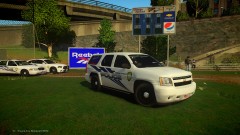 That looks pretty cool
 -
-
Does anyone know you can turn on els with Xbox controller?
-
How do you make the word sheriff like this. http://www.mediafire.com/view/683rtkkgwddwa/Photos#v39dummykbvxsth
-
-
-
Im talking this over with troopers here!
-
If I knew how to model I would make that