



strike
Members
-
Joined
-
Last visited
Everything posted by strike
-
True that, man...
-
-
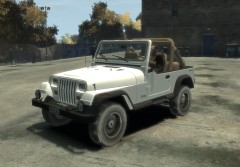 Lifeguard version would be pretty nice, what about adding a surfboard, a float, lightbar, antennas and maybe some spotlights and in the top of the truck. I let you some examples here;) http://www.film.queensu.ca/cj3b/Photos/Toys/Lifeguard/LagunaLifeguardXJYJRear.JPG http://www.film.queensu.ca/cj3b/Photos/Toys/Lifeguard/LagunaLifeguardXJYJSide.JPG Btw, someone here in LCPDFR wanted this model ingame, I don't remember who was, but I guess if he see this picture might post some idea.
 -
Thank you, but I already found it, and done what I had to do :smile:
-
Well, yeah, now I remember, someone stole his Savanna, and after that got really pissed, so yes, it's unlikely he will give any of his models. It's a pitty, I'd love to see an emergency version of his GMC RTS bus.
-
And I'll repeat you again, if you haven't done it yet, ask Chasez for permission to use his GMC Savanna; if he let you using it, you'd have to just edit it, instead of modeling from scratch, that's something that doesn't learn in two days. Anyway, whatever you do, good luck with it, I'd also love to see one of these
-
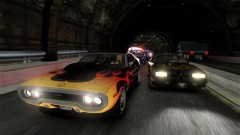 @Original Light: Plymouth GTX: http://www.gta4-mods.com/vehicles/1971-plymouth-gtx-426-hemi-epm-f14932 Pontiac Firebird Trans Am: http://www.gta4-mods.com/vehicles/pontiac-firebird-trans-am-1977-f5125
 -
No problem, and that seemed to me initially, but once you get used to it, it's pretty easy and useful.
-
Oooh yeah! Nothin like a american V8 muscle car
-
Man, my old modem sounded better than that...
-
Damn, I was looking for something so simple like that since long time, I hate going to the nightclub with my Lincoln and when leaving the club the car dissapearing. You can use SNT (simple native trainer); when you're ingame inside the car, open SNT, go to car options, and select save car. It won't dissapear after doing that.
-
In the picture of the guy with the parachute, is that a waterfall in the river? Btw, in the R* twitter, they've called the pictures as "leisure", so maybe the tennis will be a minigame???
-
Nope, the animated avatar doesn't work, at least for me, only in my profile can see animated.
-
![City of Johannesburg E-One Hurricane ladder truck [WIP]](//s3-gallery.int-cdn.lcpdfrusercontent.com/gallery/album_657/sml_gallery_8683_657_160875.jpg) OMFG!!!!
OMFG!!!! -
They are releasing at least 3 more screenshots, if you look at Rockstar official site, in GTA V, you will see 3 slot in blank for screenshots. Anyway let's hope the trailer come soon :turned:
-
It looks more like a F16 and F18 cross for me, anyway, agree that seems it won't need ENB:P
-
OMFG!!!! These graphics, these efects, that F16/F18 are...wow! When I was scrolling down the page and I saw the first picture I thought was real! Btw, will be that the protagonist? Also, as R* has said, more to come this week!!!
-
Every game store says something different, some affirms it's out in October, others in November and others in 2013, I guess are placeholders or marketing strategies. Anyway gotta say that would be pretty realistic date of release.
-
With the conversion thing I meant the 77 Caprice of nfs. The other, the car from the link, is an Impala and has ELS and LAPD skin, so are we speaking about the same thing? :confused:
-
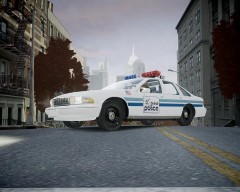 I dunno when I'll release it, I hope soon, but lately I'm a bit busied. The model is by Intensified, and no, it's not ELS enabled.
 -
 ^^not a caprice, take a look again, buddy;)
 -
There you have it;) http://www.gta4-mods.com/vehicles/police-chrysler-300c-f7668#download
-
That's a 1971 Polara, from CHP, Carface did made for SA a 1971 Polara, there are even police versions (these are made by mindfuck, so they can't be converted, but Carface did not lock his models, so I believe the civil version would be posible to convert, and then make police version).
-
Well, it still needs things to be fixed, it sometimes crashes the game but I hope Solo fixes and releases it soon, like I said, looks awesome! Personaly, from early 70s, I'd love to see the 1971 Dodge Polara converted from GTA SA:
-
Well, the Camaro or Mustang are neither police cars, but some depts use them;) @GTAIVPoliceman, it is ELS.

![City of Johannesburg E-One Hurricane ladder truck [WIP]](http://s3-gallery.int-cdn.lcpdfrusercontent.com/gallery/album_657/sml_gallery_8683_657_160875.jpg)
