



strike
Members
-
Joined
-
Last visited
Everything posted by strike
-
-
Well, so do is your comment since it doesn't add anything constructive at all to the discussion. On topic, the last time I checked it I was 1.75-1.80 m. tall and weighted about 140lbs.
-
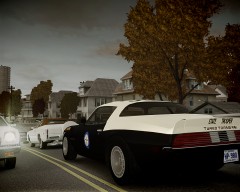 Sure, it would be nice. Wanna a picture of the real FHP Trans Am?
http://i1217.photobucket.com/albums/dd394/savemefromsinners/meme%20face%20part%201/1715845552_tn_memes_no_face_of_course_not_answer_2_xlarge.jpg
Sure, it would be nice. Wanna a picture of the real FHP Trans Am?
http://i1217.photobucket.com/albums/dd394/savemefromsinners/meme%20face%20part%201/1715845552_tn_memes_no_face_of_course_not_answer_2_xlarge.jpg I wouldn't feel very comfortable if the cops cars around me had a logo with a skull lolSame do it. The Eurostile font doesn't look at all like the POLICE.Eurostile? No way, it looks more like just Arial/AkzidenzGrotesk.
 Owned, lol
Why? Videos and gifs are an extension of my body, part of my language... Shit has changed, everything is getting duller... -.-
Well, the image that I’ve posted in the first comment is not too small and it’s still there...
Owned, lol
Why? Videos and gifs are an extension of my body, part of my language... Shit has changed, everything is getting duller... -.-
Well, the image that I’ve posted in the first comment is not too small and it’s still there...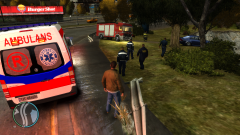 It’s suspicious how Niko is in the scene of an "accident"... Nice shot, btw:P
Why has my comment been deleted? Can be posted videos anymore? At least give a reason... -.-
^sorry for the bad quality, converting the picture format must have screwed it...
It’s suspicious how Niko is in the scene of an "accident"... Nice shot, btw:P
Why has my comment been deleted? Can be posted videos anymore? At least give a reason... -.-
^sorry for the bad quality, converting the picture format must have screwed it...
From the album: Strike's
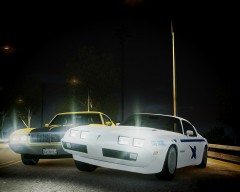
In the late 1970's, the Washington State Patrol purchased three Trans Am interceptors to the Alaska State Police. Now it's time to make them roar.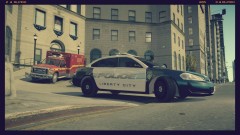 Kinda looks like Driver SF lolHey, I'm posting here a (pretty simple) trick to create license plates text elevation, I think it looks quite good ingame and doesn't need using any special mapping tool: (Using GIMP) 1) After creating the license plate base and adding the text you want, right-click in the text layer and select "Alpha to Selection". 2) Create and new layer and place it under the text layer. Now, in the layer you've just created, fill the selection with another color different than the one of the license plate base or the text (In this case I have used grey). 3) Last, move the layer a bit to the left/rigth and also to upwards/downwards and you will be done. Now, let's do the granulated effect the license plates usually have. 1) In the license plate base layer (not in the text or under-text layer) select the main color, (in this case white) and go to Filters---> Noise ---> RGB Noise. A menu like this will pop up: 2) Decrease the Red, Green, Blue and Alpha until you feel the grains have an enough uniform color but still distinguishable among themselves and press and "Accept". After this you can add the details like the screws or holes. And that's it. Sorry if the explanations weren't perferct, hope it helps;) And thanks Lonestranger for the tutorial, it helped me beginning with the texturing:)mother of god this looks awesome Oo Gotta love the super bee sticker in the car, very original.
- 14 comments
- 19 reviews
-
-

- 1
-
From the album: Strike's
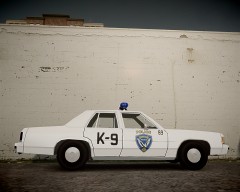
"A Fairfield Police Department cruiser has been found abandoned in an alley, closest units respond" Download----->Fairfield Police Department K-9 1989 Ford LTD Crown Victoria texture for Ceril's 1989 LTD Crown Victoria * Installation instructions in the readme. * Download link for the model: * Do not edit or redistribute without my permission. Enjoy it;) Screenshots- 3 comments
- 10 reviews
This all discussion just because the cop shoot the dog? What I wonder is why they handcuffed the god owner before the dog attacked, couldn't they just ask him to leave the scene and turn off the music of the car? (I've read he had the volume too high and it was disturbing)

