



EvilJackCarver
Members
-
Joined
-
Last visited
Everything posted by EvilJackCarver
-
Things like this are why I hate my generation (me being 19 myself)
-
I am Texan and I cna confirm that the majority of Texans here are indeed that trigger happy and own several guns (in my neighbour's case, upwards of forty at last count)
-
I'm such a cliché and I know it...
-
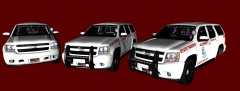 Can't wait to try it!
 -
Well that didn't take as long as I expected it to. The problem file is the /pc/data/timecyc.dat file. Where it's going wrong, I cannot tell, though. STEPS I TOOK IN TROUBLESHOOTING: I opened up /pc/textures/lights_occluders.wtd and saw that there was no file in the dictionary for static. Satisfied with that, I ignored it. I first installed the /common/data/visualsettings.dat file and let that run a few minutes. I was previously running RTC_V4, where the filmgrain effect would appear after roughly 30-60 seconds. After that ran a few minutes, I closed out the game. I next installed the /common/shaders folder. Ran it a few minutes, messed around in-game in the stock Comet. Nothing surfaced, so I moved on. My next item installing was the /pc/data/timecyc.dat file. Opened up the save, and it was instant Staticville. Messed around a few minutes waiting for the static to disappear. It didn't, so I moved on. I then restored the /common/shaders folder from backup. Opened the game, loaded save. Filmgrain still present. After that I restored the /common/data/visualsettings.dat from backup. Opened the game, launched save. Filmgrain was still there. Then I restored the /pc/data/timecyc.dat file from backup. Loaded the game, messed around for a few minutes. No filmgrain to speak of. Judging purely by this, it would seem that the timecyc.dat file is to blame. It's a shame, looks like I'll have to mix two different timecycle mods...
- 68 comments
- 16 reviews
-
Currently in Filmgrain City, USA right now. I'll see if I can't pinpoint the exact cause for people without TLAD. This may take a while.
- 68 comments
- 16 reviews
-
Have you re-mapped ANY keys at all? If you have, find what your Express Mode key is, and then hold Ctrl and press it. If you have NOT, press Ctrl-Backspace. Does anything about Express Mode being enabled come up? If so, make sure that LocationDisplay is set to "oninanycar". Make sure ELS is enabled for the car you're using - this can be checked easily by pressing T or Y and listening for a siren or electric airhorn. You may also have a key conflict, try remapping Toggle_InfoPanel. If not, ELS may not be installed or you may have a keybind conflict with your ComboKey (default Ctrl). Try rebinding both the ComboKey and FunctionKey and see if it works then. (copy-pasted my reply from the ELS Fix Centre.)
-
If it helps any, I set mine to Z. Neither LCPDFR nor ELS use it by default, and with GTA4, Z switches weapons while in vehicle, which is typically what I like it to do since the player character goes for the SMG first and I'd much rather the pistol.
-
Will test it, though I haven't had any problems with LCPDFR since that. Edit: Will mark solved for now, if I have more problems with it I'll post in a separate thread or bump this one.
-
I was chasing a Securicar in an armed-robbery callout. A short ways into the pursuit, I called in for NOoSE backup. That is the last bit of text to show up on the text wall before LCPDFR's hotkeys stopped responding, and the police search area on the map stopped updating. I was recording a video at the time but I'm reluctant to post it because I believe it would feel like advertising (something I'd like to avoid getting a warning for) Here's the log. Datestamp 2014-02-28: [INFO - 17:24:22] [Log] Started [INFO - 17:24:22] [Main] Main: Initializing... [INFO - 17:24:22] [Main] Main: LCPDFR Engine (C) 2011-2013 LMS [INFO - 17:24:22] [Main] Main: DO NOT USE THIS WITHOUT PERMISSION. YOU MAY NOT SHARE, MODIFY OR DECOMPILE THIS FILE. [INFO - 17:24:24] [PluginManager] Initialize: Loading custom plugins [INFO - 17:24:24] [Settings] ReadSettings: Adding HAKUMAI [INFO - 17:24:24] [Settings] ReadSettings: Adding FEROCI [INFO - 17:24:24] [Settings] ReadSettings: Suspect transporter POLICE [INFO - 17:24:24] [Settings] ReadSettings: Suspect transporter POLICE2 [INFO - 17:24:24] [Settings] ReadSettings: Suspect transporter PSTOCKADE [INFO - 17:24:24] [Settings] ReadSettings: Suspect transporter FBI [WARNING - 17:24:24] [SettingsFile] GetValue: Value not found: PreloadAllModels (Main) [WARNING - 17:24:24] [SettingsFile] GetValue: Value not found: UsingPoliceStationMod (Main) [INFO - 17:24:24] [Main] Main: Initializing done [INFO - 17:24:26] [ServerCommunication] InitializeConnection: Internet connection available [INFO - 17:24:26] [Stats] CollectSystemInformation: Server stats updated [INFO - 17:24:30] [ServerCommunication] InitializeConnection: Public IP Address is: 68.███.███.███ [INFO - 17:24:31] [ServerCommunication] InitializeConnection: Connected to the LCPDFR server [INFO - 17:24:31] [NetworkManager] NetworkManager: In network session: False Is host: False [INFO - 17:24:31] [Authentication] Authentication: Server available, using online authentication [ERROR - 17:24:32] [Authentication] Authentication: Error 0x320 [ERROR - 17:24:32] [Authentication] Authentication: Authentication failed [INFO - 17:24:32] [Authentication] Authentication: Failed to authenticate [WARNING - 17:30:44] [AudioDatabase] GetAudioFileForAction: No file found for: DENVER-EXETER_AVE [WARNING - 17:32:37] [AudioDatabase] GetAudioFileForAction: No file found for: OBSIDIAN_ST [WARNING - 17:33:57] [AudioDatabase] GetAudioFileForAction: No file found for: LORIMAR_ST [WARNING - 17:34:01] [Script.Disturbance] OnCalloutAccepted: Failed to spawn at least one ped [ERROR - 17:34:22] [Main] CRITICAL ERROR DURING MAINLOOP! REPORT THIS ISSUE AT LCPDFR.COM BY INCLUDING THIS LOGFILE. [ERROR - 17:34:22] [] GTA.NonExistingObjectException: Invalid call to an object that doesn't exist anymore! at GTA.Ped.isInVehicle(Vehicle vehicle) at freval_211.eval_fr0(freval_19 A_0) at freval_125.fr19() at freval_120.eval_fr6() at freval_104.fr7(freval_202 A_0) at freval_3.eval_fr2(freval_202 A_0) at freval_37.fr8() at LCPD_First_Response.Engine.Main.fr2() AdvancedHook logfile was since overwritten.
-
It's not? That's odd, I remember reverting that back from backup... I'll re-revert it and see where that gets me. EDIT - Just checked backups, that is indeed definitely not the FBI handling line. Will test and comment on results. Edit² - That was indeed the problem, lacks power now though. Recommendations?
-
I'm having a wee bit of trouble with >this beast, feels like I'm driving a 3-ton car with a 5-ton lightbar. Think the '12 Charger's handling line would work OK for it? (Currently running the default FBI handling line below) FBI 1882.0 0.345 85 0.0 0.0 -0.23 0.0 4 0.2 1.0 260.0 0.55 0.55 0.7 33.0 1.75 1.0 11.0 0.11 0.47 2.5 1.8 1.8 0.1 -0.08 0.0 0.5 2.0 1.0 2.2 2.5 0.0 25000 400010 0 0 EDIT - For future record, yes, I did read the post 2 posts above mine. I'm asking for an opinion, not a handling line.
-
If I may suggest something, I'd suggest a hit-and-run type scenario. Nearby pedestrians call 911/999 and you need to see to the vic(s)/witness(es) and see if they know what vehicle hit the vic(s) [and possibly get a partial plate number] and their direction of travel, then call it in [similar to the pursuit system] and either look for the vehicle yourself or wait a few minutes for an officer to call it in. EDIT - Minor grammar error in the readme, line 23. "...in game callout's will occur..." should be "callouts" sans apostrophe. <OFF-TOPIC> How'd you set the officer name in the first screenshot? I've been meaning to edit mine to a static name but I haven't found out how... </OFF-TOPIC>
-
Took me a second to get the move thing to work but it's working now. As for the other bit of my question, found out that the tree was hidden. I feel dumb now =\
-
If you aim at them and press left bumper switch, I believe it releases the suspect you're aiming at (provided they're already arrested). Though, to be fair, hitting them doing 45 in a Tahoe is admittedly much more fun. ...I am an evil person.
-
I'm a bit new to modding cars, so please pardon me if I'm asking a pair of novice questions here: I read in >this thread the basic steps on how to add a lightbar to a vehicle with ZModeler. (I'm running a legacy version - v2.26.) In it states that one needs to modify the hierarchy to put the lightbar under "chassis". How would I go about doing that? Second novice question: How would one move multiple objects simultaneously? I've tried moving the lightbar in position but each time it wants to do it one piece at a time. Zmodeler 2.26 build 993 / Win7 build 7601 If this is in the wrong section or there is already a tutorial on this, please link me - a quick google on modifying hierarchy turned up nothing.
-
I'm running one but I'm afraid I don't know who it's by, all I have to go by is a credits file and a search on files from the names listed within turn up nothing of use. All I know is it's a CVPI with two red grille lights and a FS Vision SLR lightbar, and the filename was CVPI_SLR v1.0 (BETA).RAR. I was formerly running the CVPI out of CJ24's pack, but I dropped it because I'm not a big fan of the Whelen Liberty.
-
I have one but it's going to be a fairly large request. A Hummer H1 Alpha (4-door pick-up truck configuration) with an old Whelen Edge. Vehicle is meant to replace the POLPATRIOT. I plan to make a custom livery for it as well if it does get made, so a template would be lovely.
-
I wouldn't mind being a suspect if need be, only problem would be if SWAT was called in it might crash me. (The NSTOCKADE model I have installed is a bit funny sometimes.)
-
Have you re-mapped ANY keys at all? If you have, find what your Express Mode key is, and then hold Ctrl and press it. If you have NOT, press Ctrl-Backspace. Does anything about Express Mode being enabled come up? If so, make sure that LocationDisplay is set to "oninanycar". MAke sure ELS is enabled for the car you're using - this can be checked easily by pressing T or Y and listening for a siren or electric airhorn. You may also have a key conflict, try remapping Toggle_InfoPanel. If not, ELS may not be installed or you may have a keybind conflict with your ComboKey (default Ctrl). Try rebinding both the ComboKey and FunctionKey and see if it works then.
-
You can change what key does what in the INI (modifier keys as well, so you can start LCPDFR with Ctrl-P now if you feel so inclined) but they phased the control menu out in 1.0 for the quick-action menu last I'd read. However, typically it shows what key does what when the context requires. If you want the latest version with the key list in the shift-tab menu still in it, >0.95RC2 is over here.
-
One thing I must point out, merging the sideview mirrors with the doors in the Ripley may be of priority. The mirrors are extras 1 and 2, and the beacons are extras 1 and 4.
- 4 comments
- 9 reviews
-
My issue in >the above post was caused by keybind conflict. I fixed it by setting the Ctrl/Alt keys to R-Ctrl/R-Shift (respective) instead. Edit² - Sounds like you are using ELS on a non-ELS car. Turn off the car's ELS settings (see below) or replace the car with an ELS-enabled car. Example: [ POLICE ] Status = on File = fedsigvision Set "Status = on" to "Status = off". Your lightbar and rambar should stop flickering in and out of existence.
-
Hello, lately I've been having problems with ELS v7 since upgrading to LCPD:FR 1.0. About 15% of the time, I can open the information panel just fine. For the other 85% of the time, it does not recognize the ComboKey as valid. I can turn the lights on, play around with the air horn, etc., but when I try to activate the information panel, it just... doesn't. (Similar issue with Express Mode.) I've tried rebinding the key for ComboKey, tried using both Ctrl keys, but it isn't recognizing that it is being pressed. (I know the actual key itself is working though because I can see Niko crouching when I leave the car.)


