Mikofiticus
Members
-
Joined
-
Last visited
Everything posted by Mikofiticus
-
The models from online deathmatch thing (with the cops and crim theme) don't have belts or holsters, but the models from the heists do. They have all the equipment. So that being said, what heads are you using? They definitely aren't the default ones.
-
The ones that have the most likes are really good. I've made my decision, and I'm saying that this one will be my choice. It'll be good for a "topic closed" as TheNinja35 pointed out.
-
I love that you guys are using the "online" heads for the females. It sounds weird, but the normal female heads are ugly af. Are you guys going to do the same for males? I see you guys found an arresting animation too. Can't wait to see what you guys have in store!
-
You guys can use any of mine. I'm still taking screens all the time.
-
Then make the video. Exactly how they did with no mods. Right now. Don't like the mod? Don't download it. These guys are working hard on this mod, and some people in this forum are ungrateful for it. Do you think when LCPDFR came out that it was exactly how you see 1.1? This is two weeks since the game came out and one week since they started playing around with scripts. You don't think that's progress? You do better.
-
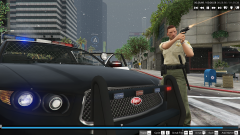 These shots would look better if they had the hud off.
 -
Closest thing I've seen is when you watch that TV star get arrested after that chase, but you said that it wouldn't work like that. That being said, maybe there are some files/animations that never got used. We don't know quite yet.
-
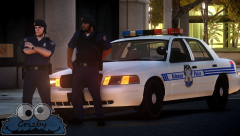 Love the peds!
 -
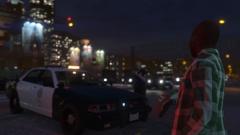 I'm running everything high, but this is from the editor.
 -
From the album: GTAV - PC
-
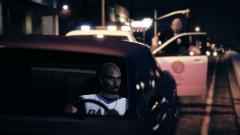
From the album: GTAV - PC
-
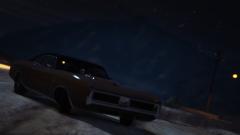
From the album: GTAV - PC
-
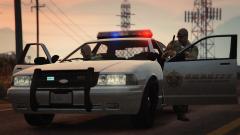
From the album: GTAV - PC
-
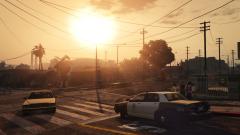
From the album: GTAV - PC
-
The only reason why I'm annoyed is because there was already like 5 other people in this thread that asked the exact same question. If you read, you'll find your answer.
-
Really? The game has been out for 2 weeks. Jesus. People have no concept of hard work. Also, I can bet that Sam and the team can't get into the animation files yet, there's only one scene in the entire game that has someone getting arrested. The entire rest of the game has the police shoot to kill (and I'm not talking about one star, I've never seen your player get actually arrested before the game does its slow-mo BUSTED thing). I'd like to see some of these people complaining to do better scripting/coding in a week. Also, I feel sorry for Sam because he's gotta read a shit ton of these comments. It will be ready when it's ready. Be patient.
-
Freaking awesome. Can't wait. Also, one of those photos reminded me of the North Hollywood shootout. How cool would it be to respond to a bank robbery in progress?
-
Calm down, the game has only been out for like a week. I mean, everyone said that the game couldn't even be modable. That being said, I'm definitely excited for what you guys have to show.
-
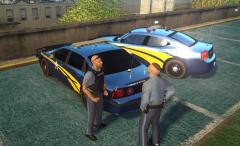 Like the peds! I wish OSP actually used Impalas. I really dig those older ones.
 -
-
-
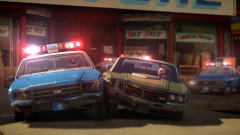 I like to think so, but it's harder on your system.
 -
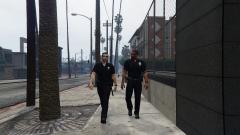 I'm really pissed every time I see your pictures with your uniform. lol
 -
Move with: player (or whoever it is) and camera: fixed.
-
I still think the downloads and gallery are really messy. I miss the recently updated in the downloads as well. I kinda wish it would've been a similar layout. As for everything else, it's not bad, and it won't take long to get used to.