




Black Jesus
Members
-
Joined
-
Last visited
Everything posted by Black Jesus
-
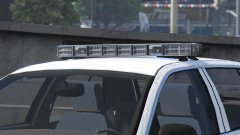 All I know is that it will come out eventually lol
 -
 Slicktop cvpi, 2015 and 2016 explorer, maybe 2010 charger.
 -
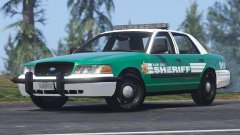
From the album: Black Jesus GTA V WIPs
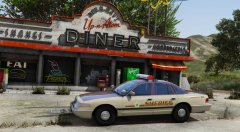
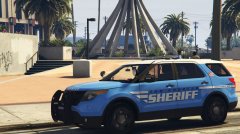
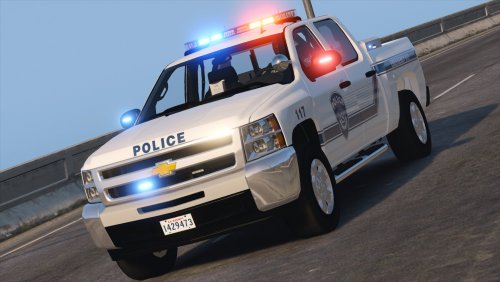
Beginning of my sheriff pack loosely based off Spokane Co, WA. Having trouble lining up the colors on the bumpers and door trim, so I'll release two versions (one with the bumpers and trim mapped separately, and another with the default mapping so you can change the skin). My plan is to have the rest of the car be optional lighting with mirror beams, rear plate lights and etc. Ignore the invisible door handles.© Black Jesus
-
Probably not. I've decided not to revisit any old projects until els. So I'm doing new stuff
-
From the album: Black Jesus GTA V WIPs
Turned Solo's Whelen Edge into a Freedom for my next project. Still have a few material edits to make. -
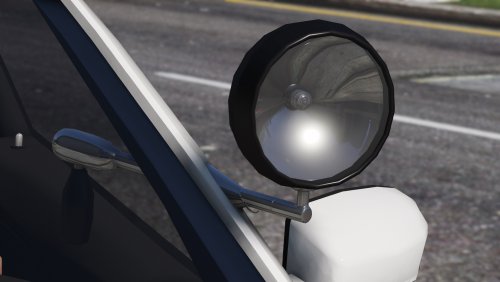 It means you can only use it if you make models, it's a part for cars. It's not an addon type of thing, or a mod for the game.
 -
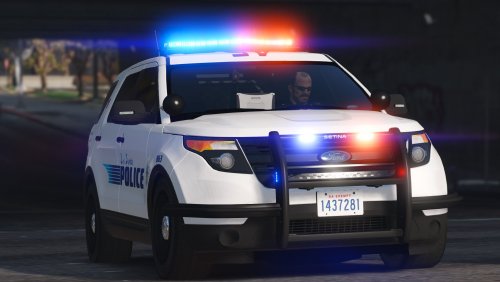 It doesn't appear to be broken, works for me and someone else I sent it to recently. But try this carvariations.meta
- 70 comments
- 16 reviews
-
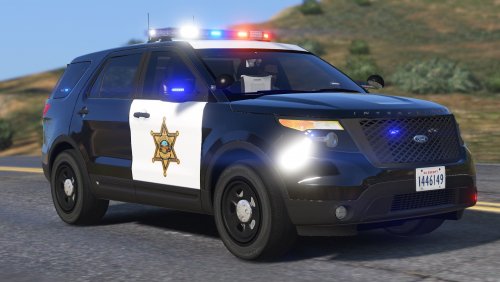
 I like Indiana Sheriffs designs. Simple, sleek, and look good on every car
 -
Edit the emissive multiplier value in the user defined options of whatever lightsemissive material you need to edit: https://gyazo.com/c57b49b4efb640098ba24a7615a55516
-
 Dat fire backstory
 -
instructions for that is in the file, I'm assuming it's the tahoe giving you the problem.
- 70 comments
- 16 reviews
-
Replace the carvariation in update.rpf\update\x64\dlcpacks\mpluxe\dlc.rpf\x64\common\data carvariations.meta
- 70 comments
- 16 reviews
-
@HQminer If you have a fresh mods folder, then most likely you don't have the proper carvariations.meta. What names did you install the cars as?
- 70 comments
- 16 reviews
-
Rotate it?
-
 Well, idk what you mean by "I can't get these cars to work with RadianceV". Do the lights not work at all, or are they just dull?
- 139 comments
- 22 reviews
-
-
 @saXoni Yes it will overwrite the sheriff2 model. So do that, or look up the added police car tutorial(I don't have it on hand)
- 65 comments
- 19 reviews
-
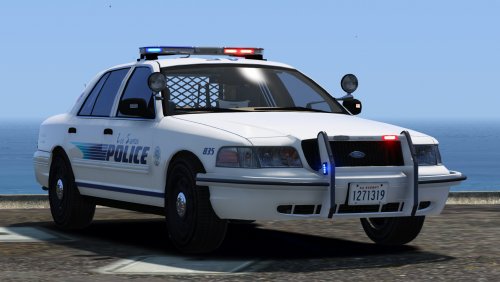 @thegreathah will fix in a couple of days Probably won't make another version of the explorer
- 64 comments
- 29 reviews
-
Nope, not unless you have the program to edit the model and the save file. I see it, will update shortly
- 139 comments
- 22 reviews
-
-

- 1
-
-
Because Franklin is fit and in his mid 20s. While Michael is unfit, in his late 40s, and Trevor is a relatively unfit drug addict in his late 40s. Don't know how to change it, and I assume it's in an encrypted data file somewhere.
-
update.rpf\update\x64\dlcpacks\patchday9ng(or 10, or 11, whichever works for you)\dlc.rpf\x64\levels\gta5\vehicles.rpf\
- 139 comments
- 22 reviews
-
-
First error, the name of the car in zmod has to be the same name as whatever you export it as. So if you want it to be police.wft, the first tab in the hierarchy has to be police.wft: https://gyazo.com/882dace6054518b7cb95230dbcb4b9d5 Second error means you have multiple things with the same name in the hierarchy.
-
 Rename the cars, and install it where it tells you in the readme. Vehicles.meta you don't have to worry about, and you don't need to bother with the carvariations unless the lights don't work when you spawn it in game. Your carvariations is probably compatible with the cars, if you've installed other carvaritions for modded cars in the police or sheriff slot
- 27 comments
- 19 reviews
-
-
- 1
-
-

