




Black Jesus
Members
-
Joined
-
Last visited
Everything posted by Black Jesus
-
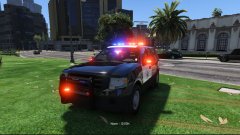
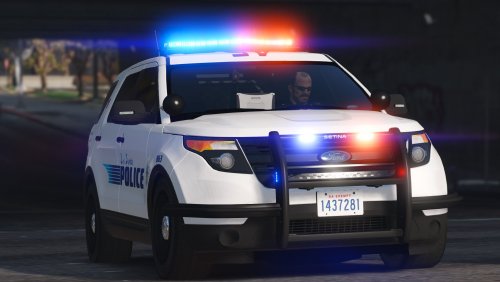 FPIU is done, and I just started on a tahoe for bcsd. So I'm aiming for it to be done in a couple of days
- 70 comments
- 16 reviews
-
-

- 2
-
-
Reverse lights and rear indicators are working now. Lights on the bumper aren't actually lights, they're just reflectors.
- 70 comments
- 16 reviews
-
-
- 1
-
-
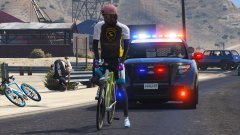 I'm going to use the liberty
 -
I actually changed my mind and was gonna do a liberty instead. I'm gonna have a valor in my next pack so I'd rather not make another Valor tahoe now.
-
Loosely based off Laguna Beach PD, CA - Sirensettings for both cars is 1, so change accordingly if you need to. - If you don't use Realism Dispatch Enhanced, you won't have Police5 in your game. So just change the name to a police slot you have. Made to go along with this:
- 70 comments
- 16 reviews
-
-
- 21
-
-
Just when I thought shit couldn't get any worse...
-
@PantherP71 It's gonna have a valor and dual spotlights. No heavy duty bumper though
-
Yeah, I'm updating my Blaine County pack to include this and a tahoe
-
From the album: Black Jesus GTA V WIPs
© Black Jesus
-
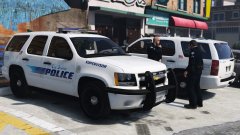 Yep
Yep -
I got perms for the wheels
-
Delete the rde folder in update/x64/dlcpacks. And then go to update/update.rpf/common/data and replace gameconfig and dlclist.xml with a clean backup
-
You don't have to replace the vehicle.meta in the patchday you're installing a car into. For ex, if I put fbi2 in patchday9, it'll use the original vehicle.meta unless there's an fbi2 in the .meta of a newer patchday. I've seen other people have that problem, but I've never had it myself, so I wouldn't know how to fix those inconsistencies with that issue with the meta. I think I tested a car in patchday11 a few days ago and it overwrote for me. But, stick to what works for you. So just keep putting stuff into patch9 if it works.
-
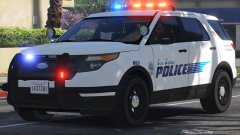 I'm gonna update/release the Blaine sheriff pack with the new Laguna pack at the same time. So I plan on having it all released in a couple of days.
 -
Already used the private version of the car. So I'm probably gonna use a Blaine Sheriff Tahoe that I plan on adding to my other pack.
-
From the album: Black Jesus GTA V WIPs
© Black Jesus
-
Well, Rockstar is stupid. But it's really not that difficult. All the police car models can go into the latest patchday, as the it'll overwrite the same model in an older patchday. So if you feel like you don't know where to go, you can just put it in the latest vehicle folder available.
-
 My nut, you busted it
 -
You'll probably have better luck posting here: http://forum.zmodeler3.com/viewforum.php?f=31
-
-
I just did 3 ambers in the back. So now I need to update my cvpi pack to match the tahoe, and they'll be released soon
-
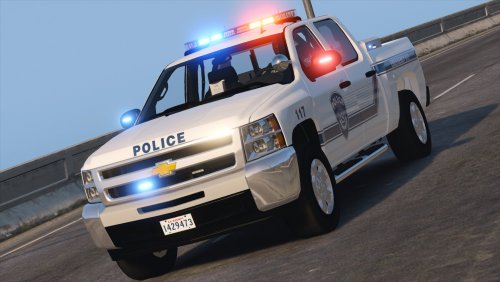 They're the same exact base model, so are you sure it's not something in the .meta?
- 27 comments
- 19 reviews
-
I too would like a one click/tap takedown. Or maybe one click to issue a warning, and then it's random whether or not they keep running. When I'm in a pursuit, it's sometimes difficult for me to keep them in range or in my line of sight for the takedown function.
-
I'll wait for the DOJ to finish their investigation before I have a full opinion of the shooting, but I believe these cops are gonna get fucked in one way or another. Even if they're cleared in the investigation, they can't work in that city anymore. Their names are already released, and the media started this narrative of racism & corruption, because the cops were white and the suspect was black, and their bodycams fell off (Making people think the cops were covering it up). And in a city with a big black demographic, there's a good chance of riots. The average person and media outlet will see only see the image of 2 white cops, pinning down and "executing" a black man. So this is not gonna end well for those officers, and the city. From what I can see from the video, I think it's justified(we can't see his right hand, and they retrieved a pistol from his right pocket). Sadly the point of views we have, give us a limited view of the things that prompted the shooting.
-
Vehicles.meta is like the handling, sitting position, sound, and etc for a car. Basically the configuration of the vehicle. Carvariations, I'm still not positive, but I think it has to do with liveries, but I never messed with anything beyond the sirensettings and light settings. Those are the configuration for the lights on the vehicle, and you really just need to worry about the sirensettings. Extratitleupdate, you don't need to worry about.


