




Iconography
Members
-
Joined
-
Last visited
Everything posted by Iconography
-
He said graphics card, not CPU Anything NVIDIA should do the trick, like a 560M, 570M, 580M, something like that.
-
Yeah... no one reads that page Yes. DSound is recommended but xlive works too. Make sure to DISABLE THE HOTKEYS on the trainer.
-
Agree... It still amazes me how many support threads can be solved by just reading that page Anyways, if you really want help, download the diagnostic tool and post the results. And, please, READ THE STICKIES before posting. Thanks.
-
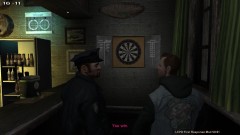
From the album: Psychology of Liberty City
An LCPD police officer, this afternoon, decided to go out and play darts after he was challenged to game. Needless to say, it was a landslide victory. A photographer captured this landmark picture, where the previous darts champion Kyle LaFrance was demolished. -
All depends on whether or not AI responses are involved.
-
So what happens, the AI police don't use their lights, or yours don't turn on? EDIT: nevermind, misread. This happens to me, just make sure in the ELS config file SP AI ELS is set to "1" and not "0". That, and make sure the police vehicles are set to enabled="1". Sometimes, the police just don't use their lights at all. No real fix that I've seen.
-
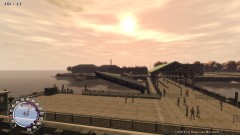
From the album: Psychology of Liberty City
A police officer decided to take his boat for a little cruise this afternoon, after disposing of an old drug boat. Apparently, the police officer failed to notice the boat ramp in front of him, so he went on a small adventure over a pier. The boat landed on the pier, and then skidded into the water. No casualties were caused. -
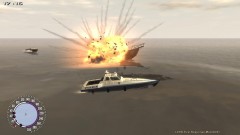
From the album: Psychology of Liberty City
This morning, the LCPD was called in to destroy an old drug boat that was seized during a drug raid. The boat served a purpose no longer, so it was "sentenced to death." -
I believe there is a WIP one on gta police mods, but I can't check because their site is down. Still. Agree. Should be in GTA Series or random.
-
Yes. You should reinstall LCPD:FR, and make sure to run the installer as an administrator (right click and select run as admin). The ASI Loader, and Scripthook, did not install correctly. See if that fixes things.
-
Run this and post the results, please.
-
I'd look at what G.Skill has for laptop RAM. I've gone with them ever since I've been building computers, and it has never let me down. But like Break said, you want faster RAM in the end.
-
I had assumed it was a Windows bug, my bad. A reinstall of GTA should help nonetheless.
-
I'm not going to guarantee that it will, that's usually an internal system problem. But, a Windows reinstall should fix that. Maybe.
-
Exactly.
-
Did you run it as an administrator?
-
I've never personally used SSD drives, however they provide an extreme speed bonus. You would probably have to reinstall GTA IV, and you if you wanted to move all of your basic windows folders (like System 32) over for a faster boot, etc, you would need a reinstall. Documents can be copied over just fine, but the My Documents link, and other "personal" folders like My Documents will have to be changed somewhere in the Windows options. An SSD is great for basic OS files, and game files. It may be best to reinstall Windows. EDIT: It is also possible to clone a hard drive onto another drive. This works, but is not good if you have a large original "master" drive. If your main HDD has more than 160GB used, cloning will not work.
-
Rockstar doesn't think highly of modded games. Try reinstalling LCPD:FR, as an administrator (meaning right click the installer and select run as admin) and then run GTA IV the same way, as an admin.
-
Also make sure that you installed LCPD:FR as an administrator, and that you are running GTA IV as an administrator.
-
Run the diagnostic log found here and post the results, please.
-
 Yeah, that usually happens to me. I'm rather surprised it didn't kill me.
 -
The only way to expect a real increase in performance is to not only upgrade the amount of RAM but make sure that the RAM is designed for gaming. Not sure if there's any good RAM out there for gaming laptops, but there might be somewhere though. I've never looked.
-
From the album: Psychology of Liberty City
Some time early this afternoon, a police helicopter suddenly aborted its patrol flight over the city. Witness reported seeing black smoke billowing from its exhausts. One lucky media photographer was able to snap this shot, supposedly of the pilot being thrown from the burning helicopter. Casualties are not being reported as of now. -
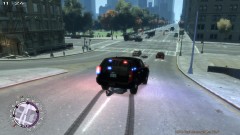
From the album: Psychology of Liberty City
I swear, the guy was drunk and ran in front of me. Wasn't my fault.... -
Personally, V5 works the best. I'm not sure why V6 doesn't work too well. He mentioned not finding a link because ELS is (I believe) exclusive to GTA Police Mods (GPM) and their site is offline right now, due to technical difficulties. More info about the GPM situation, and alternatives: http://www.lcpdfr.co...?showtopic=1395 The other sites listed there may or may not have ELS enabled emergency vehicles.


