




VWking
Members
-
Joined
-
Last visited
Everything posted by VWking
-
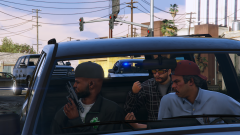
From the album: VWking's Screenshots V
© VWking
-
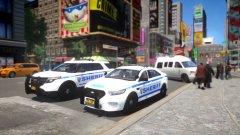 That'd be awesome, I'll send you a PM shortly
 -
Nice! Don't suppose I could persuade you to test this ( I know yours is LCPD based though ):
-
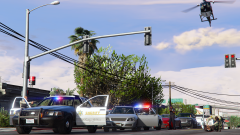
From the album: VWking's Screenshots V
© VWking
-
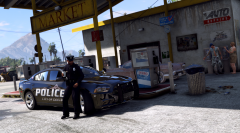 Beautiful shot @SerekgPL
 -
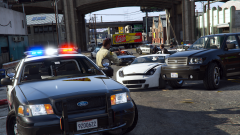 He's talking about the ENB bugs.
 -
[WIP] Dispatch Sound Overhaul This audio modification changes the dispatch sounds in game when using LCPDFR - all locations are now true to life NY, for example:- LC NY Firefly Projects Brownsville Rotterdam Hill Clinton Hill The Exchange The Financial District Westminster Chelsea These are just some examples, I have modified over 590 sound files ( areas, vehicle category, streets, directions, conjuctives etc). I probably should have released this a long time ago, truth be told, I forgot about it. Cut to the chase - is there anyone wanting / willing to try this and make a video? (This mod is ready for release, but thought it would be better with a video).
-
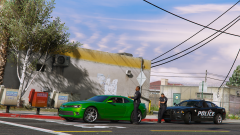 Check your PM's :)
 -
If you're adding cars to the game rather than replacing you'll need to update your gameconfig.xml (if you're adding more than 20 cars) as a precaution to prevent crashes. From what I understand it expands the pool for spawned cars. Aige includes one with his car mods, that's the one I use. Thanks :) - it was a quick skin I put together, you can have it if you want!
-
From the album: VWking's Screenshots V
© VWking
-
Are you trying to import unlocked models?
-
@Virzza - Nearly ready for testing, I've got to fix night lighting and the thunder weather cycle @iansonwheels - Ha, or modern muscle. I'll include two titles next time: For Lundy, 'Clouds over Duluoz Avenue, Paleto Bay, SA 93**8'. Socal, 'Clouds over South Perry Avenue, Dinuba, CA 93**8'. @MikoFiticus - You can't go wrong with VisualV, an all round great looking GTAV enhancer! Ah don't be, you're right it really is. I run all civilian cars (like the Camaro in this screen) as an addon. If you're running a lot of addons remember to update gameconfig.xml.
-
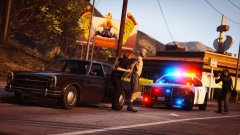 ^ copy and paste.
 -
From the album: VWking's Screenshots V
© VWking
-
I've narrowed it down to (in order of similarity):- Tunga Raavi Shruti Microsoft Sans Serif Kartika Helvetica Neue LT Pro N.B. these are look-a-likes and this is for the 'Police Smithfield' only. Here's a quick mock up of 'Tunga'.

-
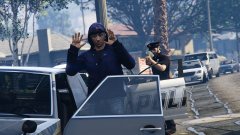 Something tells me the perp is under the influence *shifty eyes*.
 -
Can you give us some more info? Is this a new HDD?
-
Ah, great choice - you really can't go wrong with the 212. I used one in my previous rig for 4+ years, didn't fail me once. I used it in a push-pull configuration with corsair SP fans, definitely kept my ( at the time AMD FX8120 ) cool. You'll 100% be running your i5 at lower temps with the 212, obviously the benefits of this being you could look into oc'ing your CPU in the future.
-
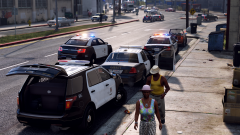 @SerekgPL Thanks for the links! You should do a series of screenshots, 'A day in the life - LAPD style' :)
 -
Are you using addons? If so you need to update gameconfig.xml - this increases the 'pool' of cars that you can have in the game. Aige includes a modified gameconfig.xml with his car mod releases, I believe this should fix your problem.
-
@Jeepserver very nice and congrats on the build! Really like the purple fans, cool feature having the brightness change depending on system temp. What are you doing to cool the CPU? Stock cooler? Also just out of curisioty (can't quite tell from the pictures) are you running HDMI or DisplayPort?
-
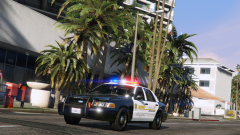
I don't even have to say anything... you know I'm going to love this screenshot! I must re-install those LA road textures, they look great. Which CVPI is that in front?
-
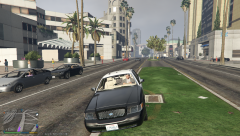 Cool! Nice idea having the two different grills to choose from.
 -
-
I'm guessing you weren't using a mods folder? Are you launching the game using the standard GTAV Launcher? It should auto-detect that you've modified rpf files and try and re-download the original files from the update server. RDE is a great mod, have you tried installing the files manually rather than using openIV installer?


