




VWking
Members
-
Joined
-
Last visited
Everything posted by VWking
-
Screenshots taken by VWking
-
 L.A.
L.A.
-
 California Dreamin'
-
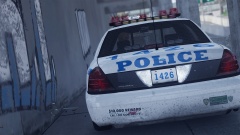 NYPD 1426
-
 Modern Day NYC
-
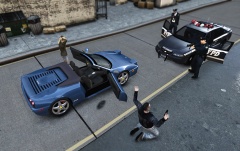 Suspected Stolen Vehicle
-
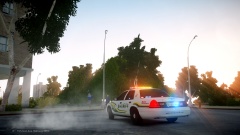 The Early Shift
-
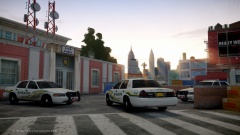 Meanwhile Over At The Precinct
-
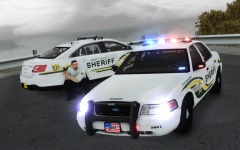 Training Exercise
-
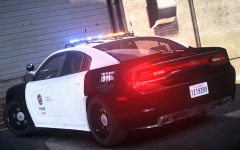 2013 LAPD Charger (WIP)
-
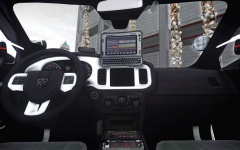 2013 LAPD Charger (WIP)
-
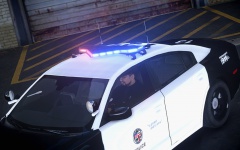 2013 LAPD Charger (WIP)
-
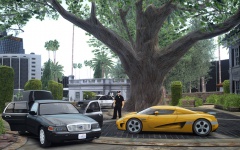 Evidence Collection
-
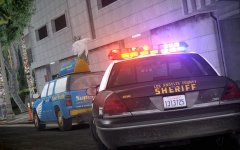 Traffic Violation
-
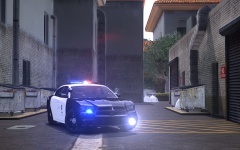 2013 LAPD Charger Equipment Testing
-
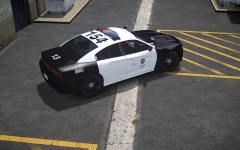 New Kid On The Block
-
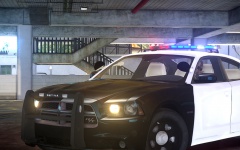 2013 LAPD Dodge Charger
-
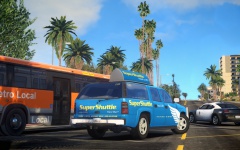 California Soul
-
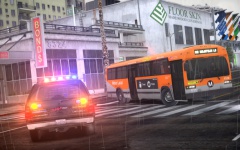 LAPD Traffic Control
-
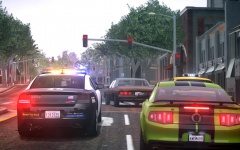 A Typical Smog Filled LA Morning...
-
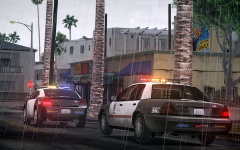 Responding Code 3
-
-
-
-
Thank you :)
-
From the album: VWking's Screenshots
NYPD (1426) avoiding Manhattan rush hour traffic. -
From the album: VWking's Screenshots
Yet another parking violation. -
From the album: VWking's Screenshots
A suspected stolen vehicle turns into a hunt for a wanted fugitive... ( I am aware of the inaccuracy of this picture before anyone comments :D ) -
The zip file is corrupted, D/L registers as the file being 0 bytes. Please can you fix this?
- 17 comments
- 10 reviews
-
I'd assume its the Mastercom RLS since I believe that's the siren Calgary Police use. ( Someone correct me if I'm wrong ). '?do=embed' frameborder='0' data-embedContent>>
-
No problem, I'll try and fix it asap. I've not had a PM though haha!
-
The best thing to do would be to completely remove extra_9 and then reset everything on the whole car to world. This should fix the problem. You might also want to consider copying either extra_5 or 6 (the small taxi signs) and use them as extra_9 because no doubt you've still got 'ext_taxi' in your vehicles line, this tells the game to use either extra_5 / 6 or 9 when spawning a taxi, so you'll have some taxis without an extra on the top.
-
That would help, I'll take a look, see if I can fix it, if I can fix it I'll explain what I did and let you replicate it or just send you the fixed files :)
-
Ah sorry I don't think I read your last post properly. Do those steps I told you to do with all windows, this should hopefully fix your problem. I'm guessing they didn't have the show isolated feature in that version of zmod, I'm currently using 2.2.4 which has it. It's not essential, as you can manually show and hide parts in zmod, it'll just take longer.
-
Yeah it has to say lightsemissive at the end, this is how GTA identifies the material, i.e. is the material a mesh, glass, badge, interior etc. You don't have to create a new material, you can simply rename your 'emerglights_emis321' to 'emerglights_emis321 lightsemissive'. You would only need to create a new material if you are using emerglights_emis321 for any other part of the car, for example if you are using it for parts of the lightbar which you don't want to lightup. So in that case you'll need emerglights_emis321 for the lightbar and emerglights_emis321 lightsemissive for the emergencylights. Hope that makes sense.
-
Does the texture you're using have 'lightsemissive' written after it, so in your case it would be emerglights_emis321 lightsemissive That might explain the problem. Did you move the lights in the right direction? If you installed the car via OpenIV, open the car in the built in viewer, can you see your mapped lights? If not you've moved the lights in the wrong direction, they need to be in front of the reversing lights, as if you were mapping wig wag headlights.
-
What export settings are you using? Try the following: 1) Right click 'chassis_L0' and select show isolated 2) Using the menu on the left hand side, click display, local axes ( expand the local axes panel by clicking the little box next to it ) then make sure the following is selected - Keep Object and Orientation. 3) Select 'Reset to World' 4) Click on the chassis in your display window 5) Right click 'chassis_L0' and select show the rest Repeat this for chassis_L1 and chassis_L2 If ever I'm having a problem with a car model I usually find this fixes issues. If this doesn't fix the problem try doing the above method for everything within taxi2. -- update -- Reading your edited post you don't need to worry about the chassis COL because you've already deleted extra_9 [COL] which relates to damage of the taxi sign. Before you export the car make sure you do the following: Right click on taxi2.wft --> linking --> unlink children --> right click on taxi2.wft again and then delete. Once you've done this, then export the car from zmod.
-
Make sure you're using LaunchGTAIV.exe instead of GTAIV.exe Did you install LCPDFR on a vanilla install of GTA IV?
-
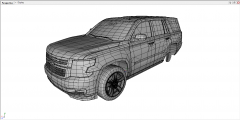 Looking forward to this Vertex :)
 -
http://pcpartpicker.com/user/cdtman3/saved/#savedbuild_1106056 opinions of this build guys?? One thing I would say ( to save yourself some money ) is you definitely do not need 32GB of ram, 8GB / 16GB will do you just fine. If you do decide on using all 4 slots for ram though, I think you'd probably have to get some low profile ram because the Cooler Master 212 EVO isn't the smallest CPU cooler in the world, it only just clears the ram on mine! I'd also recommend having a 1TB ( or more ) HDD, and have the SSD running alongside it instead, I just use my SSD for games and nothing else. As for the case that's personal preference but I'd go for something either in the Corsair range or Fractal Design ( the R4 looks pretty good ) but other than that everything you've chosen looks pretty good! If you can't decide what parts to get, search around for reviews / youtube videos of the component, you'll soon be able to make up your mind. -- side note -- If you're going to build it yourself, you'll need just a couple more things: Case fans - ( definitely do research on these and make sure you get the right size for the case you're using ) Anti static wrist strap - ( so none of the pc parts get frazzled before you've even had a chance to use them ) Thermal paste - ( The CM 212 EVO does come with thermal paste but I'd opt for some higher grade stuff ) Sata cables - ( The MB you've chosen supports 6GB/s so make full use of this )
-
Sounds like you left one of the LODs in the model. Make sure you've deleted the following: extra_9 extra_9_L0 extra_9_L1 extra_9_L2 extra_8 extra_8_L0 extra_8_L1 extra_8_L2 extra_7 extra_7_L0 extra_7_L1 extra_7_L2 and finally delete extra_9 [COL]. They should all be under 'extra_9' in zmod anyway so just delete that whole subfolder.
-
They look like one of the RCMP Crown Vics by Punc. Not sure if I'm allowed to post links to them on here, but they should come up on a google search.
-
The build aCoD Prodigy came up with looks pretty decent, I'd change a few things myself for personal preference ( Just if you're interested, I'd swap out the h100 CPU cooler for a Cooler Master 212 EVO, the Corsair PSU for a BeQuiet Pure Power PSU, and I'd swap the MSI GTX780 for an Asus GTX780 and add an Arctic Accelero Xtreme IV GPU cooler ). What might be helpful is if you start looking for things in order so... 1) Look for a case ( this is the base of your whole computer, you'll need the dimensions of the case just to make sure that all the components you choose will fit, hence why you should choose a case first ). 2) Look for a motherboard 3) Look for a CPU ( possibly look for a CPU cooler too, or stick with the stock cooler ) 4) Look for RAM ( check your motherboard and CPU can handle the ram you choose - for example if you want 16GB of ram choosing 2 x 8GB sticks would put less strain on the memory controller than 4 x 4GBs would) 5) Look for a GPU 6) Look for HDDs / SSDs 7) Look for a PSU ( make sure it's got enough power for all of your components, I'd personally go for a modular PSU ). 8) Don't forget if you're not using a steam copy of GTA IV you'll need an optical drive to read the CD. You might want to think about budgeting for an HD monitor if you've not already got one! Hope some of this helps, if I've forgotten anything, please someone jump in :)
-
I've had no experience with alienware myself so take my comment with a pinch of salt but I doubt you'd be getting value for money if you bought from them (someone please correct me if I'm wrong). If you do want to build a computer yourself just put a little research into the parts you're planning on buying, if you're unsure of anything tomshardware forum is a really good place for advice on anything computer related. Do remember though that it's not just the graphics card that you need to think about when building a gaming pc (or any pc for that matter). What I mean by this is you don't want to buy a high end graphics card and then power it with a cheap PSU, because that's just a recipe for disaster. One thing I'd definitely recommend is an SSD (this will help significantly with loading times). I'm currently using the Samsung 840 EVO and I couldn't recommend it enough! Hope this helps :)
-
Mine would have to be the Federal Signal Touchmaster Delta and the Federal Signal SS2000.
-
+1 on what aCoD Prodigy said, once you get started it really is easy to build your own computer. I've only just rebuilt my own computer from the ground up, it's definitely beneficial, not only on price but as aCoD said the satisfaction of building it yourself. There are some really well priced computer components around at the moment, so if you're not afraid to get stuck in, go for it! cdtman3 recommended the 550Ti and I'd say it's probably ideal for you, plus it should only require one 6 pin pcie cable (helps when looking for the right PSU).


