




CrossFire
Members
-
Joined
-
Last visited
Everything posted by CrossFire
-
![[WIP] 2010 GMC sierra 1500HD - LCPD](//s3-gallery.int-cdn.lcpdfrusercontent.com/gallery/album_547/sml_gallery_2101_547_527831.png) Maybe a RX2700?
Maybe a RX2700? -
-
Ummmm I think a pushbar with lights on it should be mapped with ELS......
-
-
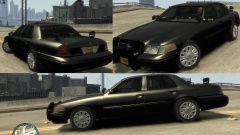 Looks very nice!!! Did you make it?
 -
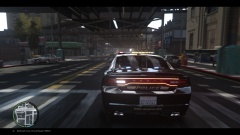 Its by JokerMods! '?do=embed' frameborder='0' data-embedContent>>
 -
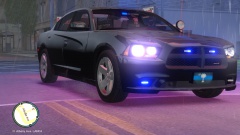 Is....Is there a LINZ6 texture on the mirror?
 -
Closest thing available: http://gtapolicemods.com/downloads.php?do=file&id=2279
-
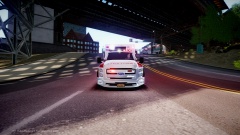
From the album: CrossFire's Pics
This cameraman is about to get hurt. -
-
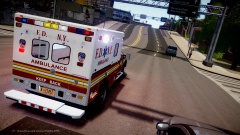
From the album: CrossFire's Pics
-
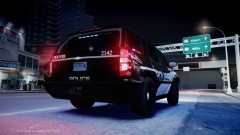 I do love their new liveries! (Late to the party LOL)
 -
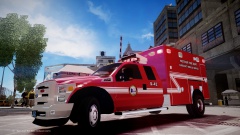 You've done a lot of AL skins. You live there? (If so, Roll Tide)
 -
You have a 2013 PI?
-
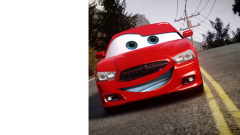 Nice ENB! L3EVO?
 -
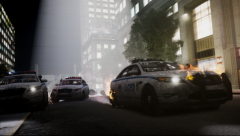 I think we've found ourselves a new LilQ!
 -
![[WIP] Tahoe PPV](//s3-gallery.int-cdn.lcpdfrusercontent.com/gallery/album_2692/sml_gallery_138650_2692_243328.jpg) You need to move the rambar up a bit so it covers the whole front of the car. Other than that, it looks great!
You need to move the rambar up a bit so it covers the whole front of the car. Other than that, it looks great! -
http://gtapolicemods.com/downloads.php?do=file&id=1411
-
There are many cars with that description, can you be more descriptive?
-
![[WIP] Tahoe PPV](//s3-gallery.int-cdn.lcpdfrusercontent.com/gallery/album_2692/sml_gallery_138650_2692_276528.jpg) That is not made for the Tahoe, nor does it look good on a Tahoe IMO
That is not made for the Tahoe, nor does it look good on a Tahoe IMO -
I would love to see this as well!
-
http://gtapolicemods.com/downloads.php?do=file&id=2436 http://gtapolicemods.com/downloads.php?do=file&id=34. '?do=embed' frameborder='0' data-embedContent>>
-
![[WIP] Chevy Tahoe PPV](//s3-gallery.int-cdn.lcpdfrusercontent.com/gallery/album_2692/sml_gallery_138650_2692_239874.jpg) I'm just letting you know. The problem can simply be solved in Vertex or Edge mode.
I'm just letting you know. The problem can simply be solved in Vertex or Edge mode. -
Ummmm you have to remove the actual fog lights before you put lights there.
-
Obviously not hard enough. '?do=embed' frameborder='0' data-embedContent>>

![[WIP] 2010 GMC sierra 1500HD - LCPD](http://s3-gallery.int-cdn.lcpdfrusercontent.com/gallery/album_547/sml_gallery_2101_547_527831.png)

![[WIP] Tahoe PPV](http://s3-gallery.int-cdn.lcpdfrusercontent.com/gallery/album_2692/sml_gallery_138650_2692_243328.jpg)
![[WIP] Tahoe PPV](http://s3-gallery.int-cdn.lcpdfrusercontent.com/gallery/album_2692/sml_gallery_138650_2692_276528.jpg)
![[WIP] Chevy Tahoe PPV](http://s3-gallery.int-cdn.lcpdfrusercontent.com/gallery/album_2692/sml_gallery_138650_2692_239874.jpg)