



LSPDsanjay
Members
-
Joined
-
Last visited
Everything posted by LSPDsanjay
-
 Doesnt work, latest scripthook installed. Almost lost my mind. I give up..
- 330 comments
- 24 reviews
-
-

- 1
-
-
thank you.. i wanted to use albos mod but theres no support for 0.4.3 sad! thanks btw
-
is there anyway we can get 0.4.2?
-
yes please games hanging at the loading lspdfr screen! please help!! heres my file! RagePluginHook.log
-
-
2 more days.
-
Back to Apex till the 26th! See yall!
-
Malaysia Boleh! Well said bro!
-
 One of the greatest mods ever, what actually brought me into LCPDFR back in GTA 4 and now this! Amazing mod! God Bless Lt.Caine
- 2,699 comments
- 240 reviews
-
18 more days, just check it for 18 more times! haha
-
sounds like after 0.4 is released, my life will be complete. CANT WAIT GUYS!!!!!!!!
-
-
anyone else has cars, with lights dont work? im sure the car ive installed is els enabled, ive placed the els file into the proper place but why doesnt it work?
- 2,699 comments
- 240 reviews
-
-
-
 after doing that, the i couldnt spawn the car, it kept saying invalid model!! can u upload yr vehicles.meta or smth pleasee why cant grump do this please helperino
- 31 comments
- 8 reviews
-
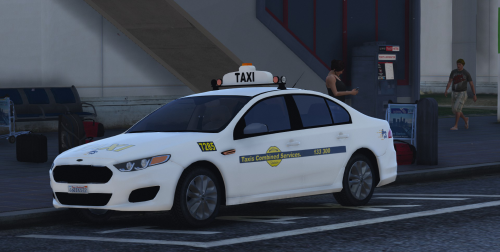 10/10 nice one, is there anything that can be done about the rear suspension? it seems too low imo!
- 16 comments
- 6 reviews
-
can someone help me car keeps fallin over at the turns, how do i fix the handling lines?
- 31 comments
- 8 reviews
-
 after adding the LSPDFR+, i now have an "error above the minimap" how do i fix this sir
- 3,646 comments
- 306 reviews
-
 do you place it in the LSPDFR folder or juz the main folder with all the GTA V files?
- 247 comments
- 45 reviews
-
.png.f196704e88fb4011dcde88836163b7f2.png) a-mei-ng!
a-mei-ng! -
Yo man this is what i did, i learnt it from albo the modder, watch this i used method 2!:
-
 Hey, is this released for is it a personal skin?
 -
Doesnt work for me, i placed the files in to the gta v folder but nothing happens in game sadly, anyone any ideas?
- 247 comments
- 45 reviews
-



.png.f196704e88fb4011dcde88836163b7f2.png)
