


Dhruv
Members
-
Joined
-
Last visited
Everything posted by Dhruv
-
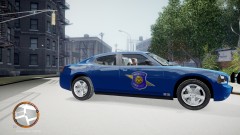 Pic doesn't load :
 -
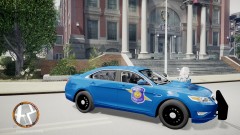 Excuse me,EVI,but I just thought you said "Bubble lightbar"... I need a goodnight's sleep p'raps.
 -
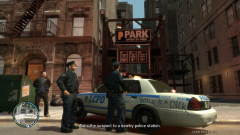 You painted it on the car? lol.You could've painted it on the image after snapping it
 -
-
I bet yours weren't set to 90,as mine did.Oh God,cruisers lit up like...hell !
-
Change your config for the cars to: Active = 1 Color_Light1L = 1 Color_Light2L = 0 Color_Light3R = 1 Color_Light4R = 0 Offst_SLights = 1 If you have ever tried opening and messing with els.ini,you'd have spotted this: // REFERENCE // // Active Determines whether the ELS can be enabled on that vehicle / 0 for OFF, 1 for ON // Offst_SLights Y axis offset of secondary environment lights relative to vehicle // // Red 0 // Blue 1 // White 2 // Amber 3 // Green 4 Tutorial is in the .ini itself.As for my question,there was nothing clearly descriptive for that option,so I had to ask for help.Hope that helps.
-
WTF? You reinstalled the whole game for it? You could've just get yourself a copy of orig handling.dat...
-
Yes,there is:
-
+1 I just checked out my els.ini config and guess what--Range_LightsP= 90
-
I don't prefer using ELS.But as some specific/new models come with ELS only,I have to allow some slots to have ELS vehicles.For example,my Police Stinger has been replaced with Yakadafi's GMC Yukon NYPD.But the problem is,that ELS lights reflection are just too bright for my eyes.Notice that its ELS lights' reflection.Not the lights themselves.Is there any way to reduce these values?
-
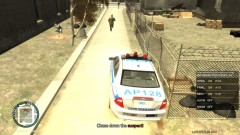 LOL!
LOL! -
-
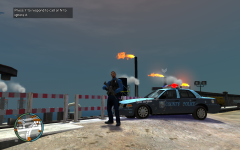 Can I have a link to that beauty please?
 -
What made you guess that?
-
Molten,I thought you avoided ELS?
-
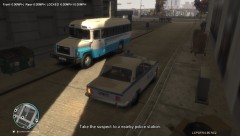 Where'd you get that fuel-o-meter,bro?
 -
-
Wow! Bump ideas.Also,its downvoted by someone.
-
For those running EFLC,it will make your game load forever and the music will be gone during first two seconds of loading screen.I had to pay a good price for inventing this,but I don't want this to happen to anyone else.No offence meant to author.I downloaded this mod because I actually think its a nice addition.Good job,FPI2011.But it just took away my precious 7-8 hours as I had to reinstall the game and add all my mods one by one all over again to find the real culprit :(
- 17 comments
- 2 reviews
-
Personal preferences...What can I say
-
@Bandit28: Indeed.Didn't you read it in yesterday's newspaper,kid?
-
I'll start with my love: Tahoe > Taurus > Charger > E7 > Caprice
-
It also crashes with IV,not just EFLC
-
-

