



Crizby
Members
-
Joined
-
Last visited
Everything posted by Crizby
-
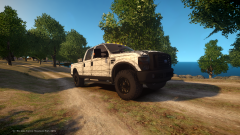 What a Beast :P
 -
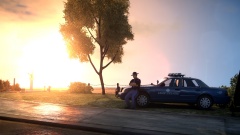 I love it! Beautiful set-up :O How'd you make the Trooper sit on the hood? :)
 -
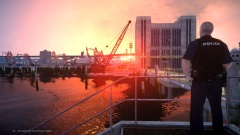 CryENB v2 with a couple of custom settings :)
 -
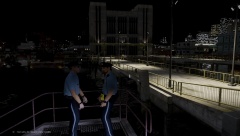 Sunglasses during the night ? Francis needs to get his' s... togheter :P
 -
From the album: W.I.P's and random pictures
-
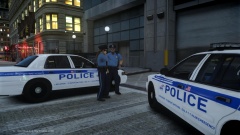 Yes sir! :)
 -
Thank you :)
-
Mine (Finished them this morning) - All of the liveries seen in my screenshots (In this album) are mine :)
-
Thanks! I love the uniforms as well :)
-
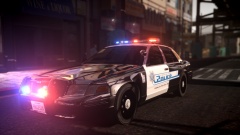 I Love the livery! :)
 -
From the album: W.I.P's and random pictures
-
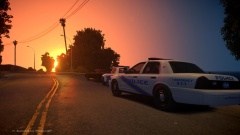
From the album: W.I.P's and random pictures
Recently the Liberty Township Police Department (LTPD) & the North Liberty Police Department (NLPD) started a close partnership. They've done a couple of joint-operations together like "Safe street initiative"where they focused on reckless/careless drivers in the border area between the two jurisdictions.They've also let several officers do ride-alongs in their districts with their "partner" from the other department - Which has been stated by both departments - has been a great success in understanding each other's type of policing and routines. The partnership is expected to continue for 2 more weeks. -
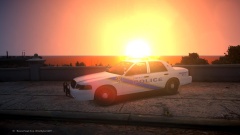
From the album: W.I.P's and random pictures
Picture taken by Officer David Galton with the Liberty Township Police Department at the beginning of the graveyard shift as a start to the departments "Tweet-alongs" which is a new way for the department to reach out to the community and to give them a digital glimpse of what an "average day" might look like for the officers serving the Liberty township. -
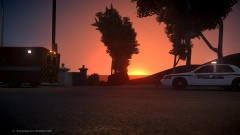
From the album: W.I.P's and random pictures
Beaverhead Avenue - Also known as Paradise Ave - is one of the nations most fatal avenues. It's estimated that each month there are over 20 accidents all year around. There are a lot of things to blame, like the beautiful views which can be observed from the road and a lot of DUIs. And fact is, according to the Alderney Beach Police Dept. that most of the traffic accidents occur due to tourist drivers trying to take pictures of the beautiful views as they drive by, which often leads to them crashing, or by impaired drivers. There's been a lot of ideas for solutions - for example to make the road wider, build a better "safety net" and simply have more marked police cruisers keeping an eye on the traffic. However, the Alderney Beach Police Dept. state that they simply cannot afford to have officers dedicated to Beaverhead Ave. due to the lack of personal, with only 225 officers serving a permanent population of 120 000 residents and over 500 000 tourists each year. -
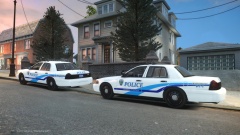 Hmmmm... Haha! Thanks :)
 -
Thanks, one of my favorite mods I've done so far :)
-
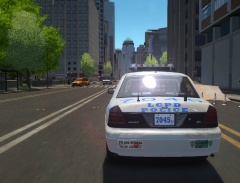 What road textures are you using? It looks really nice :)
 -
From the album: W.I.P's and random pictures
The Alderney Township police has been responding to more domestic disputes this year than any previous year since it was first founded in 1922. They are now looking into more efficient ways to prevent violence in the homes of the Alderney Township area together with the Township council. -
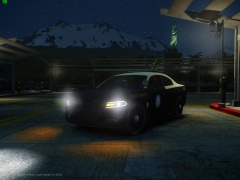 My god... I hope with all of my heart that the FHP will not use the 2015's. Anyways, (Haha) you've done a nice job on it :)
 -
Yet another fading of the thin blue line. R.I.P and I feel really bad for the deputies mother, who not only lost her husband 26 years ago, but her son too - In the same line of work.
-
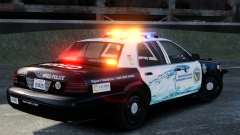 What Crown Vic is that btw? It looks amazing and it has a wrap-around ( I Seriously love wrap-around rambars...)
 -
FHP, Sarasota Co. SO, Boynton Beach PD and the LAPD (It's a long list I know but I can't decide )
-
I love it! I seriously love it! Outstanding job! - Love everything about it :D
-
-
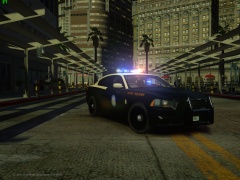 OMG NO WAY! Just what I was working on :P Anyways, looks great I really love the FHP Charger :)


