










Partnership beyond borders.

By Crizby
- 608 views
- View Crizby's images
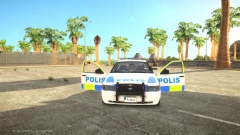
Recently the Liberty Township Police Department (LTPD) & the North Liberty Police Department (NLPD) started a close partnership. They've done a couple of joint-operations together like "Safe street initiative"where they focused on reckless/careless drivers in the border area between the two jurisdictions.They've also let several officers do ride-alongs in their districts with their "partner" from the other department - Which has been stated by both departments - has been a great success in understanding each other's type of policing and routines.
The partnership is expected to continue for 2 more weeks.

Recommended Comments
Join the conversation
You can post now and register later. If you have an account, sign in now to post with your account.