



Crizby
Members
-
Joined
-
Last visited
Everything posted by Crizby
-
From the album: W.I.P's and random pictures
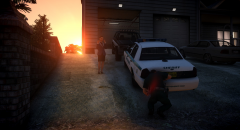
"It's great that you take care of your car Josh and that you love it, but sometimes it feels like you spend more time with that car than with me. Josh!? I'm talking to you!" Josh's wife certainly does not like the 'take-home car' concept. -
 Wow for real? Let me know if you need any Liberty-fyed Florida livery, I've got plenty of them :) *Feels honored*
 -
I love it! Love all the Floridian stuff going at the moment. Would there be a possibility of having a version without the hubcaps? Other than that it's just epic. :)
-
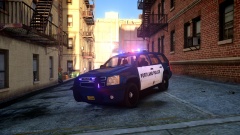 I really like the set-up, especially the fender wrap :)
 -
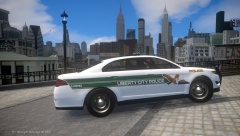 Wow! Looks just like SPPD (Liberty-fyed of course - Which is the way to go) :)
 -
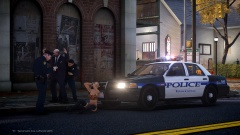 Oh man! I cannot wait, been loving it ever since I saw this picture for the first time.
 -
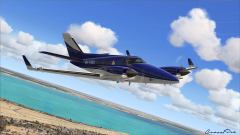 That is a beautiful view, love it!
 -
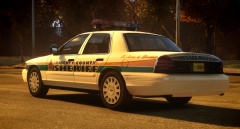
So, I happened to come across this beast on Flickr a couple of days ago. According the the Sheriff's Office, this is the story: "Sheriff’s squad 579 is a 1995-1996 Caprice. It had been used for parades and ceremonies. It is now finishing its life as a regular patrol car."
-
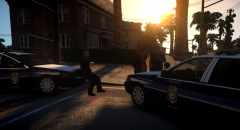
From the album: W.I.P's and random pictures
I'm back again, after a small pause with the modding to sort out some personal things. I'm going to be back 100% after next week once a couple of exams are done - With more time on my hands than ever. Meanwhile, I've scrapped all my old projects and started again from scratch. *Here are some preview pictures of a little something I just started working on* Spoiler -
-
That's because you live on the west coast :P
-
I really hope they include Florida. ...And, instead of speed cameras I'm really hoping for State Troopers (inside of their cruisers obviously) at the side of the road (As mentioned above), would be so awesome. :)
-
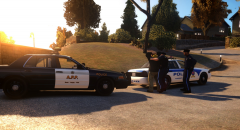 How come? Most agencies switch to a black and white design these days. (?)
 -
From the album: W.I.P's and random pictures
The Alderney Provincial Police recently decided to update their design from a blue and white fleet to a black and white 'Panda' fleet of cruisers. With over 140 marked 'Blue and Whites' to replace with the new design, it's estimated that its going to take at least 3 years from now until the 'Panda cruisers' are the majority of the fleet. The last blue and white is expected to retire whitin 5 years from now. Spoiler -
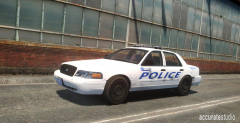 I don't know if there's something wrong with me, but I love the simplicity of it all. Great job!
 -
From the album: W.I.P's and random pictures
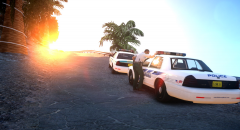
A Deputy with the Broker-Dukes County Police Dept. speaking with an Officer from the Alderney Beach Police Dept. -
-
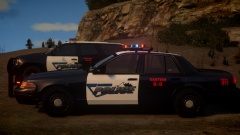 I love it! I'm 'against' the modern looking ones, but this is fantastic!
 -
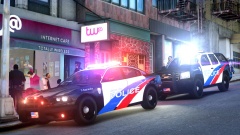 Michael, you need to use a vehicle with a matching template with the livery. Otherwise it won't work and will probably look really weird. E.G. The Crown Vic is for CJ24's template, you need to make sure that the vehicle you use the livery on is based off CJ24's template as well.
 -
-
Just a quick question, does your local PD only have unmarked Crown Vics?
-
Crown Vic and the Caprice.
-
Yes, they're used to train the PIT-maneuver.
-
That OSP livery though, wow!
-
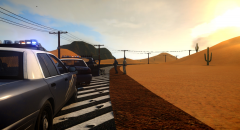 CJ's Vision Crown Vic :)



