



Crizby
Members
-
Joined
-
Last visited
Everything posted by Crizby
-
From the album: Paradise-Springs County Pictures...
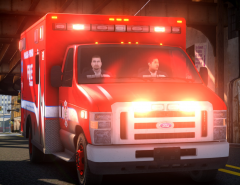
Trying out a friend's new ENB and it looks amazing. I really love it. Seen in the pictures are Paradise-Springs Co. Fire & Rescue: Engine & Rescue (Ambulance). -
 Thanks! However, it's going to be a while, since everything's going to be released in one big pack.
 -
 I'm really happy to see you start making your own cars and such. Wish I had the time to learn how to make cars :)
 -
From the album: Paradise-Springs County Pictures...
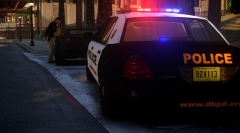
Officer Fernando Cruz with the Diamond Beach Police Dept. (DBPD) Seen here issuing a citation to a driver of a grey Super GT for speeding - Going 43 MPH (~70 KM/H) in a posted 30 MPH (~50 KM/H). Early mornings when there's no one around doesn't mean you have the right to exceed the posted speed limit. *More stories and pictures from the Diamond Beach Police Dept. can be found in the spoiler below* These are just some of the events that happened today during the day shift. Follow @DBPD and/or visit www.dbpd.org for daily updates of what's going on in your community and how we serve & protect the city and community of Diamond Beach. -
 Awesom! I really like them too, by far one of my favorite agencies in the Sunshine State. Real professional officers and great community policing strategies. What a coincidence that one of the fictional departments I'm working on right now is based off them :P
 -
Boynton Beach PD :)
-
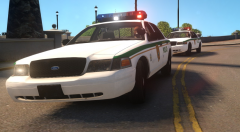 If you can wait a little bit then sure, I'd really like to finish the whole county and it's agencies before I release it all. :)
 -
From the album: Paradise-Springs County Pictures...
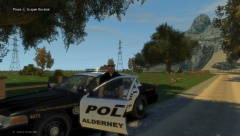
Two cruisers from the Paradise-Springs County Police Dept. Seen responding 'Code 3' on Beaverhead Ave. Just created my own fictional county, Paradise-Springs County (Based off Miami-Dade County & Sarasota County), Alderney State - It will feature all kinds of designs inspired by all parts of the Sunshine State. Stay tuned as this is a large pack that might see a public release. *On-scene picture can be found in the spoiler below* Spoiler Seen in the picture above is a Deputy from the Paradise-Springs County Police Dept. And three officers from the North Paradise Police Dept. Blocking off a street after a homeless man was assualted with a knife by an unknown suspect. *Facts and background info regarding Paradise-Springs County can be found in the spoiler below* Spoiler Paradise-Springs is a county located in the South-western part of the U.S. State of Alderney. As of the 2010 Census, the population was 379,448. Its county seat is the city of Springs, and its largest city is Paradise City. A majority (over 60%) of Paradise-Springs County's residents live in unincorporated areas outside of its eight municipalities. Fire-Rescue is provided by the Paradise-Springs County Fire & Rescue (PSCFR). They provide fire services to Paradise City and all unincorporated areas of the county with the exception of areas covered by the Springs and North Springs fire districts. Additionally, PSCFD provides EMS service to the Paradise City, all unincorporated areas of the county (including areas covered by the Springs and North Springs fire districts) plus the city of Diamond Beach. The Paradise-Springs County Police Department (PSCPD) is the county's primary law enforcement agency. It is responsible for patrolling the unincorporated areas of the county along with operating the county's jail and providing courtroom security. PSCPD also operates the county's primary 911 center. The cities of Springs, Paradise City, North Paradise City and North Springs along with the Town of Diamond Beach each have their own police departments. The Alderney Highway Patrol is responsible for patrolling Broker-Dukes Expressway, Northern Expressway, Union Drive East, Union Drive West and Interstate 75 plus investigating motor vehicle accidents (MVA) that occur in unincorporated areas. -
 The Deputy's uniform looks like a reversed version of Miami-Dade (County)'s uniform.
 -
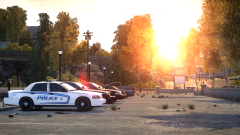 I really like the Westlake County livery :)
 -
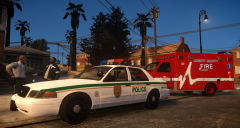
From the album: W.I.P's and random pictures
-
What a wonderful picture. Seriously, I love it!
-
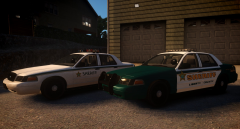 Thanks y'all :)
 -
From the album: W.I.P's and random pictures
-
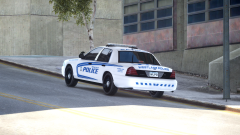 Very nice livery :)
 -
 They're beautiful.
 -
 Holy cow! Real pictures are not allowed here by the way...
 -
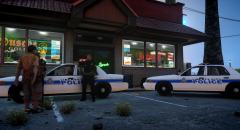 They've had a slow shift :P
 -
From the album: W.I.P's and random pictures
-
When will they learn that once the airship (Helicopter) is tracking him there's nowhere to go?
-
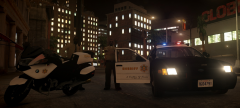
From the album: W.I.P's and random pictures
-
 Personally I'm not a big fan of hubcaps but that looks GREAT!
 -
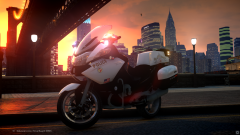 Darnit! You beat me to it :P Looks great :)
 -
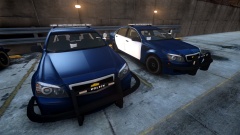 Caprice with a fender wrap? Where do I have to sign !?
 -
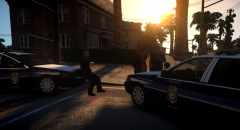 Yes sir!


