




Sam
Community Founder
-
Joined
-
Last visited
Everything posted by Sam
-
Since early this year, we've been working on a project to drastically overhaul and improve our website and community by upgrading it to the latest version of the community software that we use, as well as building an all new look and feel and developing enhanced functionality and features. Despite serving us well over the years, our website had become a little dated and disorganized, and bringing about profound changes is something we've wanted to do for a while. Today, we're pleased to welcome you to the new LCPDFR.com, the culmination of our work on this project, which not only features a ton of improvements, enhancements and changes across the board in Invision Community 4.5, but also introduces a brand new, custom-built by us theme. Our new theme, LSPDFR Retina and its sister theme, LSPDFR Dark (Beta), are fresh, content-centric looks fit for a modern website in 2020. We've worked hard to prioritize content across the board with a far greater emphasis on images and our members. Aside from this, our new theme features a far brighter user interface with better contrast and more saturation than before which blends in to a simpler overall style. Please note that the darker variation of our theme is still in beta, is currently only available to registered members, and there are some elements and colors which are yet to be fully configured. Additionally, there are a number of other changes to the way in which the community works. @Cyan describes these in full in our LSPDFR on IPS 4.5 Changelog, but here's a summary of the most important changes: Ignore Lists & Blocking A new opt-in system designed to give creators additional control over their content. Our enhanced blocking system prevents ignored users from being able to comment on and review both gallery images and files. This feature can be enabled in your Account Settings. Submission Ratings Files uploaded by members are now automatically screened according to the member's standing within the community, with certain submissions now eligible for automatic approvals. You can view your own rating in your Creator Settings. Disable Comments It's now possible for creators to disable comments when they first upload a new file. Please do note that files with comments turned off may not be featured as prominently throughout the community. LSPDFR Character Cover Photos You can now add a cover photo to the profile pages of your LSPDFR Characters, check out an example by @LMS here: https://www.lcpdfr.com/lspdfrsync/character/140-kim-orange/ We think that our new website is a giant leap forward for us, and very much hope that you'll enjoy the new LCPDFR.com as much as we have making and designing it for you. Of course, we're very open to feedback regarding both the new features on the website and our new design, and welcome you to share your thoughts or comments with us below. Thanks for reading, and welcome to the new LCPDFR.com! Sam.
-
This is basically what we do already, yeah. Just one extension method with an automatic model hash check. We actually have quite a few other things there related to those peds as well like a method to remove clothes (for the shower) and then quite a few that query the shop.ymt data to do things like check if a female ped is wearing heels or to correctly apply hair styles (including the special underlay textures that each style has) among other things.
-
I'll quote what @Original Light said on the previous page, just in case anyone has missed it. With that in mind, I do ask that everyone do their part to fend off the negativity and keep this on the topic of the update to LSPDFR itself. It's fine to explain why things might not work and give suggestions to help out, but it's becoming a tad adversarial which shouldn't ever be the objective.
-
Thank you for the kind words Matt. Indeed, it's sentiment like this that inspires not just us but I'm sure all other people who make mods too.
-
There's no necessary data file changes in 0.4.8. If you have 0.4.7 installed already, all you have to do is copy the new LSPD First Response.dll and .pdb into your plugins folder. The only data file change is to agency.xml, where we add <EvidenceMarkerModel> to the default FIB agency as an example. You don't need that for the new version to run though and can continue happily using all of your old files. You only need to copy over the new .dll and .pdb, and there is no reason why those won't work if 0.4.7 already does. The only thing that may potentially not work is other plugins and we don't have any control over that, and as I explained above, we already do everything we can to make sure that these plugins remain compatible with LSPDFR. They simply choose not to be compatible with us.
-
I'm not so sure that anyone does, you would have to find a way of contacting him. For what it's worth, we do our best to ensure that our mod remains as compatible as can be with others, even after updates. I have to say that there's very little technical reason for his, or anyone else's mods, to disable themselves when used with a newer LSPDFR version. To give an example, the above code is part of our API and is an obsolete way of getting a person's birthday, spelled BirthDay. It was changed to Birthday ages ago (without the capital D) but we keep the old way (with the capital D) just so that things don't break. In a nut shell, it really shouldn't be necessary to force version checks or things like this on players and it's frustrating for us and I think for most people that certain modders do, especially given the fact that we keep the newer versions of LSPDFR compatible as best we can and haven't introduced any breaking changes since the first release of 0.4.
-
Of course, you're free to stick to what you have. Most things should probably be okay though. You're right, this is an oversight on our part. Those animations were disabled temporarily to make way for the new Intimidate action and weren't updated and re-enabled to work with it. Oops.
-
 Signed, sealed and delivered: https://www.lcpdfr.com/forums/topic/107245-lspdfr-048-api-update/ Let me know if there's anything else.
- 1,366 comments
- 87 reviews
-
-

- 3
-
-
We actually thought about this and did mean to keep this up for download but I've just checked and there's a bug stopping the 0.4.7 file from being downloaded. This has been fixed and you should see the option for 0.4.7 when downloading now. Thanks for letting us know.
-
Sadly I can't think of an easy way to actually change this but we might just be able to change the dates that show on the website. Feel free to send me a PM and I'll have a look for you when I get a moment.
-
You might want to check out https://www.patreon.com/lcpdfr Set it as your action in the Interaction Menu and then you can perform it by pressing Caps Lock or by pressing in RS + LS on a controller. You can press once to toggle the state or you can hold the key down to perform the action as long as the key is held. You don't need to have the menu open to do this. While the action is running, just right click (or whatever your aim button is) to quick draw. It doesn't matter if you had a weapon selected or not, only that you have one available in the pistol slot.
-
 We're back with another minor update for LSPDFR 0.4, which introduces a couple of hotly requested features, including 1893 Grapeseed Ave - an all new, modest home in a rural setting for your characters to live in. In addition to this, there's a number of other small, nifty tweaks and enhancements as well as various performance improvements and a bunch of new API functions for developers.
 -
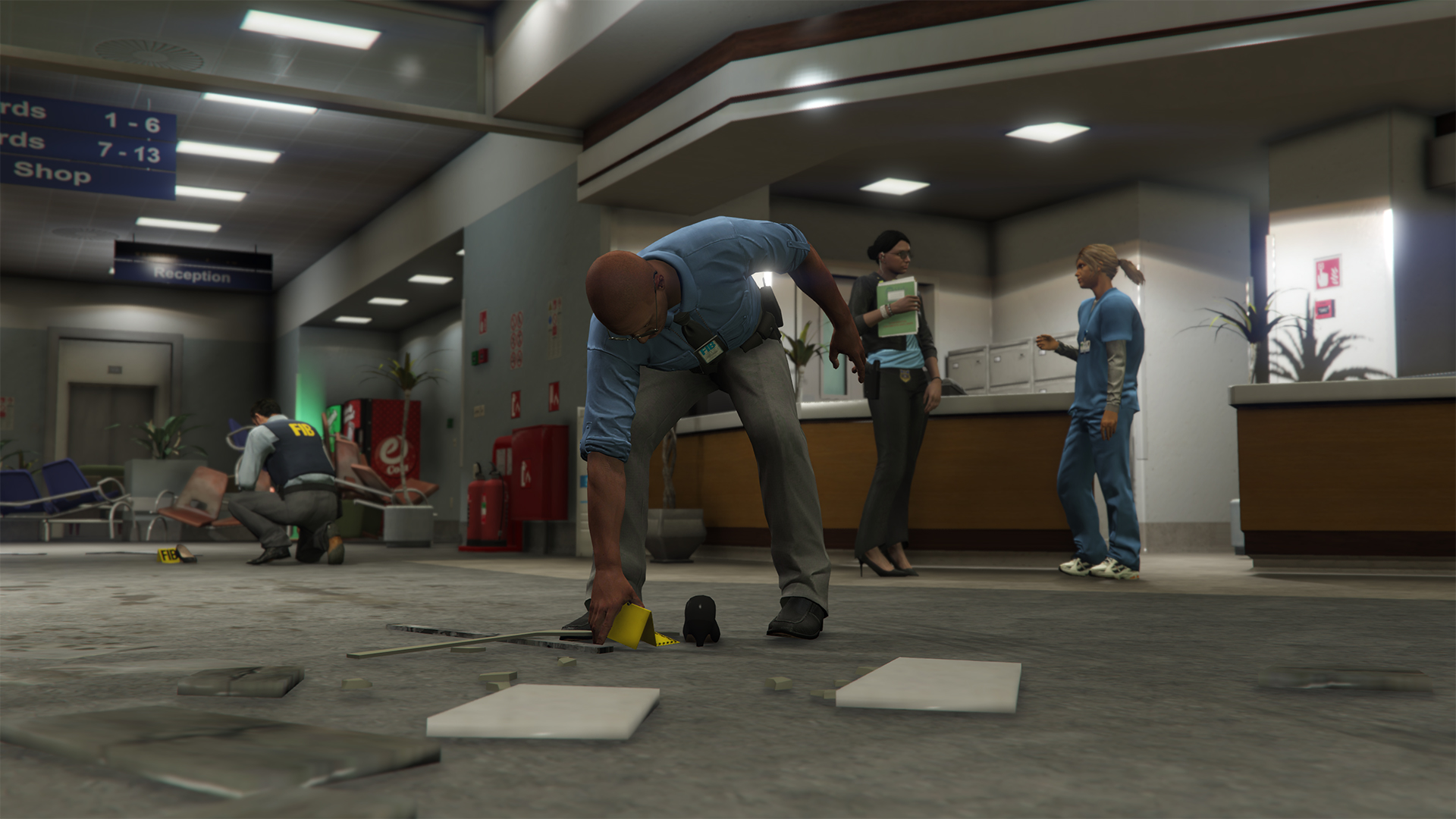
Evidence Markers This feature was added in LSPDFR 0.4.8 and is unavailable in previous versions. Evidence Markers are a new feature in LSPDFR 0.4.8, where the player can now place down crime scene evidence markers on the ground. These are purely cosmetic and do not affect gameplay. You can place down as many Evidence Markers as you wish, and they can be easily picked up again by walking towards them and following the on-screen prompt. Note that if you place down an evidence marker on an uneven surface or water it may slide or disappear. To place down an Evidence Marker, open your Inventory from the Interaction Menu and choose the Place Evidence Marker option. An officer placing down an Evidence Marker in LSPDFR 0.4.8 Customization In the vanilla game, the evidence marker model used is a yellow one with 'FIB' written on it. This is the only style available and as such, is the one used in LSPDFR. You can, however, customize this by modding new evidence marker styles which can then be added for use in LSPDFR. Each Agency can have its own evidence marker model, which you can change by editing the EvidenceMarkerModel element in the XML file. If no EvidenceMarkerModel is set for an agency, the default FIB one ch_prop_ch_fib_01a will be used.
-
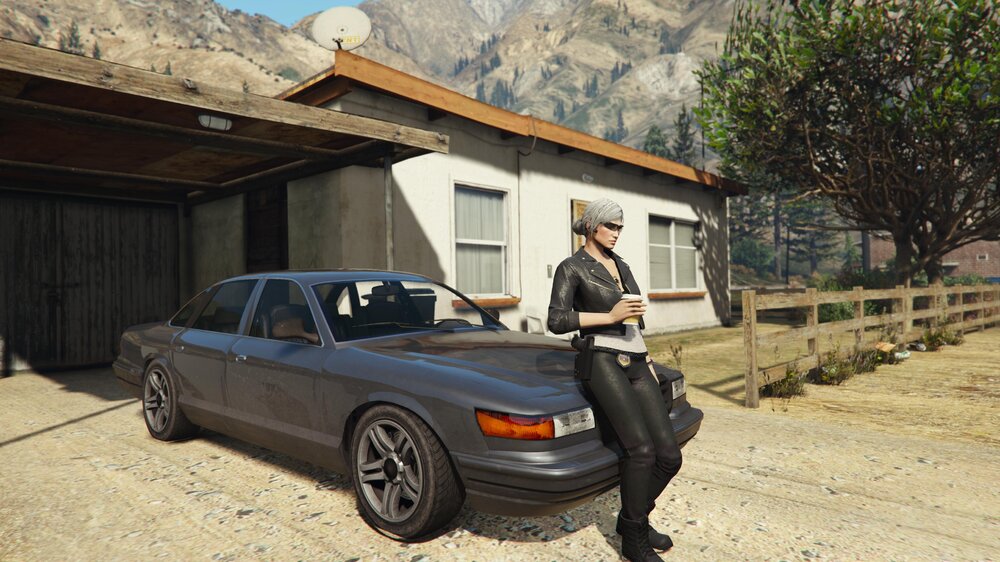
We're back with another minor update for LSPDFR 0.4, which introduces a couple of hotly requested features, including 1893 Grapeseed Ave - an all new, modest home in a rural setting for your characters to live in. This new pad has a different 'low-end' interior with all of the usual amenities like a shower and bed. This brings the total number of apartments in LSPDFR to 3, and means that we now have 'high', 'medium' and 'low end' styles to choose from in a variety of locations, both urban and rural. The new property available for your residential convenience at 1893 Grapeseed Ave LSPDFR 0.4.8 adds a few new features, and introduces many fixes and ongoing improvements to increase the quality, stability and performance of the modification, including: 1893 Grapeseed Ave - a new, modest and rural accommodation option for your LSPDFR player characters to live in. A remastered 'hand-on-holster' (Intimidate) action that fluidly animates, doesn't block movement, and allows for you to quickly draw sidearms. Evidence Markers to mark crime scenes which can be seamlessly placed down, picked up again and customized per agency. Improvements were made to the way in which NPC officers respond 'Code 3' to backup calls and navigate through traffic. A number of new, useful API functions requested by developers were added. Using the remastered 'Intimidate' option to quickly draw a sidearm with animations. LSPDFR 0.4.8: Download and release notes: https://www.lcpdfr.com/files/file/7792-lspd-first-response Release Highlights: https://www.lcpdfr.com/lspdfr/04/highlights/ We hope that you enjoy this small update for LSPDFR and wish you all the best as we continue to endure the global pandemic. Sam. If you are having problems with LSPDFR 0.4.8, please do not post about them in this topic, but use the support forums instead. Before you do, though, read through this topic: https://www.lcpdfr.com/forums/topic/89691-read-will-save-your-time-common-issues-fixes-and-bugs/ There are a lot of fixes for common problems in there.
-
@opus49 Would it be useful to have access to the LSPDFR Police Radio actions (shoulder, chest, handset, etc.) for this?
- 1,366 comments
- 87 reviews
-
-
- 11
-
-
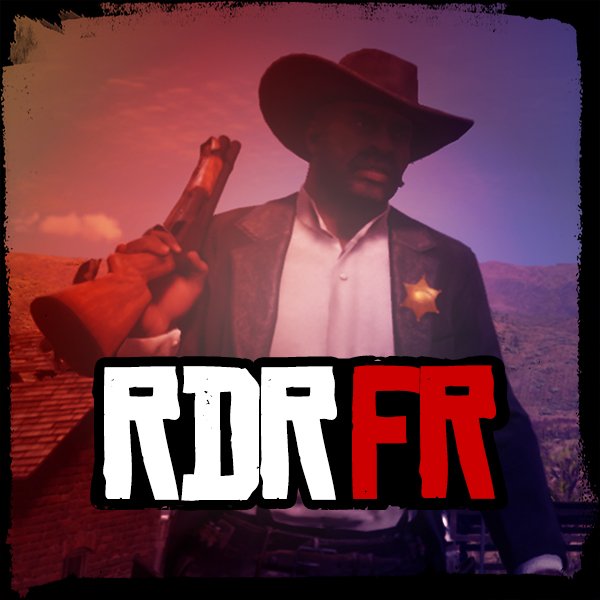 It's a little late to say the least, but we're excited to announce that the first public version of our police mod for Red Dead Redemption 2, RDR First Response (RDRFR), is now available for download. This first version of RDRFR puts the power of the law into your hands for the first time since Rockstar's flagship title arrived on PC. Working in conjunction with our Patreon supporters and testers, we've built a number of core features into the mod for you to enjoy with the ability to arrest suspects, go on duty and request backup in a manner similar to LSPDFR for GTA V.
 -
Woo, more Brits! Hope you have a great time with LSPDFR, welcome to the community.
-
 In light of the Grand Theft Auto IV: Complete Edition being released on PC via the Rockstar Launcher, we have recently revisited Liberty City ourselves to update some of the old, broken modding tools. As a result of this, LCPD First Response (LCPDFR), the original police mod for GTA IV is now available to download and easier to play again. LCPDFR 1.1 (Legacy Edition) is the final release of LCPDFR 1.1 from 2015, but updated with the new Compatibility Patch by @LMS so that it's now far easier to hop back in time and relive our original classic.
 -
I'm more than certain that you'll take great enjoyment in circulating these distasteful images privately, but these certainly aren't things appropriate for a public forum.
-
I meeeean, there's even posts about it today... https://www.lcpdfr.com/forums/topic/97429-is-there-a-chance-we-could-live-in-other-houses-next-lspdfr-update/ I will see about adding all the options to the .ini so that you can see them without looking at the Wiki, but we strongly feel that the Wiki is a valuable resource where we can explain things much better and provide up to date information. The Wiki pages have hundreds of thousands of views, so I don't feel as though they are hidden away.
-
You just use the setting documented here. I'll see what we can do.
-
There are are some questions you don’t want the answer to... Pretty sure there was an LSPDFR version where you could arrest animals too so you’re in good company 😆
-
Always thought those Japanese police cars looked really cool. This is a nice idea, I like it 👍
-
Yes, see: https://www.lcpdfr.com/wiki/lspdfr/04/features/making-arrests/
-
I think there's a setting in that mod which you need to change. See https://www.lcpdfr.com/forums/topic/99429-stop-the-ped-ai-arrests


