Sam
Community Founder
-
Joined
-
Last visited
Everything posted by Sam
-
I didn't think anyone would actually like it! It was more just a rancid red thing for Christmas and new year!
-
This should do the job. Set the ped's weapon to the hash of VEHICLE_WEAPON_PLAYER_BUZZARD first (SET_CURRENT_PED_VEHICLE_WEAPON)You can use either. As for ScriptHook V, you only need that if you are using mods that use it.
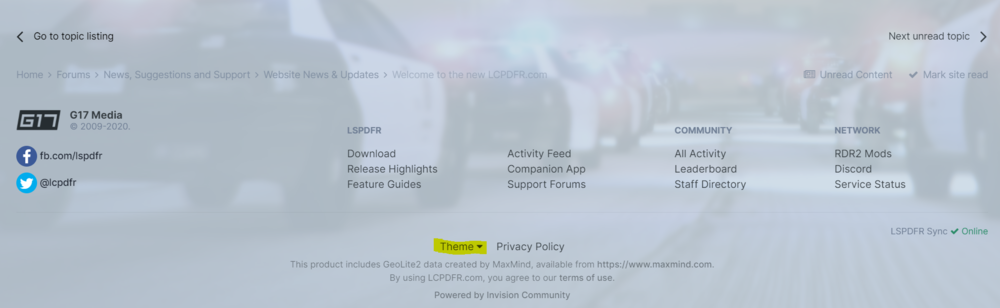
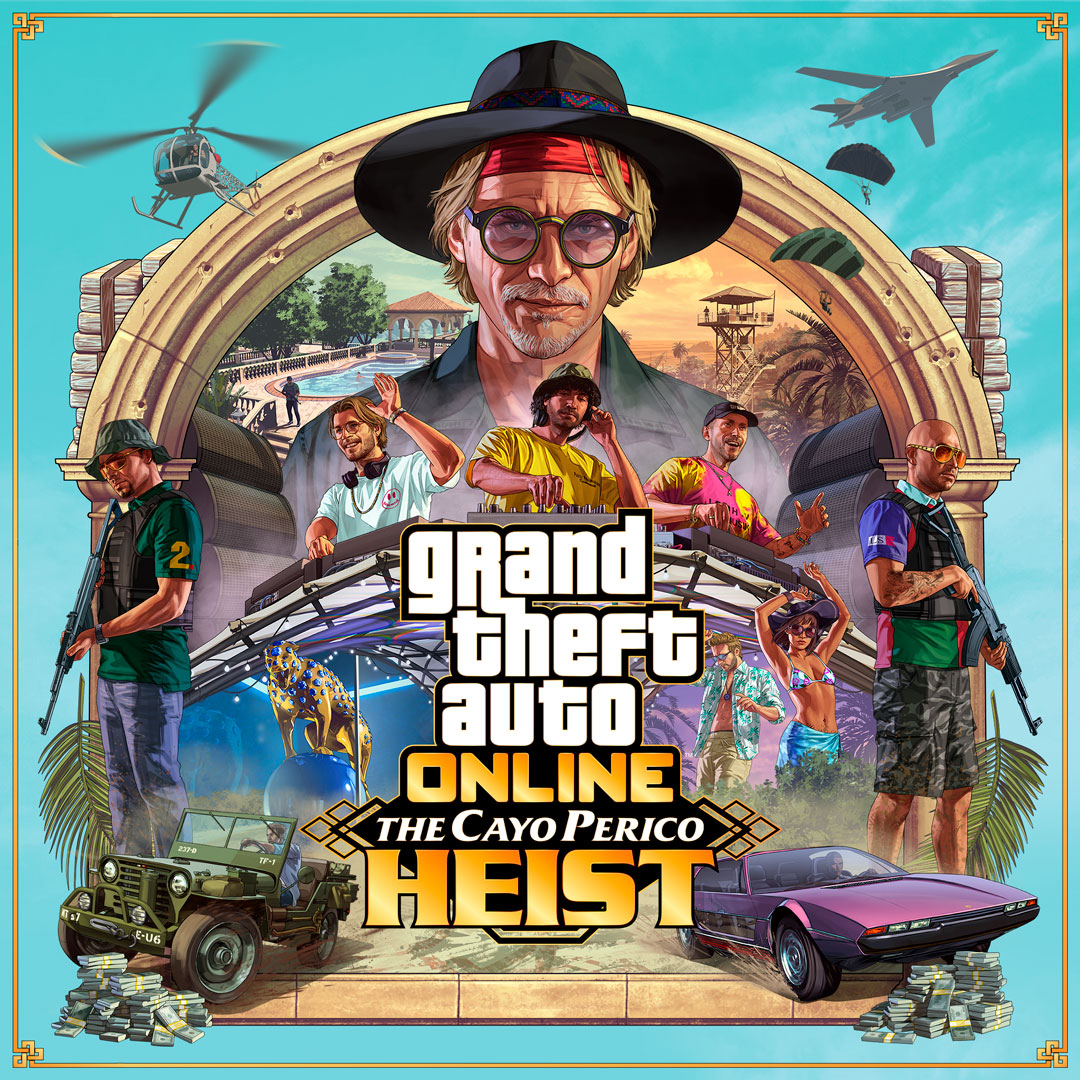 We've released a minor compatibility update for LSPDFR 0.48 (Build 7659) which adds compatibility for the new version of GTA V (v2189) - The Cayo Perico Heist. There are no changes in this version other than those necessary to make the mod work on the new game version, although we will likely release a follow-up update (LSPDFR 0.4.9) in the near future which may add further compatibility with some of the new game features introduced by Rockstar Games in The Cayo Perico Heist update. Please ensure that you now update your game to the latest version of GTA V before playing this new version of LSPDFR 0.4.8, which you can find as normal on the main LSPDFR page.We've released a minor compatibility update for LSPDFR 0.48 (Build 7659) which adds compatibility for the new version of GTA V (v2189) - The Cayo Perico Heist. There are no changes in this version other than those necessary to make the mod work on the new game version, although we will likely release a follow-up update (LSPDFR 0.4.9) in the near future which may add further compatibility with some of the new game features introduced by Rockstar Games in The Cayo Perico Heist update. Note that there were significantly more changes to the game in this update than in previous ones which required more work from both us and the RAGE Plugin Hook team than normal. There may still be outstanding issues, so please report these in the support forums if you come across any. Please ensure that you now update your game to the latest version of GTA V before playing this new version of LSPDFR 0.4.8, which you can find as normal on the main LSPDFR page. If you are having problems with LSPDFR 0.4.8, please do not post about them in this topic, but use the support forums instead. Before you do, though, read through this topic: https://www.lcpdfr.com/forums/topic/89691-read-will-save-your-time-common-issues-fixes-and-bugs There are a lot of fixes for common problems in there.All of the issues which were identified so far in both LSPDFR and the RAGE Plugin Hook have now been resolved. We hope to release an updated version of LSPDFR which is compatible with the new game update shortly.Not large enough it seems 😆There are a number of changes in the game engine in the latest update which are causing this process to take a little longer than usual. Several crashes were discovered in the earlier RAGE Plugin Hook update due to changes in the game, so work is still ongoing to resolve these problems. We will, of course, provide further updates as work continues.For adding free content to their game? You might not realise it, but updates like this have been very beneficial to this community. Not only do they help to refocus eyes on what's now a seven years old game, but they have also provided us with many things. Without the original Heists update, there would have been no police station interior and no police uniforms. Even recently, the Diamond Casino Heist update last year added firefighter and NOOSE uniforms.Cool pictures you've got there. I should let you know as well that there's a set of 'legendary' clothes that are police related in the game. You can find them as loot beside dead cops in certain places. This channel on YouTube shows where to find them:We will let everyone know when the new updates are ready. More information here:You'll just have to wait until everything is updated.I've just posted an in-depth guide to this which should help you. You can find it here: https://www.lcpdfr.com/wiki/gta5/modding-after-title-update/ Downgrading GTA V isn't supported and we can't help you with that, sadly.Recent Updates 19 July, 2026 - Minor compatibility update for LSPDFR 0.4.9 (Build 9695) - GTA Build 3889 Please disable BattlEye launcher to continue to play LSPDFR! We have updated the bundled RPH version, which adds compatibility for the latest game version: Added compatibility for the new GTA V update (v3889.0): No longer frees cops that are far from suspect but close to the player during visual lost Fixed a potential crash in TaskUseFlashlight when cleaning up the task and the ped no longer exists Fixed a potential crash in TaskEvacuateStreet Added public getter for TimeUntilEscape on ChaseData Added DisableEscapeHandling to prevent LSPDFR from assigning a new scenario or deleting a suspect upon escaping from a chase Added ForceClearPedArrestedState to clear a suspect's arrest state Added logging for plugin dll name Added GetPursuitOfficersVisualOnSuspect, IncrementPursuitOfficersVisualOnSuspect and DecrementPursuitOfficersVisualOnSuspect Improved node data load times Overall performance improvements Updated the included RAGE Plugin Hook to support this: Added new enums: ExplosionType, MaterialHash Added HitResult::HitMaterial Added UnsafeGetEntityByMemoryAddress to resolve an IntPtr to a RPH handle (needs to be a valid entity) Updated lots of enums: WeaponHash, VehicleClass, GameControl, BlipSprite, VehicleWheelType, VehicleModType, TraceFlags, AnimationFlags, EnterVehicleFlags and RadioStation Fixed bad radio station pointer on Enhanced Fixed getting and setting radio stations on Enhanced Added more detailed plugin version logging Improved model cache performance (typing in Spawn in console should be much quicker the first time) Overall improvements for native call performance 14 July, 2026 - Scripthook V compatibility update A compatibility update for Scripthook V is now available. 14 July, 2026 - Minor compatibility update for LSPDFR 0.4.9 (Build 9691) - GTA Build 1158/3889 An updated early-access test build for both the Legacy and Enhanced versions of the game is now available to Patreon Insiders. Added compatibility for the new GTA V update (v1158.13 and v3889.0) Updated the included RAGE Plugin Hook to support this: Added new enums: ExplosionType, MaterialHash Added HitResult::HitMaterial Updated lots of enums: WeaponHash, VehicleClass, GameControl, BlipSprite, VehicleWheelType, VehicleModType and RadioStation Fixed bad radio station pointer on Enhanced Fixed getting and setting radio stations on Enhanced 14 July, 2026 - GTA V Title Update (v3889.0) and GTA V Enhanced Title Update (1158.13) Rockstar Games has updated GTA V to v3889.0 and Enhanced to 1158.13. You will need to wait for an update to RPH to play LSPDFR on the new game version. Anti-cheat Information (BattlEye) Past Updates What are Title Updates for?In most title updates for GTA V, Rockstar Games add new content to the game. Usually, any new content is specific to GTA Online although there are occasionally fixes or updates for the single player Story Mode as well. In some cases, new content is shared between both GTA Online and Story Mode. Additionally, smaller features and standalone content items for GTA Online such as new clothes, buildings, interiors and vehicles are often unofficially accessible in Story Mode through modding. What's the newest Title Update for GTA V?BattlEye anti-cheat software has been added to Grand Theft Auto V. Click here to see the official release notes from Rockstar. Why do Title Updates stop mods from working?First of all, it's important to note that most updates to the game do not stop mods themselves from working, but rather stop the tools and frameworks that most modders use to create their mods from working. Key examples of this are: The RAGE Plugin Hook (which is used by LSPDFR) ScriptHook V (which is used by the majority of mods for GTA V) Community Script Hook V .NET (which itself needs ScriptHook V to work) Therefore, the simple reason for title updates impacting modding is simply that a new version of the game has been released and when this happens, many tools that modders use to create their mods need to be updated themselves to work with the new version of the game. In most cases, the mods themselves won't need to be updated - only the tools (like those listed above) that make them work. Once the tools have been updated, you should be able to install the new versions of the tools and your mods will work again. Note that due to the complexity of LSPDFR, it requires both an update to RAGE Plugin Hook and LSPDFR itself. How long does it take for modding tools to be updated?There's no universal answer to this question as each tool is different and the vast majority of mods for GTA V, including ours, are made by people who do it in their free time for no cost. Importantly, too, updating tools and mods to work with a new version of the game is a tedious and sometimes complicated process, and can take literal days of work. Rockstar Games provides absolutely no documentation or support for modding their games, so everything that has changed from a technical perspective in the game is left to modders themselves to figure out. For headline title updates, like new GTA Online Heists, the process can be even more complicated because of the addition of new gameplay mechanics and native scripting functions to the game that weren't present in earlier versions. Generally speaking, however, the RAGE Plugin Hook (which is needed for LSPDFR) is usually updated within a couple of days of a new title update. Because the developers of the RAGE Plugin Hook and the LSPDFR team work in collaboration with each other, LSPDFR is then updated shortly thereafter. ScriptHook V (which is used by the majority of GTA V mods) is maintained by Alexander Blade, who usually posts updates either on his own website, or on his GTAForums topic: Alexander Blade's Website; https://www.dev-c.com/gtav/scripthookv GTAForums Topic: https://gtaforums.com/topic/932648-script-hook-v What about mods that don't use Script Hooks?For the most part, if you launch GTA V after it has updated with all of your mods still installed, the game will crash. This can either be because you have mods which rely on scripting tools as discussed above, or it can be because you are using other mods which do not need these tools to work. If a mod doesn't use ScriptHook V, RAGE Plugin Hook, Community Script Hook V .NET, etc. then it's most likely to be a vehicle mod, ped mod, or of similar nature. These types of mods are usually installed using Open IV's mod folder feature, which will not work properly after a game update. The reason that mods using Open IV's mod folder won't work after a game update is that the mods folder works like an overlay. It overlays your custom, modded, files over the normal game files. When the game is updated, the game files are updated too but your custom, modded, files are not. This means that the updates to the game are being replaced by your old, custom files and this ultimately causes the game not to work as it is expecting the new, updated files. To fix this, you need to copy the new, updated files into the update.rpf archive in your mods folder. This isn't as complicated as it sounds, because Open IV will prompt to do this for you if you launch it in Edit Mode. I've updated my 'mods' folder using Open IV, but my mods don't work.Unfortunately, this is one of the nuances of modding GTA V using the Open IV mods folder method. When you copy the new version of the update.rpf, you are essentially defaulting back to an unmodded game. To make your mods work again, you will have to reinstall them. To avoid having to reinstall mods after an update, we strongly recommend that you use Lenny's Mod Loader wherever possible: https://www.lcpdfr.com/lml How can I play with LSPDFR or other mods after a Title Update?If your copy of GTA V has not updated to the latest version, you will not notice any changes and can continue to play normally. If you have updated (usually this is automatic), you will need to either wait for the RAGEPluginHook and LSPDFR to be updated, or you will need to revert to the previous version version of GTA V. How do I revert to the previous version of GTA V?Sadly, due to the Rockstar Games' Launcher trying to enforce usage of only the latest version: this is now very difficult to achieve. Some platforms (e.g. Steam) can be easier than others, but this is unsupported due to the fragility of downgrading.It was certainly a cool game for its time. Unsure, but it's probably still the best version of Chicago in a game? That being said, I think San Francisco in WD2 is stunning.Watch Dogs was quite quirky in the way that the open world worked. Everything more or less revolved around the player and most of the NPCs were pre-defined to be distrusting or just outright hostile towards you. It was fine for the missions and the storyline of the game, but it made trying to mod the game very difficult. There didn't seem to be a good way to get cops to be friendly towards you, nor was there much control of the wanted system or anything like that. Even if, for example, a criminal NPC in a side-mission fired a gun at you, you would still be 'blamed' for it by the game and the civilians would call the police against you. That being said, there were massive changes in Watch Dogs 2 where they added a factions system. It was a huge improvement that the player could have a different 'heat' level with each faction and that they would also have their own 'felony' system as it's called in the game. Being able to be 'wanted' by the 580s for infringing on their turf, but still have other entities like the police or other gangs remaining neutral towards you is something that was done quite well. Where WD2 really shone, though, was that it let the different factions enter into combat with each other and it did this using the same, or almost the same, system as the main wanted system for the player. I believe that the game actually started a new 'felony' on the hostile NPC and let the appropriate faction respond according to its configuration while also following the different 'stages' of the felony system where they'd either be actively chasing or hunting/searching. This meant that you could have the police cruising around the block, spotlights on, searching for a hostile NPC in basically the exact same way that they would for the player. I think there were potentially limits in terms of the number of pursuers and aggressors, probably so that things didn't get too crazy, but even so it might actually be the best implementation of a wanted system that I've seen in a game. Sadly, the one thing that lets Watch Dogs down from a modding perspective is that they are very different to GTA as far as the scripting is concerned. In GTA, scripts control almost everything in the game. In WD, the scripts are far more mission-centric and rely more heavily on the game engine. In practical terms, this means it is more difficult to do things like spawning, playing animations, controlling NPCs, and so on. Most of the things that you can script in WD relate to the player and not the world, or other cars, or other NPCs like in GTA. In fact, to fully appreciate WD2 for what it is, these two videos do a great job in explaining how the AI works, and how the open world shines. https://www.youtube.com/watch?v=HTK-bVRzp5k https://youtu.be/W9KNH6X3nj4?t=127CD Projekt Red said there would eventually be modding tools available but didn't say when, and I can't imagine that these will be a priority given all the issues with the game at the moment. I know nothing about how this game works, but I have noticed that there's no car chases outside of scripted sequences in the story and the police don't seem to be able to make arrests, drive cars, or do... anything? I should note though that there is a police uniform in Cyberpunk 2077 that you can obtain in the "Following the River" side mission. If you open your inventory just after picking up the AR goggles and while while the "Trouble in Heywood" logo is on screen, you can drop the uniform given to you for that part of the mission to the ground and then pick it up after that part of the mission finishes. If you don't drop it, the uniform will be taken from you automatically during the mission.It's optimized more for screenshots now, so it'd be better to make any images like this less square shaped and more rectangle shaped (like a computer screen).Depends on who it’s coming from ♥️I should note as well that I added a new reaction type on a whim last night, which it's nice to see some people are using liberally already! We haven't had 'negative' reactions on the community for a little while now, and we won't going forward, but I think it'd be fun to add a couple more positive reactions to play around with instead of just the plain-old 'like'. One thing I'll do as well is see if we can make some of them more 'special' than others, like the new one possibly awarding more points than just a like, but coming with a time/use limitation in that you'd only be able to use it every so often. If anyone has any ideas, feel free to reply.We may end up doing something like over at mod-rdr.com where there's some fancy hi-jinks around the display pictures instead of pips, but I'm unsure yet. I didn't think that the pips added anything other than unnecessary clutter to the side panel as they were. You can still see them on profiles so they're not totally gone, I suppose. I don't really have an answer yet as far as that goes to be honest, we'll just have to wait and see. A fair point, I'll see if we can make it a little clearer.Fun fact, our new design was actually born in a coffee shop! This one, to be precise.There's a couple of things like this scattered throughout which we didn't quite get around to changing yet, but thanks for pointing those out. They'll all be fixed once someone buys me enough coffees to do it 😉Click Theme down at the bottom.