




Sam
Community Founder
-
Joined
-
Last visited
Everything posted by Sam
-
You could try removing them and then adding them back one-by-one and seeing which ones work and which don't.
-
https://www.lcpdfr.com/wiki/lspdfr/04/modding/modding-guides/using-backupxml-r52/ You need to edit Backup.xml to have your agency as LocalPatrol for that Region.
-
See here: https://www.lcpdfr.com/forums/topic/90005-how-to-get-custom-character-to-use-custom-skins-and-components/ It depends if they are designed to work with custom character models or normal ped models.
-
What vehicles are you using? Can you provide links?
-
Yes, we have a topic about it here: https://www.lcpdfr.com/forums/topic/89620-lspdfr-04-api-update
-
You learn something new every day. I did not expect pulling over a boat to go that smoothly. I'm thinking we could allow boats to be blipped again and then simply disable the new logic for boats and just make them stop where they are.
-
Please try 0.4 with a fresh copy first.
-
Just add them to your lspdfr.ini
-
You're getting texture loss with no other mods or plugins whatsoever installed? The only things you have are RAGEPluginHook and LSPDFR 0.4?
-
Please read here and try the fix before posting: https://www.lcpdfr.com/forums/topic/89691-common-issues-fixes-and-bugs/ You need to set PreloadAllModels to false in the lspdfr.ini
-
We had to do a lot of hacking and trickery to get the flashlight animation working nicely. I might look into it further when I get some time, but it is probably about as good as you're going to get for now I'm afraid.
-
Have a look here: https://www.lcpdfr.com/wiki/lspdfr/04/modding/doc/outfit/ Play around with changing the XML first, see what happens if you change things.
-
Try things and see what works! We enable a bunch of stuff with 0.4.
-
It isn't compatible for old game versions for the same reason that RPH isn't compatible for old game versions. It isn't some dastardly evil thing that we devised while sitting in a darkened room thinking of creative ways that we could mess with people. It is instead, a simple challenge of technical feasibility. We can't support old game versions because when the game version changes, literally everything about the game from a programming perspective also changes. It is the reason why everything breaks when the game updates. I hope you'll understand that from a technical perspective, LSPDFR is a very complicated piece of work. We do not simply choose not to support old game versions - it is a mere matter of feasibility and take it from me, it's not feasible. Any problems that you have with a modded installation of the game are absolutely nothing to do with us. We make a mod for Grand Theft Auto V, not your altered beyond recognition copy of Grand Theft Auto V. Anything else is a bonus.
-
This might happen if you have a savegame where the main story characters are exiled from Los Santos as part of the game storyline.
-
If you have installed British police clothing components that are designed to be used by the custom characters, then you can use these by editing your outfits.xml file. If you have installed British police peds (i.e. replacing s_m_y_cop_01 etc.) then you can't use these with a custom character as they entirely different things. Instead, you could use a Preset Character which is like the old system. You can go to the character selection menu and choose Preset Characters to look at all of the different presets available. You can also define your own presets using the data files.
-
You can use whatever uniforms you want. We do not force you to use anything. There is extensive customization available to you. This page shows all of the things you can do https://www.lcpdfr.com/wiki/lspdfr/04/modding/doc
-
This is intended, you have the choice whether or not you want to 'call it in'.
-
We strongly recommend installing 0.4 without any other mods or plugins. You should gradually add things back to see what works and doesn't.
-
Might be related to this: https://www.lcpdfr.com/forums/topic/89837-strange-backup-behavior/
-
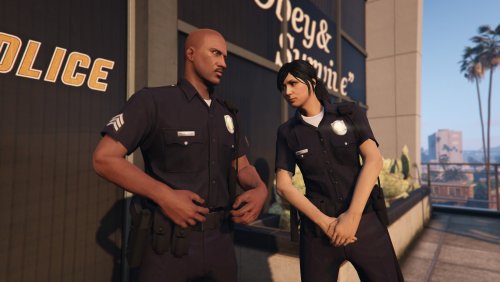 We have a lot of new data files in LSPDFR 0.4 which you can use to customize the mod to your liking and there's quite a lot on our wiki about them. The one you're looking for is called outfits.xml and it has the default police outfits defined in it. Just replace it with the one I provided here: outfits.xml
- 40 comments
- 5 reviews
-
-

- 1
-
-
-
-
It should be really simple to install. All you need to do is download the file - the file is the .oiv file - do not open or extract it, just download it. Once you have downloaded it, run Open IV and select GTA V, then click Tools and choose Package Installer. Choosing Package Installer will bring up a file picker window. Select the mpuniforms.oiv file and that's it. It's really really easy. Stop looking IN the file. The file IS a .oiv. You do not open it unless you know what you are doing. You let Open IV's Package Installer open it.
- 40 comments
- 5 reviews
-
-
- 3
-
-
We'll look into this, thanks.

